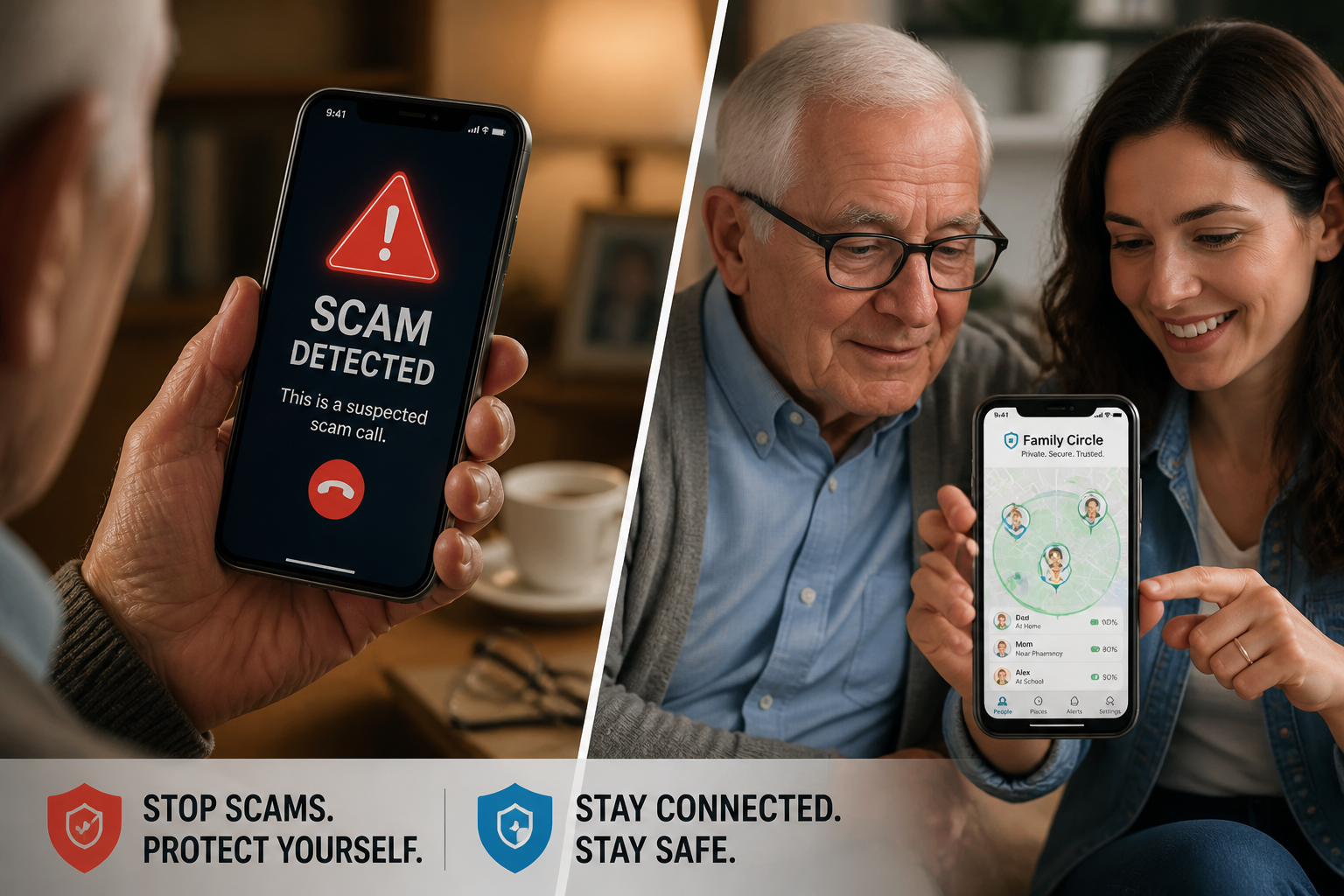
Senior Safety in 2026: Protecting Your Loved Ones from AI Fraud and Medical Emergencies
As we progress through 2026, the intersection of aging and technology has created both new opportunities for independence and new vulnerabilities for our senior population. For families with elderly loved ones, the safety conversation has shifted from physical fall prevention to a complex defense against sophisticated AI-driven fraud and the need for instant medical response.
Recent reports from the FBI and the FTC in mid-2026 indicate that “Elder Fraud” has become one of the fastest-growing criminal industries in the United States. With the emergence of AI voice cloning, the classic “Grandparent Scam” has evolved into a high-tech threat that can deceive even the most cautious families.
The Rise of AI Voice Cloning Scams
The most alarming development for senior safety in 2026 is the widespread use of generative AI to clone voices. Scammers only need a few seconds of audio—often scraped from a grandchild’s public social media post—to create a near-perfect vocal replica.
The “Crisis Call” Scenario
Imagine a senior receiving a call from their grandchild. The voice is unmistakable. The “grandchild” claims they have been in an accident, are stuck at an international border, or need immediate bail money. Because the voice sounds authentic, the senior’s natural instinct to help overrides their suspicion.
According to the Better Business Bureau (BBB) in August 2026, these AI-enhanced emergency schemes are now bilking seniors out of thousands of dollars per incident. The urgency of the call prevents the victim from verifying the story through other family members.
The Defense: Proactive Communication
To combat these scams, families must implement proactive communication strategies. The “Family Password” is no longer optional. Every family should have a non-digital, un-guessable word that is used to verify an identity during a crisis call. If the caller can’t provide the word, the senior should hang up and call the family member directly on their known number.
Medical Emergencies: The Need for Instant Connectivity
While fraud is a digital threat, the physical safety of seniors remains a top priority, especially for the millions who live independently. In 2026, the focus has moved away from simple “panic buttons” to integrated family safety app solutions that connect the senior to their entire support network.
Beyond the Traditional Panic Button
Traditional medical alert systems often rely on a single call center. In a medical crisis—such as a fall or sudden illness—the senior needs their family to know immediately. A modern SOS alert app provides a one-tap emergency SOS that notifies every member of the “Family Circle” simultaneously.
This instant multi-person alert ensures that the closest family member or a designated neighbor can respond while emergency services are being dispatched. It bridges the gap between the incident and professional help.
Real-Time Health & Location Monitoring
For seniors with cognitive decline or those who still enjoy active outdoor hobbies, location sharing is a vital safety tool. Using a secure student safety app interface (which many families already use for their children) allows for seamless, private location sharing. Caregivers can ensure their loved one is where they are supposed to be without intrusive constant surveillance, respecting the senior’s personal safety and dignity.
Building a 2026 Senior Safety Strategy
Protecting a senior in 2026 requires a balanced approach of technological tools and regular human connection.
1. The Digital Audit
Review the senior’s digital footprint.
* Privacy Settings: Ensure social media accounts (and those of their grandchildren) are set to private to prevent scammers from scraping voice samples.
* Spam Filtering: Use modern 2026-era spam blockers that can detect and flag AI-generated robocalls.
* Two-Factor Authentication: Implement 2FA for all financial accounts, but use an app-based authenticator rather than SMS, which can be intercepted.
2. The Physical & Technological Safety Net
- Wearable SOS: Encourage the use of a smartwatch or phone with a dedicated SOS shortcut. In a high-stress medical event, the simpler the interface, the better.
- Fall Detection: Modern sensors can now detect a fall and automatically trigger an emergency SOS without the user needing to press a button.
- Circle of Care: Create a dedicated Family Circle on a safety platform. This group should include the senior, their children, and perhaps a trusted neighbor or local friend.
How ProtectSmartly Empowers Senior Independence
ProtectSmartly was built to handle the complexities of multi-generational safety. We believe that technology should empower seniors to live independently while giving their families peace of mind.
- One-Tap SOS: Our interface is designed for high-stress situations. A single hold-and-press triggers an alert to the entire Family Circle, sharing the senior’s real-time location and status.
- Privacy-First Location Sharing: Unlike public apps, ProtectSmartly data is encrypted and private. We never sell data, ensuring your family’s patterns are never exposed to outsiders.
- Daily Check-Ins: Use the app for simple, non-intrusive “I’m okay” pings, reducing the need for constant “wellness check” phone calls that can feel patronizing to independent seniors.
2026 Senior Safety Checklist
- [ ] Establish a Family Password: Choose a unique word for verifying emergency calls.
- [ ] Install a Safety App: Ensure the senior and their primary caregivers are connected via a family safety app.
- [ ] Audit Financial Privacy: Set up alerts for any unusual spending or large withdrawals.
- [ ] Test the SOS Button: Practice using the SOS feature together so the senior feels confident in an emergency.
- [ ] Secure the Home: Combine technological safety with physical improvements like grab bars and improved lighting.
FAQ: Senior Safety & AI Scams
Q: My parent is very tech-savvy. Are they still at risk?
A: Yes. 2026-era AI scams are designed to bypass logic by triggering an emotional “crisis” response. Awareness is key, regardless of technical skill.
Q: Is location sharing an invasion of privacy?
A: It depends on how it’s used. We recommend a conversation about “Safety Sharing”—sharing location during specific times or as a safety net, rather than constant tracking.
Q: What if the senior doesn’t have a smartphone?
A: While ProtectSmartly is app-based, many 2026-era tablets and wearable devices support these features, providing a larger or more accessible interface for those with limited dexterity.
Conclusion: Connection is the Best Protection
The greatest risk to senior safety in 2026 isn’t just technology—it’s isolation. Predators and medical emergencies thrive when a senior is disconnected from their support network. By leveraging modern SOS alert app tools and maintaining an open, educated dialogue about new threats like AI fraud, we can ensure our elders live their best, safest lives.
A safer senior is a connected senior. Start building your family’s safety net today.
Learn more about how ProtectSmartly supports senior independence and safety.
Explore our Emergency SOS features for elderly users.
Download ProtectSmartly and connect your family safety circle today.