Author: protect10182025smrt

  • National Preparedness Month 2026: Americans Stand Ready — Your Family Safety Roadmap

    National Preparedness Month 2026: Americans Stand Ready — Your Family Safety Roadmap

    National Preparedness Month 2026: Americans Stand Ready — Your Family Safety Roadmap

    Today marks the beginning of September, officially recognized as National Preparedness Month. In 2026, FEMA’s Ready Campaign has announced the national theme: “Americans Stand Ready.” This month serves as a critical reminder that while we cannot prevent every disaster or emergency, we can significantly influence the outcome through proactive planning and tech-enabled coordination.

    As the school year settles in and seasonal weather patterns shift, there is no better time to audit your family’s safety readiness. This guide provides a 2026-era roadmap to building a resilient family emergency communication plan.

    The 2026 Preparedness Landscape: Data, Speed, and Connectivity

    In 2026, preparedness has moved beyond the traditional “supply kit” (though that remains essential). Modern readiness is defined by the speed of information and the strength of your private safety network.

    Why “Americans Stand Ready” is the 2026 Mandate

    Recent data from the 2026 National Safety Observances indicates that families who have a pre-established digital communication plan respond 40% faster during local emergencies. In 2026, with the rise of “layered” security and rapid-response drones, being connected to the latest information is your most powerful tool.

    Step-by-Step: Building Your 2026 Family Safety Roadmap

    A modern safety plan should be simple, redundant, and tech-driven.

    1. Establish Your Digital Command Center

    Your primary safety tool is the smartphone in your pocket.
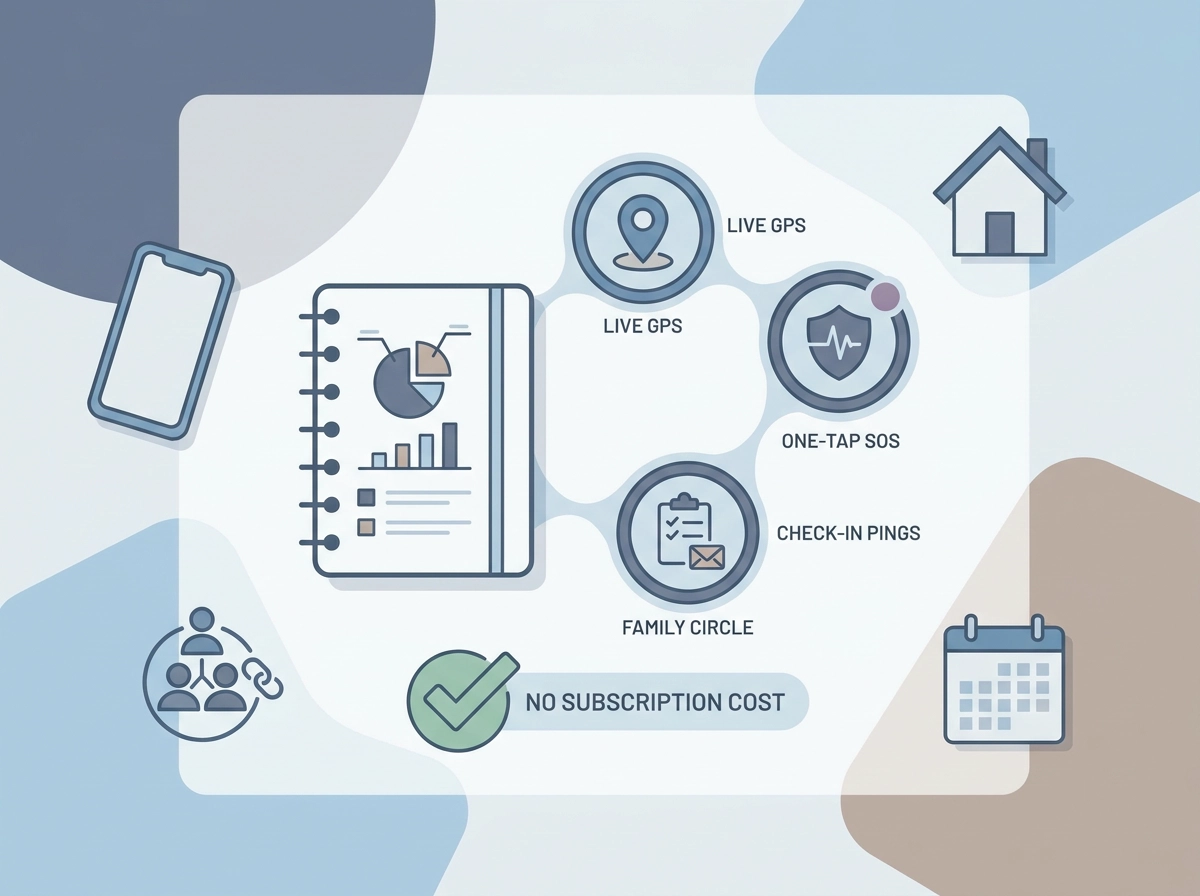
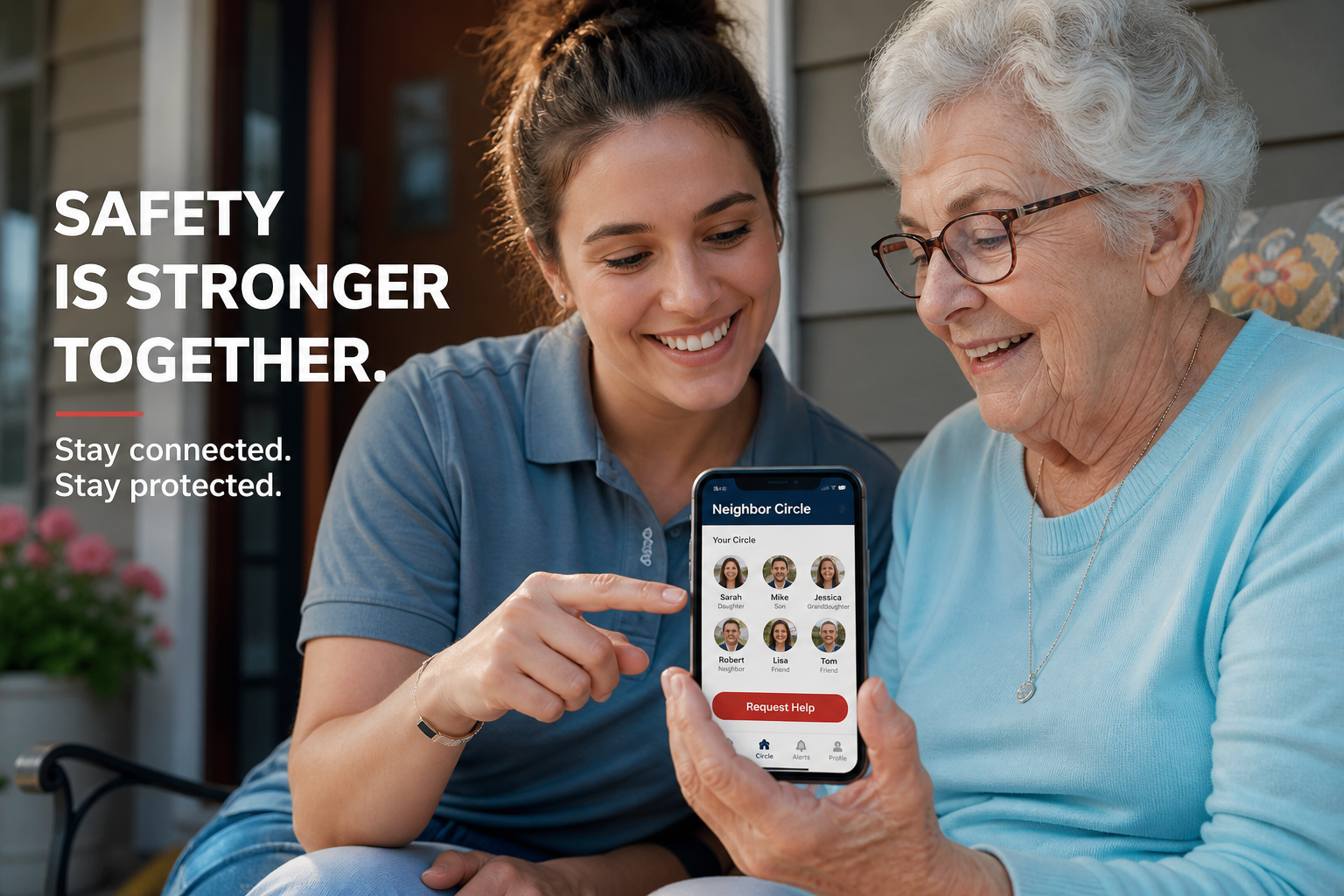
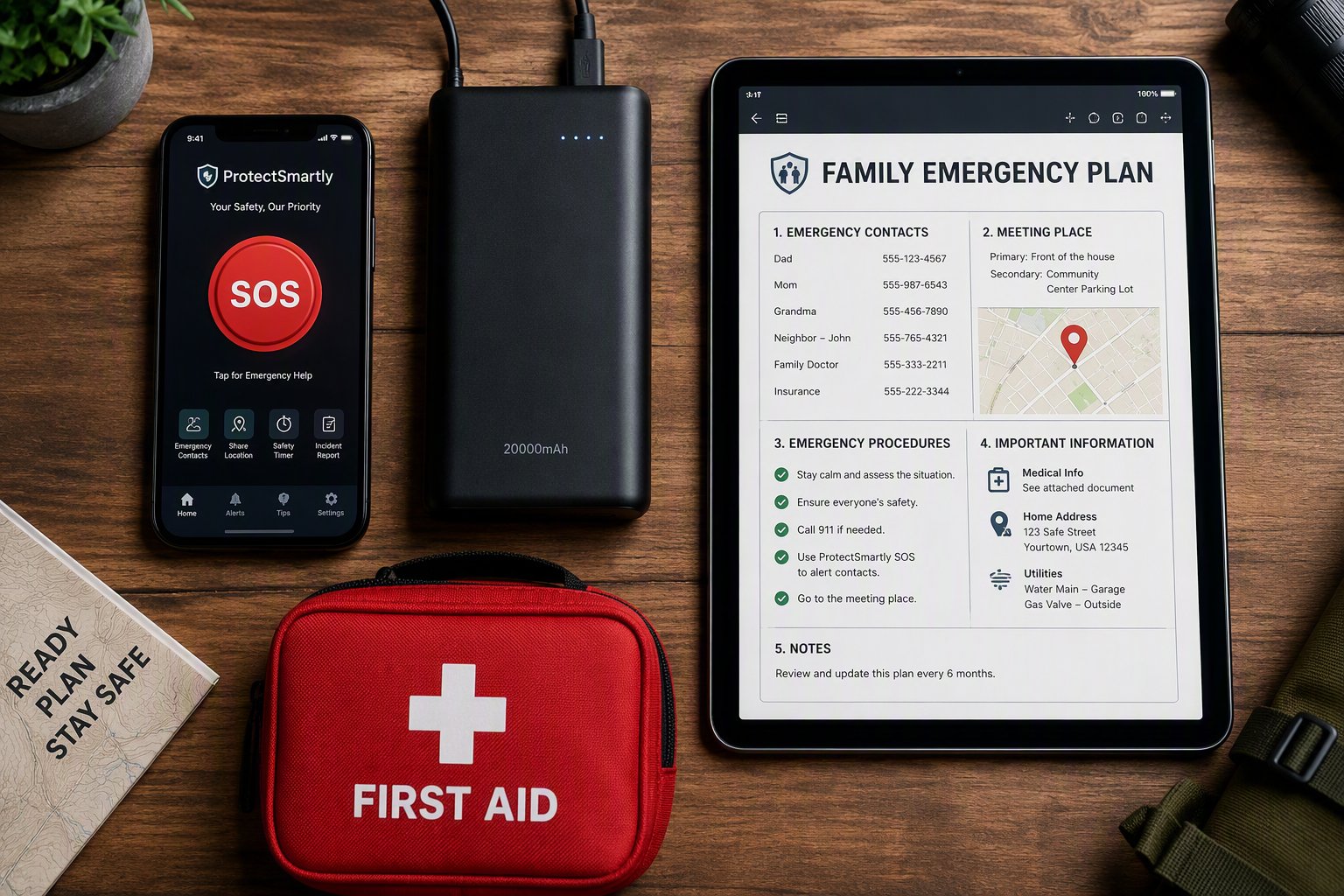
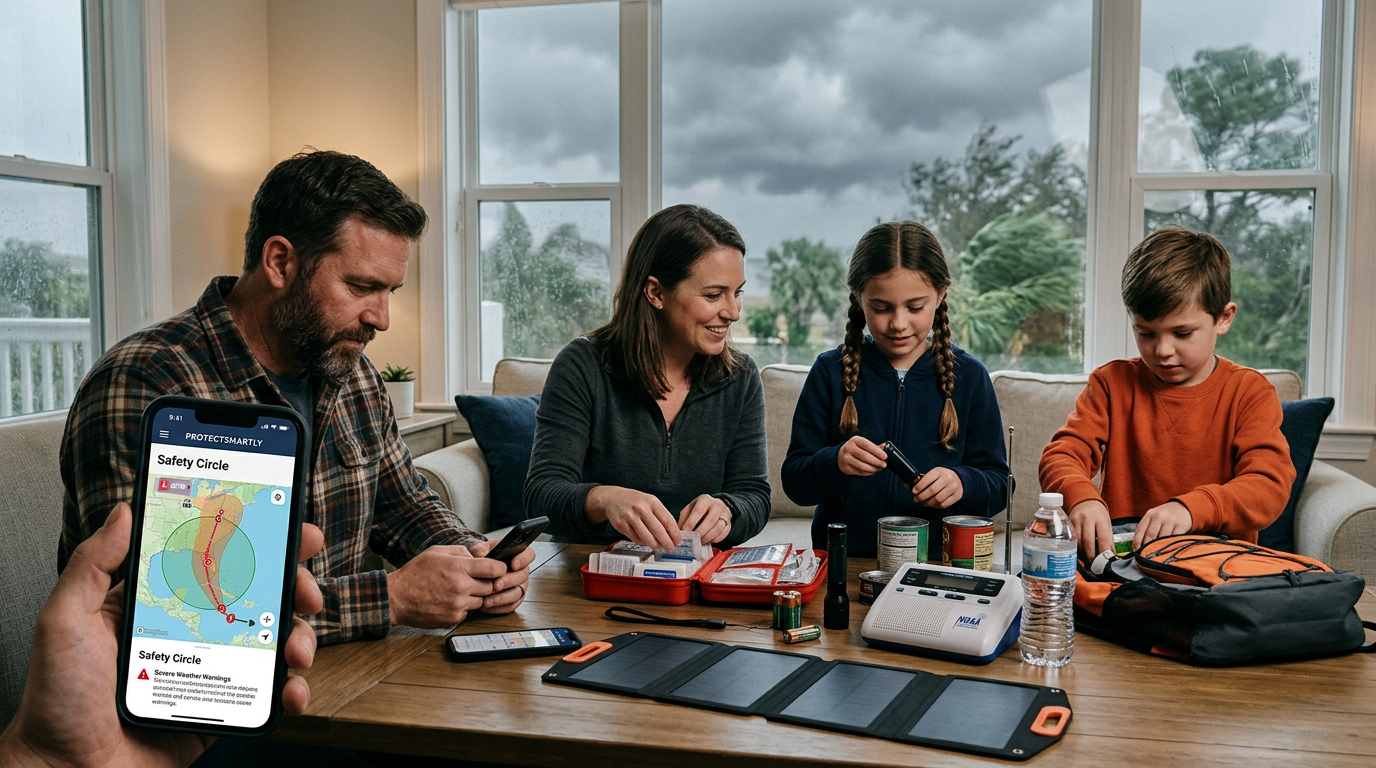
    * The “Safety Circle” Network: Using a family safety app like ProtectSmartly, create a dedicated circle for your household and trusted relatives.
    * Centralized Information: Store digital copies of your emergency plan, medical records, and out-of-area contact info within a secure, encrypted digital vault.

    2. Implement the “Safety Ping” Protocol

    In a disaster, cellular networks are often overwhelmed.
    * Low-Bandwidth Communication: Instead of calling, use your safety app to send a one-tap “I am safe” status update to your circle. ProtectSmartly is optimized to send these small “distress packets” even in low-signal environments.
    * Automated Geofencing: Set up “Safe Zones” for your home, school, and workplace. Your circle is notified automatically when everyone reaches their designated safe harbors.

    3. The One-Tap SOS for Instant Readiness

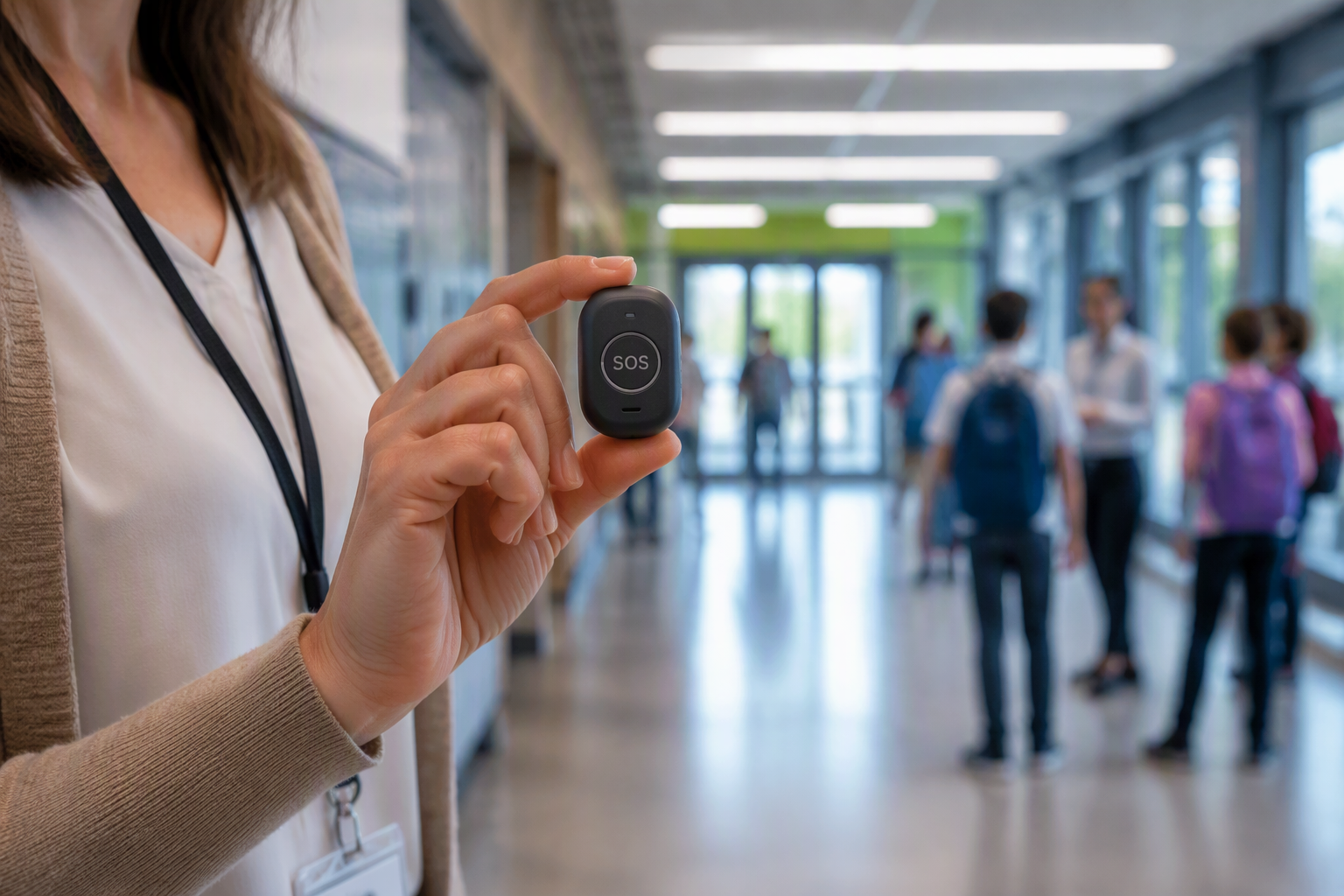
    When an emergency occurs—such as a sudden fire or medical crisis—you need an immediate way to call for help. A dedicated SOS alert app like ProtectSmartly provides a discrete, one-tap emergency SOS that instantly notifies your entire Family Circle and shares your exact GPS coordinates.

    2026 National Preparedness Checklist

    • [ ] Download the FEMA App: Get real-time weather and emergency alerts for your specific location.
    • [ ] Establish a Meeting Point: Identify a physical meeting spot outside your home and another outside your neighborhood.
    • [ ] Update Your SOS App: Ensure ProtectSmartly is installed and tested on every family member’s device, including a student safety app version for kids and teens.
    • [ ] Audit Your Supply Kit: Ensure you have 72 hours of food, water, and 2026-standard medical supplies.
    • [ ] Review Your Personal Safety: Discuss situational awareness and the importance of being alert to your surroundings during high-risk events.

    FAQ: National Preparedness in 2026

    Q: Do I really need a safety app if I have 911?
    A: Yes. 911 is for professional response. A safety app like ProtectSmartly is for immediate family coordination. It ensures that those who care about you most know your status and location instantly, even before professional help arrives.

    Q: How do I involve my kids in the plan?
    A: Make it interactive. Frame the safety plan as a “Family Team” exercise. Show them how the student safety app works and let them practice sending a “Check-in” ping.

    Q: Is my location data private?
    A: With ProtectSmartly, yes. We prioritize a “Privacy First” design, meaning your data is encrypted and only visible to the members of your invitation-only Family Circle. We never sell your data to third parties.

    Conclusion: Readiness is a Shared Responsibility

    National Preparedness Month is not just an observance; it is a call to action. By taking the time this September to build a tech-enabled family safety plan, you are fulfilling the 2026 mandate: Americans Stand Ready.

    Don’t wait for the next alert. Start your family’s preparedness journey today by connecting with your Family Circle.


    Learn more about how ProtectSmartly helps families stand ready.
    Explore the Emergency SOS features for disaster response.
    Download ProtectSmartly and take control of your family’s safety this September.

  • Labor Day 2026: Navigating Record-Breaking Travel Volumes and Emerging Digital Scams

    Labor Day 2026: Navigating Record-Breaking Travel Volumes and Emerging Digital Scams

    As we approach the final weekend of the summer, the Transportation Security Administration (TSA) and travel experts are issuing a unified warning: Labor Day 2026 will be one for the record books. With air travel volumes expected to exceed 2025 levels and highway congestion reaching peak capacity, the holiday weekend presents a unique set of challenges for personal safety.

    In late August 2026, staying safe on the road requires a dual strategy: physical preparedness for busy transit hubs and digital vigilance against a new wave of highly sophisticated travel scams.

    The 2026 Labor Day Landscape: Congestion and Complexity

    The TSA is forecasting record-breaking passenger counts for the 96-hour window surrounding Labor Day. For road trippers, the situation is similar, with busy highways and unfamiliar routes increasing the risk of distraction and vehicle-related incidents.

    The Rise of “High-Volume” Scams

    According to recent FTC data, scammers have already conned Americans out of billions this year, with travel-related fraud making up a significant portion. In 2026, “QR Code Phishing” at airports and “Fake Booking” schemes are the top threats.

    • Airport QR Scams: Scammers are placing malicious QR codes over legitimate ones at transport kiosks and charging stations. One scan can lead to the immediate compromise of your travel itinerary and financial apps.
    • Vishing and Voice Cloning: Travelers are receiving “urgent” calls from what sounds like their airline or hotel, claiming a booking issue that requires immediate payment via an unverified link.

    Building Your Holiday Safety Net with Technology

    The most effective way to navigate the complexities of Labor Day travel in 2026 is to stay connected to your trusted support network through a private safety network.

    1. The Power of a Shared Itinerary

    Instead of relying on fragmented emails and texts, use a family safety app like ProtectSmartly to coordinate your holiday group.

    • Real-Time Group Tracking: If your family is traveling in multiple vehicles, your circle can monitor everyone’s progress on a single map, ensuring that no one is left behind or gets lost on unfamiliar backroads.
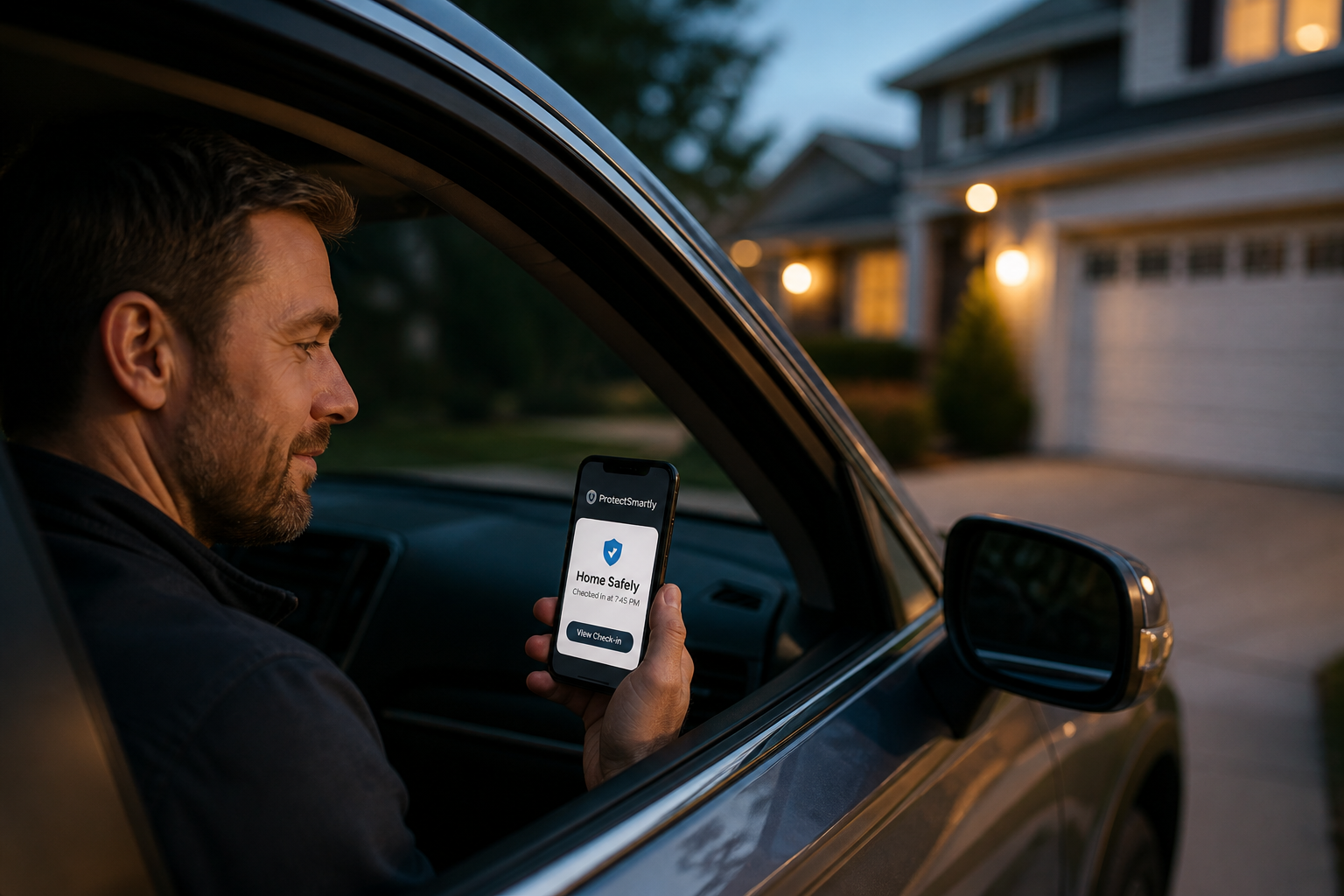
    • Automated Arrival Notifications: Set geofences for your destination—whether it’s a hotel, beach rental, or family home. Your circle is notified the moment you arrive safely, eliminating the need for “Did you make it?” texts during a busy drive.

    2. Rapid Assistance with the One-Tap SOS

    In a high-stress situation—such as a vehicle breakdown on a remote highway or a confrontation in a crowded terminal—you need a way to call for help without drawing attention. A dedicated SOS alert app provides a discrete, one-tap emergency SOS that immediately alerts your entire circle and shares your exact coordinates. This allows for rapid assistance from both your family and local emergency services.

    2026 Labor Day Travel Checklist

    • [ ] Verify Your Bookings: Call your hotel or airline directly using their official number from their website, not from a suspicious text or email link.
    • [ ] Audit Your Digital Hygiene: Never use public Wi-Fi for sensitive transactions. Use a VPN and ensure your travel documents are stored in a secure, encrypted vault.
    • [ ] Service Your Vehicle: Complete a “Core Five” check—tires, brakes, lights, fluids, and battery—before hitting the road.
    • [ ] Enable Your Safety Net: Ensure every member of your travel group has a reliable student safety app or dedicated safety tool installed and tested.

    FAQ: Labor Day Travel & Safety

    Q: Is it safe to use QR codes for check-in at airports?
    A: Only if they are permanently displayed on official kiosks. Be wary of stickers or temporary signs that look out of place.

    Q: What if I lose my phone during my trip?
    A: Have a backup plan. Maintain physical copies of your itinerary and ensure a trusted contact back home has your destination details and expected arrival times.

    Q: Can ProtectSmartly help if I have a medical emergency in a crowded park?
    A: Yes. Because ProtectSmartly provides real-time GPS data, the emergency SOS feature allows your circle and local authorities to find you much faster than a traditional phone call in a large, crowded environment.

    Conclusion: Connection is the Best Travel Companion

    Labor Day 2026 should be a time of relaxation and celebration. By understanding the latest travel risks and utilizing the power of a private, tech-enabled safety net like ProtectSmartly, you can ensure that your holiday remains secure and connected.

    Don’t let travel risks define your holiday. Start building your Labor Day safety net today.


    Learn more about how ProtectSmartly protects travelers on the road.
    Explore our SOS Alert App features for holiday travel.
    Download ProtectSmartly and take a proactive approach to your travel safety now.

  • Campus Safety Update 2026: Navigating New Security Data and Off-Campus Risks

    Campus Safety Update 2026: Navigating New Security Data and Off-Campus Risks

    Campus Safety Update 2026: Navigating New Security Data and Off-Campus Risks

    As the first weeks of the 2026–2027 academic year unfold this August, a series of high-profile incidents near university campuses has put the spotlight back on student security. From reports of shootings near the University of Cincinnati to major security overhauls at the University of Houston, the message for families is clear: safety doesn’t end at the campus gates.

    In late August 2026, educational institutions are increasingly adopting “layered” security models, but the most critical layer remains the individual personal safety net that students and families build for themselves.

    The 2026 Campus Reality: High-Tech Security and Off-Campus Vulnerabilities

    While universities have invested millions in computer vision, drone technology, and cloud-based sensors to intercept active incidents, the areas surrounding campuses remain a challenge. Recent data from the 2026 Annual Campus Security and Fire Safety Reports indicates that while on-campus crime is being mitigated by tech, the “perimeter risks” in residential and commercial areas nearby are rising.

    Why “Layered Security” is the New Standard

    • Integrated Computer Vision: Many campuses are now using AI-enabled cameras that can identify suspicious behavior or unauthorized vehicles in real-time.
    • Drone Response Teams: As seen in recent security briefings, campuses are testing non-lethal drones to provide eyes-on-the-ground during active shooter reports or large-scale disturbances.
    • Text-to-Device Alerts: The speed of information is the biggest factor in survival. Modern students are now opting into one-year Hawk Alert-style text systems that bridge the gap between campus police and the student body.

    Empowering Students in the Transition Zones

    The most dangerous time for a student is often the “transition window”—walking from a late-night study session to an off-campus apartment or a peripheral parking lot.

    1. The Power of a Digital Escort

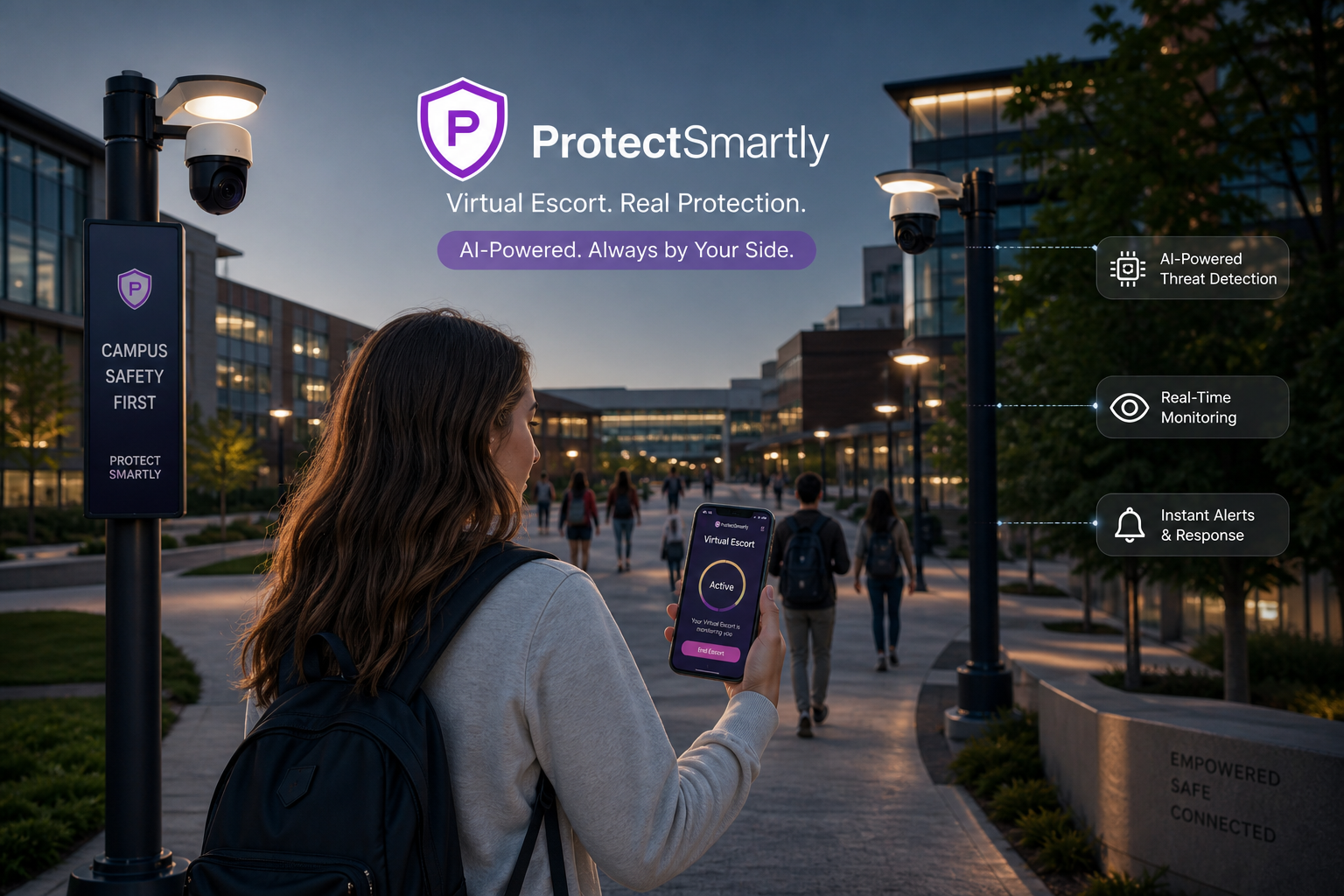
    Instead of relying solely on “Blue Light” towers, which are stationary, students are moving toward mobile safety nets. Using a student safety app like ProtectSmartly allows for a “Virtual Escort.”
    * Family Circle Monitoring: A student can share their live location with a trusted roommate or parent during their walk home.
    * Safe Zone Geofencing: Set up automated alerts for when a student leaves a safe campus building or arrives at their off-campus housing.

    2. Rapid Response with the One-Tap SOS

    When an incident occurs near campus—such as the recent disturbances reported in late August 2026—every second counts. A dedicated SOS alert app provides a discrete, one-tap emergency SOS that immediately notifies a student’s entire Family Circle and shares their exact GPS coordinates. This ensures that help is mobilized even before official campus alerts are dispatched.

    2026 Campus Safety Checklist for Families

    • [ ] Review the Clery Act Data: Download your university’s 2026 Security Report to understand the specific risks in your area.
    • [ ] Update Alert Preferences: Ensure your student has opted into all local and campus-specific emergency text systems.
    • [ ] Test Your Safety Net: Conduct a “check-in drill” this weekend to ensure your family safety app is working correctly on all devices.
    • [ ] Audit Off-Campus Routes: Walk the most common off-campus routes during the day to identify well-lit paths and safe harbors like 24-hour businesses.

    FAQ: Campus Security in 2026

    Q: Are off-campus apartments less safe than dorms?
    A: They lack the university’s internal security infrastructure. However, by using a private safety network like ProtectSmartly, students can bring that level of security with them wherever they live.

    Q: What should I do if I hear of an incident near campus?
    A: Do not head toward the area. Use your safety app to verify your location with your circle and stay indoors until an “all clear” is issued by local authorities.

    Q: Can a safety app replace campus police?
    A: No. It is a communication tool that ensures campus police and your family are notified faster and with more accuracy during a crisis.

    Conclusion: Connection is the Foundation of Security

    As we move into September, the safety of our students depends on more than just institutional policy; it depends on connectivity. By understanding the latest campus security trends and utilizing the power of a private, tech-enabled safety net like ProtectSmartly, families can ensure that their students remain secure, both on and off campus.

    Don’t wait for the next alert. Start building your campus safety net today.


    Learn more about how ProtectSmartly supports student safety.
    Explore the Student Safety App features for campus life.
    Download ProtectSmartly and take a proactive approach to your student’s safety now.

  • Annual Campus Security Reports 2026: What Families Should Look for as the School Year Begins

    Annual Campus Security Reports 2026: What Families Should Look for as the School Year Begins

    In late August 2026, a critical set of documents is being released by universities across the country: the Annual Campus Security and Fire Safety Reports. Required by the federal Jeanne Clery Disclosure of Campus Security Policy and Campus Crime Statistics Act, these reports provide families with an essential look at the safety landscape of their student’s educational home.

    As the 2026-2027 academic year commences, understanding how to interpret these statistics—and more importantly, how to act on them—is a vital component of proactive personal safety.

    The 2026 Clery Act Reports: Beyond the Numbers

    While the statistics on theft, burglary, and alcohol-related incidents are important, modern families in 2026 are looking deeper into the policy and response sections of these reports. The data from mid-August 2026 indicates that while physical crime rates on many campuses remain stable, the focus has shifted toward behavioral threat assessment and rapid communication systems.

    What to Look For in a 2026 Security Report

    • Rapid Communication Protocols: Does the university have a redundant, multi-channel alert system? In 2026, relying only on email or sirens is insufficient.
    • Threat Assessment Teams: Look for information on the school’s behavioral intervention programs. How do they identify and support students in crisis before a safety incident occurs?
    • Integrated Fire Safety: Modern reports in 2026 now emphasize integrated digital monitoring for dorm fire safety, ensuring that alerts are sent directly to student devices.

    Bridging the Gap: Empowering Students with Technology

    Even the most comprehensive university security plan has “white space”—the transition periods and individual movements where a student is most vulnerable.

    1. The Power of Personal Connectivity

    A campus security report is a baseline, but individual safety is built through connectivity. Using a secure student safety app allows a student to maintain their independence while staying connected to their private “Family Circle.”

    • Digital Escort for Late-Night Study: If a student is walking back to their dorm after dark, their circle can monitor their real-time progress.
    • Safe Zone Geofencing: Set up automated check-ins for high-traffic campus locations. Your circle is notified when the student arrives safely at the library, gym, or residence hall.

    2. The One-Tap SOS for Rapid Response

    In an emergency, the delay between an incident and the arrival of campus security can be critical. A dedicated SOS alert app like ProtectSmartly provides a one-tap emergency SOS that bypasses complex dialing or navigation.

    • Instant Location Sharing: One tap alerts the Family Circle and shares the student’s precise GPS coordinates, allowing for immediate coordination with local authorities or campus police.
    • Privacy-First Design: In 2026, privacy is paramount. ProtectSmartly ensures that location data is encrypted and visible only to the people the student chooses.

    2026 Campus Safety Checklist for Families

    • [ ] Read the Annual Security Report: Download and review the 2026 report for your student’s university.
    • [ ] Identify Emergency Phone Numbers: Save the campus police and local emergency numbers in your student’s phone.
    • [ ] Establish a Communication Schedule: Agree on a daily or weekly “digital check-in” routine.
    • ] Audit Personal Gear: Ensure your student has a portable power bank and a reliable [family safety app installed.
    • [ ] Practice Situational Awareness: Discuss the importance of being aware of surroundings, especially during transitional periods like walking through campus parking lots.

    FAQ: Campus Security & Reporting

    Q: Are the statistics in the Clery Act report always accurate?

    A: They represent reported crimes. It is often useful to compare several years of reports to identify trends rather than focusing on a single year’s data.

    Q: How do I know if my campus is safe?

    A: Safety is a layered concept. A safe campus has not just low crime statistics, but also a proactive security culture, strong mental health support, and transparent communication.

    Q: Can a safety app really help in a large campus environment?

    A: Yes. Because they provide real-time GPS data, apps like ProtectSmartly allow for much faster and more accurate assistance than traditional “Blue Light” towers or phone calls.

    Conclusion: Awareness is the Best Preparation

    The release of the 2026 Annual Campus Security Reports is a reminder that safety is a shared responsibility. By understanding the institutional landscape and utilizing the power of a private, tech-enabled safety net like ProtectSmartly, students and families can start the new school year with confidence.

    Don’t wait for a crisis to build your net. Start your proactive campus safety journey today.


    Learn more about how ProtectSmartly supports student safety.

    Explore the SOS Alert App features for campus life.

    Download ProtectSmartly and take a proactive approach to your student’s safety now.

  • Labor Day Weekend Travel Safety 2026: Modern Tips for Families and Road Trippers

    Labor Day Weekend Travel Safety 2026: Modern Tips for Families and Road Trippers

    As the final major holiday of the summer approaches, millions of Americans are preparing for the Labor Day 2026 weekend. Whether you are planning a coastal getaway, a mountain retreat, or a visit to family, the roads and airports are expected to be at peak capacity.

    In late August 2026, travel safety has evolved to include not just physical security and vehicle maintenance, but also digital preparedness and real-time coordination. This guide provides the essential safety strategies for a secure and connected Labor Day weekend.

    The 2026 Labor Day Travel Landscape: Busy Highways and Crowded Hubs

    Travel experts in August 2026 are predicting record-breaking numbers for both road trips and air travel. With busy highways and crowded terminals, the risk of distraction and vehicle-related incidents increases. Proactive safety is the key to ensuring your holiday remains a celebration, not a crisis.

    1. Vehicle Preparedness for the Modern Road Trip

    Before you hit the road, a comprehensive vehicle check is mandatory. In 2026, with an 18-year high in product recalls, ensure your vehicle is not subject to any active safety alerts.

    • The “Core Five” Check: Tires (pressure and tread), brakes, lights, fluids, and battery.
    • Recalls Check: Visit the CPSC or NHTSA websites to verify that your vehicle and any installed accessories—like child safety seats—are recall-free.

    2. Navigating Crowded Travel Hubs

    If your Labor Day plans include airports or train stations, distraction is your primary vulnerability.

    • Maintain Situational Awareness: Crowded terminals are prime locations for “distraction-based” theft rings, as recently flagged by the FBI. Keep your belongings secure and your attention on your surroundings.
    • Digital Hub Safety: Avoid using public Wi-Fi for sensitive transactions. Use a VPN and keep your travel documents in a secure, encrypted digital vault.

    Building Your Holiday Safety Net with Technology

    The biggest advancement in holiday safety in 2026 is the ability to stay connected to your support network, regardless of where your travels take you.

    Leveraging the Family Circle

    Using a family safety app like ProtectSmartly allows you to create a dedicated circle for your holiday group.

    • Real-Time Coordination: Your circle can monitor the progress of each vehicle in your group, ensuring that everyone arrives at the destination safely and together.
    • Automated Arrival Pings: Set geofences for your hotel, campsite, or rental property. Your circle is notified the moment you arrive, eliminating the need for “Did you make it?” texts.

    The One-Tap SOS for Solo Travelers and Families

    In a high-stress situation—such as a vehicle breakdown on a remote highway or a medical emergency in a crowded park—you need an instant way to call for help. A dedicated SOS alert app like ProtectSmartly provides a one-tap emergency SOS feature.

    • Precise Coordinates: One tap alerts your entire circle and shares your exact GPS location, ensuring that assistance can find you even in unfamiliar territory.
    • Peace of Mind: Knowing that your family is only one tap away allows you to enjoy your travels with confidence.

    2026 Labor Day Safety Checklist

    • [ ] Service Your Vehicle: Complete your “Core Five” check and verify active recalls.
    • [ ] Plan Your Route: Identify safe rest stops and well-lit areas for breaks.
    • [ ] Establish Your Circle: Set up a Labor Day Family Circle on ProtectSmartly.
    • [ ] Pack an Emergency Kit: Include 2026-standard medical supplies, a portable power bank, and a hand-crank radio.
    • ] Respect Your Independence: Utilize [personal safety tools to maintain a safety net without compromising your holiday freedom.

    FAQ: Labor Day Travel Safety

    Q: Is it safe to travel solo during a holiday weekend?

    A: Yes, if you utilize proactive technology. Maintain a student safety app or dedicated traveler platform to stay connected to a trusted contact back home.

    Q: What if I lose my phone during my trip?

    A: Have a physical backup of your route and emergency contact numbers. Ensure a member of your circle has your destination address and estimated arrival time.

    Q: Can I use ProtectSmartly for international Labor Day travel?

    A: Absolutely. ProtectSmartly provides global connectivity, allowing your Family Circle to stay informed no matter where your adventures take you.

    Conclusion: Connection is the Best Celebration

    Labor Day 2026 is an opportunity to recharge and reconnect. By modernizing your travel safety strategy and utilizing the power of a private safety network like ProtectSmartly, you can ensure that your holiday is defined by safe arrivals and lasting memories.

    Don’t leave your holiday safety to chance. Start building your Labor Day safety net today.


    Learn more about how ProtectSmartly protects families on the road.

    Explore our SOS Alert App features for holiday travel.

    Download ProtectSmartly and take a proactive approach to your Labor Day safety.

  • Protecting Places of Worship: 2026 Trends in Vehicle and Active Threat Security

    Protecting Places of Worship: 2026 Trends in Vehicle and Active Threat Security

    Protecting Places of Worship: 2026 Trends in Vehicle and Active Threat Security

    In August 2026, the security of places of worship has become a paramount concern for community leaders and congregants alike. Recent reports from the July/August 2026 issue of Campus Security Today highlight a critical trend: the need for integrated security measures to protect these spaces against both vehicle-based and active threats.

    As communities gather this weekend, understanding the latest in physical and digital protection is essential for maintaining a safe and welcoming environment. In 2026, the “Welcoming but Secure” model is being redefined by proactive technology.

    The 2026 Threat Landscape: Vehicle and Active Threats

    The threats facing places of worship in 2026 are increasingly multifaceted. While grievance-driven violence remains a concern, the tactics used by attackers have evolved, requiring a more robust and integrated response.

    Vehicle-Based Security Challenges

    Recent incidents have underscored the vulnerability of parking areas and building entrances to vehicle-based attacks.
    * Integrated Barriers: In 2026, security experts are recommending the use of integrated physical barriers—such as bollards and reinforced planters—that blend naturally into the architecture while providing high-impact protection.
    * Situational Awareness: Real-time monitoring of vehicle approach patterns is being used to identify suspicious behavior before a threat reaches the building.

    Active Threat Readiness

    Active threat security in 2026 is moving toward “Integrated Response” systems. These systems connect physical security (like active-shooter pull stations) with digital networks to provide immediate, site-wide alerts.

    Leveraging Tech-Enabled Connectivity for Community Safety

    To protect a diverse and often dispersed congregation, religious organizations are turning to private safety networks that empower individual congregants and staff.

    1. The Power of Site-Wide Alerts

    A modern safety plan requires a way to communicate instantly with every person on-site.
    * Direct-to-Device Alerts: Beyond sirens or PA systems, organizations are using family safety app solutions to send site-specific emergency notifications directly to congregants’ phones.
    * The “Safety Circle” for Staff: Using ProtectSmartly, security teams and staff can create private circles to coordinate arrival, departure, and incident response in real-time.

    2. The One-Tap SOS for Congregants

    For individuals within the congregation, having a discrete way to signal an emergency is vital. A dedicated SOS alert app like ProtectSmartly provides a one-tap emergency SOS feature.
    * Silent Signal: One tap alerts the site security team and shares the person’s precise location within the building or parking area.
    * Rapid Intervention: This allows for a localized response that can prevent a situation from escalating into a full-scale crisis.

    Building Your 2026 Worship Security Plan

    • Conduct a Site Audit: Identify the most vulnerable entry points and parking areas.
    • Install Integrated Barriers: Replace temporary barriers with permanent, architecturally-integrated security features.
    • Train Your Staff: Ensure every staff member and volunteer knows how to use the site’s emergency alert system.
    • Utilize a Safety Network: Encourage congregants to download a reliable student safety app or dedicated safety tool for use during services and events.
    • Review Personal Safety: Educate congregants on maintaining personal safety awareness while entering and exiting the site.

    FAQ: Worship Site Security

    Q: Does security technology make a place of worship feel “unwelcoming”?
    A: Not in 2026. Modern security—such as discrete bollards and app-based alerts—is designed to be nearly invisible, providing a “Safety Net” that enhances the sense of peace and community.

    Q: How do we handle active-shooter pull stations?
    A: These should be treated similarly to fire alarms. Ensure they are clearly marked and that staff are trained on the specific protocols that are triggered when an alarm is activated.

    Q: Can ProtectSmartly be used for large community events?
    A: Yes. ProtectSmartly is highly scalable, allowing large groups to stay connected and informed during high-attendance services and festivals.

    Conclusion: Securing the Heart of the Community

    Protecting places of worship in 2026 is about more than just locks and bars; it is about building a proactive, connected culture of safety. By integrating physical security with modern, app-based connectivity, we can ensure that our communities remain safe spaces for all.

    Don’t wait for a crisis to build your net. Start your worship security journey today by connecting with your Family Circle.


    Learn more about how ProtectSmartly supports community safety.
    Explore our SOS Alert App features for large events.
    Download ProtectSmartly and take a proactive approach to your community’s safety.

  • Proactive School Safety 2026: Why Campus Security is Moving Beyond Reactive Measures

    Proactive School Safety 2026: Why Campus Security is Moving Beyond Reactive Measures

    Proactive School Safety 2026: Why Campus Security is Moving Beyond Reactive Measures

    As the 2026-2027 school year begins this August, the conversation surrounding campus security has undergone a fundamental shift. Educational leaders and safety experts are increasingly moving away from “reactive” measures—which only trigger after an incident occurs—and toward proactive, sustainable systems that prioritize a culture of safety.

    In 2026, the goal is no longer just to respond faster, but to intervene earlier. This guide explores the emerging trends in proactive school safety and how families can leverage technology to build a more secure educational environment.

    The 2026 Safety Shift: Culture over Symbolism

    Recent safety reports from mid-August 2026 emphasize that strong school safety cultures and sustainable systems consistently outperform isolated, highly visible, and symbolic security initiatives. In 2026, “Safety Theater”—such as excessive fencing or performative checkpoints—is being replaced by integrated, data-driven strategies.

    Proactive Threat Assessment

    Rather than waiting for a crisis, schools are now utilizing proactive threat assessment teams. These groups monitor behavioral patterns and environmental conditions to identify high-risk situations before they escalate.
    * Behavioral Interventions: Schools are prioritizing mental health resources and conflict resolution programs as core components of their safety infrastructure.
    * Integrated Technology: From drone monitoring to AI-enabled situational awareness, the tech used in 2026 is designed to provide real-time data to decision-makers.

    Empowering Families in the Safety Ecosystem

    While schools are modernizing their internal systems, the most effective safety net includes the active participation of families and students.

    1. The Power of Integrated Alerts

    A modern school safety plan requires a redundant alert system that connects the school, the student, and the parent.
    * Redundant Notifications: Beyond school-wide PA systems, families are using independent family safety app solutions to maintain a direct line of communication.
    * The “Safety Circle” Network: Using ProtectSmartly, families can create private circles that include trusted neighbors or fellow parents, ensuring that information can be shared rapidly during a localized event.

    2. Utilizing the One-Tap SOS

    For students navigating the complexities of campus life, having a discrete way to signal distress is vital. A dedicated SOS alert app like ProtectSmartly provides a one-tap emergency SOS feature.
    * Immediate Location Sharing: One tap alerts the entire Family Circle and shares the student’s precise GPS coordinates, allowing for immediate verification and response.
    * Low-Profile Signal: In a high-stress situation, a student can trigger an alert without drawing attention, providing a vital lifeline when every second counts.

    Building Your 2026 Proactive Safety Plan

    • Review School Protocols: Familiarize yourself with your school’s emergency response and threat assessment procedures.
    • Establish a Communication Chain: Agree on a primary and secondary method of communication for school-related emergencies.
    • Download a Safety Tool: Ensure your student has a reliable student safety app installed and that their personal safety network is active.
    • Conduct a Home Drill: Practice what your family would do if a campus-wide alert was issued after school hours.

    FAQ: Proactive Campus Safety

    Q: Are AI-enabled safety systems invasive?
    A: In 2026, the focus is on “Privacy-First” security. ProtectSmartly and other leading platforms prioritize bank-level encryption and user control, ensuring that safety data is only used during high-risk events.

    Q: How can I help my school become more proactive?
    A: Participate in parent-teacher organizations and advocate for behavioral threat assessment teams and integrated safety technology over symbolic barriers.

    Q: What is the most important component of school safety?
    A: Culture. A school where students and staff feel empowered to report suspicious activity and where communication is seamless is fundamentally safer.

    Conclusion: Connection is the Best Protection

    School safety in 2026 is a shared responsibility. By moving beyond reactive measures and embracing a proactive, tech-enabled safety culture, we can ensure that our schools remain places of learning and growth.

    Don’t wait for a crisis to build your net. Start your proactive safety journey today by connecting with your Family Circle.


    Learn more about how ProtectSmartly supports campus security.
    Explore the Student Safety App proactive features.
    Download ProtectSmartly and take control of your student’s safety today.

  • Campus Parking Lot Safety: New Data on Avoiding High-Risk Areas in 2026

    Campus Parking Lot Safety: New Data on Avoiding High-Risk Areas in 2026

    Campus Parking Lot Safety: New Data on Avoiding High-Risk Areas in 2026

    As students and faculty return to campuses across the country this August, a new set of safety data has brought a critical issue to the forefront: parking lot security. Recent reports from mid-August 2026 reveal that more than half of women and 41% of men now actively avoid open-air parking lots after dark due to heightened safety concerns.

    In the modern campus environment, personal safety extends far beyond the classroom. The transition from a late-night study session to one’s vehicle has become a primary “vulnerability window” for students and staff alike.

    The 2026 Parking Lot Landscape: Perception vs. Reality

    While campuses have invested heavily in traditional security measures like CCTV and “Blue Light” emergency towers, the data suggests that these isolated initiatives are no longer enough to make people feel truly secure. In 2026, grievance-driven violence and opportunistic crime in transitional spaces like parking garages have necessitated a shift toward proactive, tech-enabled connectivity.

    Why Open-Air Lots Are High-Risk

    • Poor Lighting: Many older campus lots suffer from inconsistent or malfunctioning lighting, creating shadows where predators can remain unseen.
    • Isolation: Parking areas are often located at the periphery of campus, far from high-traffic zones and security patrols.
    • Predictable Patterns: Criminals monitor the arrival and departure times of students, identifying when individuals are most likely to be walking alone.

    Building a Proactive Safety Net

    To navigate these high-risk areas with confidence, individuals are increasingly relying on private, tech-enabled safety networks that bridge the gap between building exits and vehicle doors.

    1. The “Virtual Escort” Strategy

    One of the most effective ways to stay safe is to ensure you are never truly walking alone. Using a secure student safety app allows you to connect with a “Family Circle” or a trusted roommate during your walk.

    • Real-Time Progress: Your circle can monitor your exact GPS coordinates from the moment you leave the library until you reach your car.
    • Automated Arrival Pings: Set a “Safe Zone” around your vehicle’s usual parking area. Your circle is notified the moment you arrive, providing immediate peace of mind.

    2. The One-Tap SOS for Campus Commuters

    In a high-stress situation—such as being followed or witnessing suspicious activity—you need a way to call for help without fumbling with your phone’s lock screen. A dedicated SOS alert app like ProtectSmartly provides a discrete, one-tap emergency SOS. A single press alerts your entire circle and shares your live location, allowing for rapid intervention.

    2026 Campus Parking Safety Checklist

    • Plan Your Route: Walk the route during the day to identify the best-lit paths and security tower locations.
    • Keys in Hand: Have your keys ready before you leave the building. This reduces the time spent searching at your car door.
    • Avoid Distractions: Put away your headphones and phone. Awareness is your first line of defense.
    • Check the Back Seat: Before entering your vehicle, quickly scan the interior, especially the rear floorboards.
    • Utilize a Safety App: Ensure every member of your household has a reliable family safety app installed and configured.

    FAQ: Campus & Parking Safety

    Q: Are multi-story garages safer than open-air lots?
    A: Not necessarily. While garages often have more cameras, they also have more blind spots, concrete pillars, and enclosed stairwells. Vigilance is required in both environments.

    Q: What if I see someone suspicious near my car?
    A: Do not approach. Return to a safe, populated building immediately and use your SOS alert app to notify security or your trusted circle.

    Q: How does ProtectSmartly handle campus privacy?
    A: ProtectSmartly prioritizes user control. You choose when and with whom you share your location. We recommend sharing only during active commutes in high-risk areas.

    Conclusion: Awareness is Your Best Shield

    The return to campus in 2026 should be a time of excitement, not anxiety. By understanding the new data surrounding parking lot risks and utilizing proactive technology like ProtectSmartly, students and faculty can take control of their personal safety.

    Don’t let your commute be a matter of chance. Start building your safety net today by connecting with your Family Circle.


    Learn more about how ProtectSmartly protects students on campus.
    Explore our Student Safety App features for late-night commutes.
    Download ProtectSmartly and take a proactive approach to your campus safety.

  • 2026 Family Emergency Preparedness: Building a Tech-Enabled Safety Plan

    2026 Family Emergency Preparedness: Building a Tech-Enabled Safety Plan

    2026 Family Emergency Preparedness: Building a Tech-Enabled Safety Plan

    As we navigate through August 2026, the importance of modernization in emergency preparedness has never been more evident. With rising regional tensions and a push from state governments—such as the recent Executive Order signed by the Governor of Virginia—to prioritize family safety, being prepared is no longer just about having a kit; it’s about having a connected, tech-enabled plan.

    In 2026, traditional disaster response is being transformed by real-time data and instant communication. This guide outlines the essential steps to build a 2026-era family emergency plan that leverages technology to keep your loved ones safe during the unexpected.

    The 2026 Preparedness Landscape: Modern Challenges

    Emergency preparedness in 2026 involves more than just weathering a storm. Families must now account for complex scenarios, including digital infrastructure failures and the need for rapid coordination across large distances.

    Modernizing Your Alert System

    The primary challenge in any disaster is receiving timely, accurate information. In 2026, relying on a single source of news is a vulnerability. A robust plan includes:
    * Redundant Alerts: Ensure you are signed up for local emergency alerts, NOAA weather radio feeds, and have an emergency SOS app configured on all family devices.
    * The “Zero-Power” Backup: While we prioritize tech, every family needs a way to receive information if cellular networks and power grids fail. Maintain a battery-powered or hand-crank emergency radio.

    The Rise of Regional Tensions

    With the U.S. Embassy in Jordan and other international bodies issuing security alerts in late August 2026, global and regional tensions are impacting how families view personal security. Preparedness now includes having a “Safe Harbor” strategy for both local and international events.

    Building Your Tech-Enabled 4-Step Plan

    A modern family safety plan should be simple to remember but powerful in execution.

    1. Identify Your Hazards and Meeting Points

    Sit down with your family and identify the most likely disasters in your area (fire, flood, earthquake).
    * Digital Mapping: Pinpoint your family’s “Meeting Points” on a shared map within your family safety app.
    * The “Safety Circle” Concept: Using ProtectSmartly, create a Family Circle that includes not just your household, but trusted neighbors or nearby relatives who can assist in a crisis.

    2. Establish a Redundant Communication Protocol

    In a disaster, communication is the first thing to fail.
    * The “Safety Ping”: Instead of long phone calls that clog networks, use a student safety app or dedicated safety tool to send a one-tap “I am safe” status update to your circle.
    * Out-of-Area Contact: Designate one person who lives far away as the central contact for the entire family. If local lines are down, this person serves as the message hub.

    3. Implement the One-Tap Emergency SOS

    When every second counts—such as in a house fire or a sudden medical event—you cannot waste time searching for help. A dedicated SOS alert app like ProtectSmartly provides an instant emergency SOS feature. One tap alerts your entire Family Circle and local emergency services, providing your precise GPS coordinates even in low-visibility environments.

    4. Continuous Location Awareness

    During an evacuation, knowing where everyone is provides invaluable peace of mind.
    * Real-Time Tracking: Ensure that location sharing is enabled for all family members during an active emergency. This allows you to coordinate arrivals at safe zones and ensure that nobody is left behind.
    * Personal Safety Verification: Use your safety platform to verify that everyone has reached their destination safely without the need for constant “Where are you?” texts.

    2026 Emergency Preparedness Checklist

    • [ ] Digitize Important Documents: Store encrypted copies of IDs, insurance, and medical records in a secure cloud-based vault.
    • [ ] Update Your Safety App: Ensure ProtectSmartly is installed on all devices and that every family member knows how to use the SOS button.
    • [ ] Audit Your Kits: Check expiration dates on food and water; ensure your medical kit includes 2026-standard supplies.
    • [ ] Test Your Plan: Conduct a family drill this weekend. Practice your evacuation route and your communication protocol.
    • [ ] Establish a Family Password: As discussed in our digital safety guides, have a non-digital word for identity verification in a crisis.

    FAQ: Emergency Safety in 2026

    Q: Do safety apps work without cellular service?
    A: Most features require a data connection, but many 2026-era apps (including ProtectSmartly) are optimized to send small “distress packets” even in low-bandwidth situations. Always maintain a backup satellite-based device for remote areas.

    Q: How do I involve my kids in the safety plan without scaring them?
    A: Focus on “Empowerment.” Frame the plan as a “Safety Superpower” that they can control. Using a student safety app makes safety interactive and accessible for children.

    Q: Is it safe to store my medical info in an app?
    A: Yes, if the app uses bank-level encryption. ProtectSmartly prioritizes personal safety and privacy, ensuring your data is only visible to those you choose during an emergency.

    Conclusion: Connection is the Best Preparation

    In 2026, family safety is built on a foundation of connectivity. By modernizing your emergency plan and utilizing the power of a private safety network like ProtectSmartly, you can ensure that your family stays connected, informed, and secure no matter what the future holds.

    Don’t wait for a crisis to build your net. Start your tech-enabled safety plan today.


    Learn more about how ProtectSmartly helps families stay prepared.
    Explore the Emergency SOS features for disaster response.
    Download ProtectSmartly and take control of your family’s safety now.

  • Solo Travel Safety in 2026: A Modern Guide for Backpackers and Explorers

    Solo Travel Safety in 2026: A Modern Guide for Backpackers and Explorers

    As the world continues to open up in 2026, solo travel has reached new heights of popularity. From backpacking through Southeast Asia to exploring the historic streets of Europe, more people than ever are embracing the freedom of traveling alone. However, the travel landscape has also become more complex, with new risks requiring a more sophisticated approach to personal safety.

    Recent warnings from the FBI and international safety organizations in late August 2026 have highlighted a surge in “distraction-based” theft and new digital vulnerabilities for solo explorers. In this guide, we break down the essential strategies for staying safe while seeing the world on your own terms.

    The 2026 Travel Risk Profile: Distraction and Digital Vulnerability

    The most significant threat to solo travelers in 2026 isn’t always physical violence; it’s distraction. Busy transport hubs, crowded tourist landmarks, and unfamiliar urban environments are prime hunting grounds for sophisticated theft rings.

    The “New Theft Tactics” in Europe

    In a recent August 2026 security briefing, the FBI alerted travelers to a new wave of highly organized theft tactics across major European capitals. These involve multiple “distractors” who use seemingly innocent requests—asking for directions, offering to help with luggage, or creating a minor public disturbance—while an accomplice identifies and steals high-value electronics and travel documents.

    Digital Vulnerabilities: Public Wi-Fi and QR Scams

    Beyond physical theft, solo travelers are increasingly targeted through digital means. “QR Code Phishing” at restaurants or transport kiosks can lead to immediate compromise of travel apps and financial data. For a solo traveler, losing access to their digital navigation and booking tools is more than an inconvenience; it is a major safety crisis.

    Proactive Safety: Building Your 2026 Travel Toolkit

    Staying safe in 2026 requires a blend of traditional street smarts and modern technology.

    1. The “Safety Shadow” Strategy

    One of the most effective ways for solo travelers to stay secure is to maintain a “Safety Shadow” with a trusted person back home. Using a secure family safety app allows you to share your real-time location with a dedicated “Family Circle.”

    • Continuous Location Sharing: Instead of sporadic check-ins, keep your location active for your circle. If you deviate from your planned route or become stationary in an unusual area, your safety net is alerted immediately.
    • Trip Check-ins: Use automated pings to let your circle know when you’ve arrived at your hostel, board a night train, or return to your accommodation after a late night out.

    2. The One-Tap SOS for Travelers

    In an emergency—whether it’s a medical event, a confrontation, or getting lost in a high-risk neighborhood—you need a way to call for help without drawing attention. A dedicated SOS alert app like ProtectSmartly provides a discrete, one-tap emergency SOS feature. This instantly notifies your circle and provides them with your exact coordinates, allowing them to coordinate assistance even if you cannot speak.

    Specialized Safety for Solo Demographics

    Solo Female Travelers

    Research in 2026 shows that 29 countries are now classified as “high-risk” for female travelers. Vigilance is key. Always use a student safety app or dedicated traveler platform to stay connected. Trust your instincts—if a situation feels wrong, it probably is.

    Student Backpackers

    For students on a gap year or studying abroad, the temptation to “go off the grid” is strong. However, maintaining a digital link to a Family Circle is the most responsible way to explore. It ensures that your independence is supported by a robust safety net.

    2026 Solo Travel Safety Checklist

    • Research Your Destination: Check the latest U.S. State Department Travel Advisories before you book.
    • Secure Your Connection: Never use public Wi-Fi for sensitive transactions; use a VPN and stick to known networks.
    • Establish Your Circle: Set up a Family Circle on ProtectSmartly before you leave, including at least two trusted contacts back home.
    • Download Offline Maps: Ensure you can navigate even without a data connection.
    • Carry a Portable Power Bank: Your phone is your lifeline—keep it charged.
    • Test Your SOS: Make sure your SOS alert app is active and your contacts know what to do if they receive an alert.

    FAQ: Solo Travel & Safety

    Q: Is it safe to travel solo to “Level 2” advisory countries?

    A: Yes, but it requires “Exercise Increased Caution.” This means being more diligent about location sharing and staying in well-populated areas.

    Q: What if I lose my phone while traveling alone?

    A: Have a backup plan. Keep physical copies of important documents and ensure you have a “Meeting Point” strategy or a way to access your safety circle from a browser if needed.

    Q: How often should I check in?

    A: With a family safety app, you don’t need to manually check in constantly. The app does the work for you, providing peace of mind without interrupting your journey.

    Conclusion: Explore with Confidence

    Solo travel in 2026 is an incredibly rewarding experience that fosters resilience and global understanding. By understanding modern risks and utilizing the power of a private, tech-enabled safety net like ProtectSmartly, you can explore the world with the confidence that you are never truly alone.

    Your adventure shouldn’t be defined by fear, but by preparedness. Start your solo travel journey today by connecting with your Family Circle.


    Learn more about how ProtectSmartly protects solo travelers around the world.

    Explore the SOS Alert App features for international travel.

    Download ProtectSmartly and take a proactive approach to your travel safety.