Picture this: your teenager just got their licence, your mum lives across town, and your kids are old enough to walk home from school. Keeping tabs on everyone without blowing up their phones with “where are you?” texts sounds like a dream, right? That is exactly what a good location sharing app is built to do.
But here is the thing. Open up any app store in 2026 and you will find dozens of options, each promising to be the best family safety tool on the market. Some lock their most useful features behind expensive monthly subscriptions. Others pile on features that sound impressive but do nothing meaningful for your family’s day-to-day safety.
So what do Australian families actually need? In this post, we are cutting through the noise. We will walk you through the must-have features no family app should skip, break down which paid upgrades are genuinely worth it, and compare free versus paid tiers side by side. We will also look at what makes the Australian context unique, and how these apps serve everyone from kids to grandparents. By the end, you will know exactly what to look for.
What Australian Families Are Really Looking For in a Location Sharing App
Most Australian parents aren’t looking for a sophisticated tracking dashboard. They’re asking three simple questions: Did they arrive safely? How far away are they? Do I need to worry right now? A good family location sharing app answers all three, instantly, without any fuss.
That’s exactly why location sharing has moved firmly into the mainstream. Australia’s eSafety Commissioner recognises location sharing as an established online safety tool, which means families can treat it as a normal, practical safety layer rather than something complicated or controversial.
In 2026, the market has shifted well past a simple dot on a map. Families now expect apps to handle check-in pings, emergency escalation, and family circle notifications as standard, not as premium add-ons. These aren’t luxury features; they’re the baseline.
The use cases are genuinely varied. Think school pickups in suburban Sydney, a teenager driving alone on regional NSW roads for the first time, an elderly parent living independently in a different suburb, or a caregiver keeping tabs on multiple family members across a busy day. These are the moments when families reach for the app and need it to work immediately.
That last point matters more than it sounds. Most people searching for a family sharing app are not tech professionals. They want something that works on day one, without reading a manual or watching tutorial videos. If the setup is complicated, the safety benefit disappears because half the family circle never bothers to join.
The Four Features a Family Sharing App Cannot Afford to Skip
Four capabilities separate a genuinely useful family sharing app from one that looks good on a features list but falls short when it counts.
Real-time GPS that actually updates in real time
“Real-time” gets used loosely. In practice, it means the map refreshes every 30 to 60 seconds with background tracking active, so you see where someone is now, not five minutes ago. An app that only pings location when the screen is open, or pauses tracking to save battery, defeats the purpose. If your teenager is driving home and something goes wrong, a stale location is no help.
A one-tap SOS that skips the extra steps

A proper SOS sends an immediate alert to your family circle, including the sender’s live GPS coordinates, with a single tap. In a genuine emergency, extra steps get fumbled. A feature that opens a chat window or prompts you to compose a message is not an SOS; it is messaging with extra friction.
Check-in pings for everyday peace of mind
For most families, the most-used feature is the simplest: a quick tap to say “I’ve arrived safely.” No phone call, no text thread. A check-in ping handles the school run, the late shift, and the solo road trip without anyone having to ask.
A family circle that is easy to manage
Everyone in your trusted group receives location updates and alerts. Adding a grandparent or removing an ex-partner should take seconds, not a support ticket. For blended and multi-generational households, a clean circle structure is what makes the whole system work.
These four features cover the vast majority of everyday Australian family safety needs. What You Get Out of the Box with Protect Smartly shows how this complete toolkit is available without a paid subscription or complicated setup.
Which Premium Features Are Worth It and Which Ones Are Not
Once you have those four core features covered, the harder question becomes: what else is actually worth paying for?
Some premium features earn their place. Driving safety tools, speeding alerts, phone-use detection, and crash detection, are genuinely useful if you have a teen behind the wheel or a family member regularly doing long hauls between regional towns. If that describes your household, these features are worth evaluating seriously.
Automatic crash response is increasingly marketed as a premium differentiator, but ask one specific question before you pay for it: does that response connect to Australian emergency services (000), or does it route through an offshore call centre? The answer materially affects how useful it is in an actual emergency.
Place alerts and geofencing sit in an awkward middle ground. They are a genuinely useful feature for parents of younger children, letting you know when a child arrives at school or leaves a friend’s house. The capability itself is relatively simple, yet many apps now gate it behind a paid tier. It is worth checking what’s included in premium before assuming you need to upgrade to access it.
What you almost certainly do not need to pay for: detailed location history playback, social media-style activity feeds, data analytics dashboards, and cross-app integrations. These features are commonly bundled into expensive tiers and deliver minimal safety value for everyday Australian families.
The honest test before upgrading is simple: does this feature change what happens in an actual emergency, or does it only add convenience when nothing is wrong? If the answer is the latter, you are paying for upsell padding, not safety.
A Practical Feature Comparison: Free Versus Paid Tiers
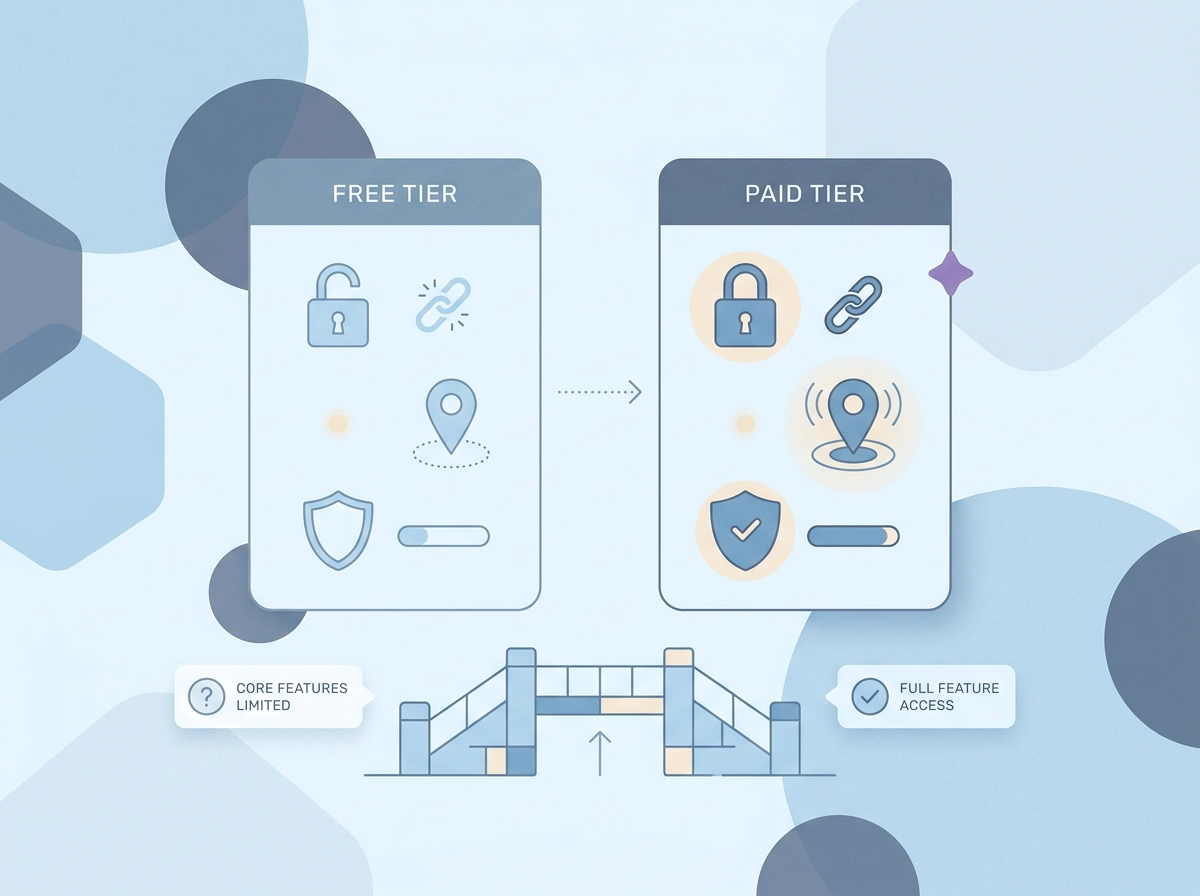
So where does that leave you when you actually sit down to compare apps?
Here is how the 2026 market typically breaks down across the features that matter most for daily family safety:
| Feature | Typically Free | Typically Premium |
|---|---|---|
| Live GPS location sharing | Sometimes limited | Full real-time access |
| One-tap SOS with GPS alert | Rarely included | Common paywall |
| Check-in pings | Occasionally free | Often gated |
| Family circle management | Basic version free | Full control gated |
| Place alerts / geofencing | Rarely free | Standard premium add-on |
| Location history playback | Sometimes free | Extended history paywalled |
The pattern is deliberate. Core safety features get restricted just enough to make the paid tier feel necessary, then that tier gets marketed as a “safety upgrade.” In reality, features like detailed history playback or activity dashboards do not change what happens when someone triggers an SOS at 11pm. They are convenience additions, not safety ones. Australian Consumer Law requires that services not be misrepresented in terms of their safety or functional value, so families have every right to scrutinise those claims.
The cost adds up faster than it looks. A single app subscription at $15 to $20 per month sits alongside streaming, cloud storage, and other household services. For a family already watching budgets, paying for safety features that should be free is a genuine frustration.
A genuinely free model works differently. What’s included for free with Protect Smartly covers the complete essential set: live location sharing, one-tap SOS with GPS coordinates, check-in notifications, and family circle management. No trial period, no credit card required, no features that quietly expire after 30 days. The safety baseline is the product, not the hook.
Location Sharing in Australia: What the Local Context Changes
Choosing the right app isn’t just a features decision. For Australian families, there’s a local context that most overseas comparison guides miss.
Australia’s eSafety Commissioner treats location sharing as an established online tool, not a niche surveillance concern. That framing matters: you can approach a family location sharing app as a normal, practical safety layer, the same way you’d think about a smoke alarm or a seatbelt.
Australian geography shapes the use cases. A family in suburban Melbourne dealing with a teenager on the train network has very different needs from a rural family in regional Queensland where mobile coverage can drop mid-drive. Long stretches between towns, large suburban transit corridors, and patchy rural signal are realities overseas app comparisons rarely factor in. Reliable performance in low-signal conditions is a practical requirement here, not a bonus.
Check these three things before you download any app:
- Where is location data stored? Australian or overseas servers?
- How long is location history retained after activity?
- What happens to your data if you delete your account?
These questions matter under Australian privacy principles, and a trustworthy app should answer them clearly in its privacy policy. If you’re unsure what to ask, the FAQ on whether your family can see your location is a useful starting point.
On consent: consensual sharing within a family circle, where everyone knows they’re visible, is very different from covert monitoring. The best designs make it easy for any member to see who can view their location and to opt out simply.
Finally, most apps do not connect directly to 000. A reliable one-tap SOS that instantly alerts your family circle with your GPS location is your real first-response safety net, not a replacement for emergency services, but the fastest way to get the right people moving.
Beyond Parent and Child: How Family Tracking Apps Serve Every Generation
Those local privacy and geography factors matter, but they only tell part of the story. A family location sharing app needs to work for every person in the household, not just the parent setting it up.
Teen drivers are arguably the clearest use case. In Australia, young drivers aged 17 to 24 are around two and a half times more likely to be killed in a crash than other age groups, with crash risk peaking in the first six to twelve months of solo driving. Knowing your newly licensed teenager is on the road, and that they can trigger a one-tap SOS if something goes wrong, turns a nervous wait into manageable peace of mind.
Elderly parents living independently represent a fast-growing use case in 2026. Adult children generally do not want to monitor every movement; they want a simple signal that Mum or Dad is okay. A check-in ping handles that far better than constant location tracking, which can feel intrusive and often goes ignored anyway.
Caregivers supporting vulnerable adults need the same two things: live location awareness and a fast SOS trigger. A complicated interface defeats the purpose. If the person who needs help cannot activate the alert quickly, the feature fails at the only moment that counts.
Hospitality and shift workers, including housekeeping staff, face real lone worker safety risks. A panic button that notifies a trusted circle is directly transferable from family use to a workplace safety context.
All of this points to one practical requirement: the interface has to be simple enough that a senior parent and a teenager can both use it confidently, without separate tutorials. There are common questions people ask about exactly how these features work across different family members, and the answers usually come down to one thing: simplicity wins every time.
How to Choose the Right Family Location Sharing App for Your Household
Once you know who in your family needs the app and why, the decision becomes much simpler.
Start with your actual daily scenarios. Write down two or three situations where you’d genuinely use this: school pickup confirmation, a teenager’s first solo drive, a parent living alone. Match features to those moments specifically. A long feature list is not a safety guarantee; the right three features used reliably are worth more than fifteen features nobody opens.
Test core reliability before anything else. Download the app and run a live GPS check with a family member. Does the location update promptly? Try triggering the SOS alert and count the taps it takes. If the basics feel clunky in a calm test, they will fail under real stress. No premium add-on fixes a sluggish GPS or a buried alert button.
Read the privacy policy before you commit. Look for four specific answers: what location data is collected, who can access it, how long it is stored, and whether it is sold to third parties. If those answers are not easy to find, that itself is a signal worth noting.
Don’t start with a paid trial. The best features available when you download should include live GPS, SOS alerts, and check-in pings without a credit card. If core safety features sit behind a paywall, look elsewhere.
Check that everyone can use it. Set up the app on your least tech-confident family member’s phone first. If they can join the family circle and send a check-in without your help, the app passes the real usability test.
The Bottom Line for Australian Families in 2026
Once you have run through that setup checklist, the decision itself is straightforward.
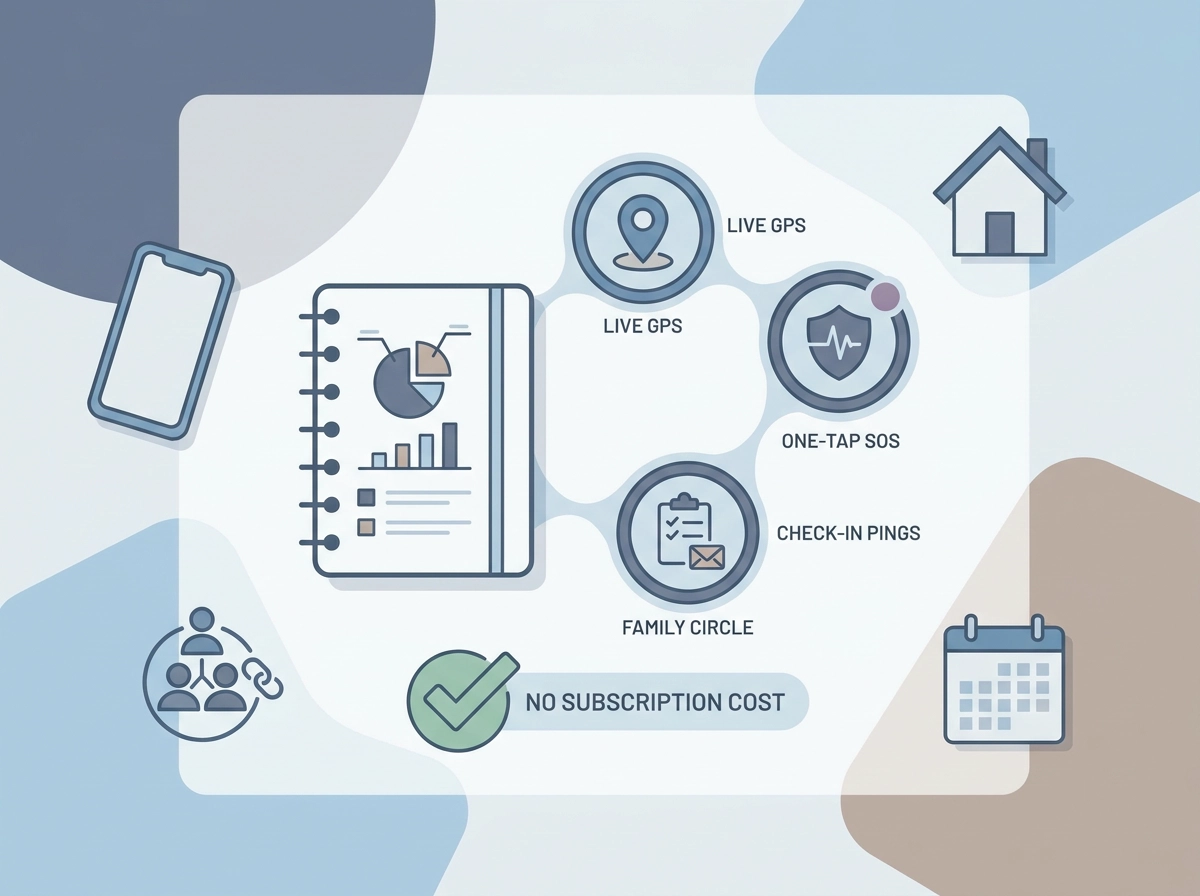
The four features that matter most, live GPS, one-tap SOS, check-in pings, and family circle notifications, are all achievable at no cost. No Australian family should need to pay a monthly subscription just to know their teenager arrived home safely or to send an instant alert in an emergency.
Premium tiers do earn their place in specific situations. If you have a new driver in the house or an elderly parent living alone, driving safety alerts and senior-focused check-in tools add genuine value. For most families managing everyday routines, though, the free feature set covers everything that actually matters.
When you are evaluating any family location sharing app, keep the focus on three things: does it work reliably when you need it, is the privacy policy clear about how your data is handled, and can every person in your family circle use it without a tutorial? A long feature list is not the same as a safer family.
Protect Smartly approaches personal safety without an always-on subscription mindset, giving families, caregivers, and workers access to the full essential feature set at no cost and with no paywalled safety features.
The practical next step: write down your household’s two or three most common safety scenarios, confirm that any app you consider covers each of them in the free tier, then run a live test with every family member before you rely on it. If the SOS button works and everyone can find it under pressure, you have found the right app.
Conclusion
Choosing a family location sharing app in 2026 does not need to be complicated or expensive. The core takeaways from this comparison are straightforward: the essential safety features are available for free, local Australian context matters when selecting an app, and simplicity for every family member is non-negotiable.
Premium features are worth considering only when your specific situation calls for them, such as new drivers or aging parents living independently. For most households, the free tier delivers everything that genuinely matters.
Before committing to any app, map out your household’s real safety scenarios, test every feature with your whole family circle, and read the privacy policy carefully. A reliable SOS button that everyone can find under pressure is worth more than a lengthy feature list.
Start with the essentials, test thoroughly, and choose the app your family will actually use when it counts.