Category: Family Safety

  • Lone Worker Safety in India: What the Law Requires and How a Panic Button App Delivers It

    Lone Worker Safety in India: What the Law Requires and How a Panic Button App Delivers It

    Every day, thousands of workers across India step into hotel corridors, construction sites, and sprawling facilities complexes with no colleague nearby and no reliable way to call for help if something goes wrong. For employers, this is not merely a moral concern; it is a legal exposure that existing passive measures simply do not address. India’s occupational safety framework, spanning the Factories Act of 1948, the Building and Other Construction Workers Act of 1996, and the Occupational Safety, Health and Working Conditions Code of 2020, places clear obligations on employers to provide active means of distress communication for isolated workers. Yet most organizations still rely on periodic check-in calls or supervisory walkthroughs that would never satisfy a compliance audit, let alone a courtroom.

    This analysis examines precisely what Indian law requires, where the gaps in common practice lie, and how a red panic button app closes those gaps at a fraction of the cost of dedicated hardware. Sector by sector and statute by statute, you will see how a GPS-enabled smartphone solution maps onto each legal obligation, and why smart employers are treating compliance as the starting point rather than the finish line.

    Who Counts as a Lone Worker in India

    A lone worker, under any credible occupational safety framework, is someone who performs tasks without direct supervision or a co-worker within immediate calling distance. In India, this condition is not exceptional; it is routine across three sectors that collectively employ tens of millions of people.

    Hotel housekeeping staff work solo through guest-room floors for hours at a time, with no colleague in sight and no supervisor within earshot. Construction workers operate alone during foundation work, confined-space inspections, and night-shift equipment maintenance on sites that may span several acres. Facilities management personnel conduct late-night security and maintenance rounds through commercial complexes, data centres, and industrial parks, often the only person on an entire floor or zone.
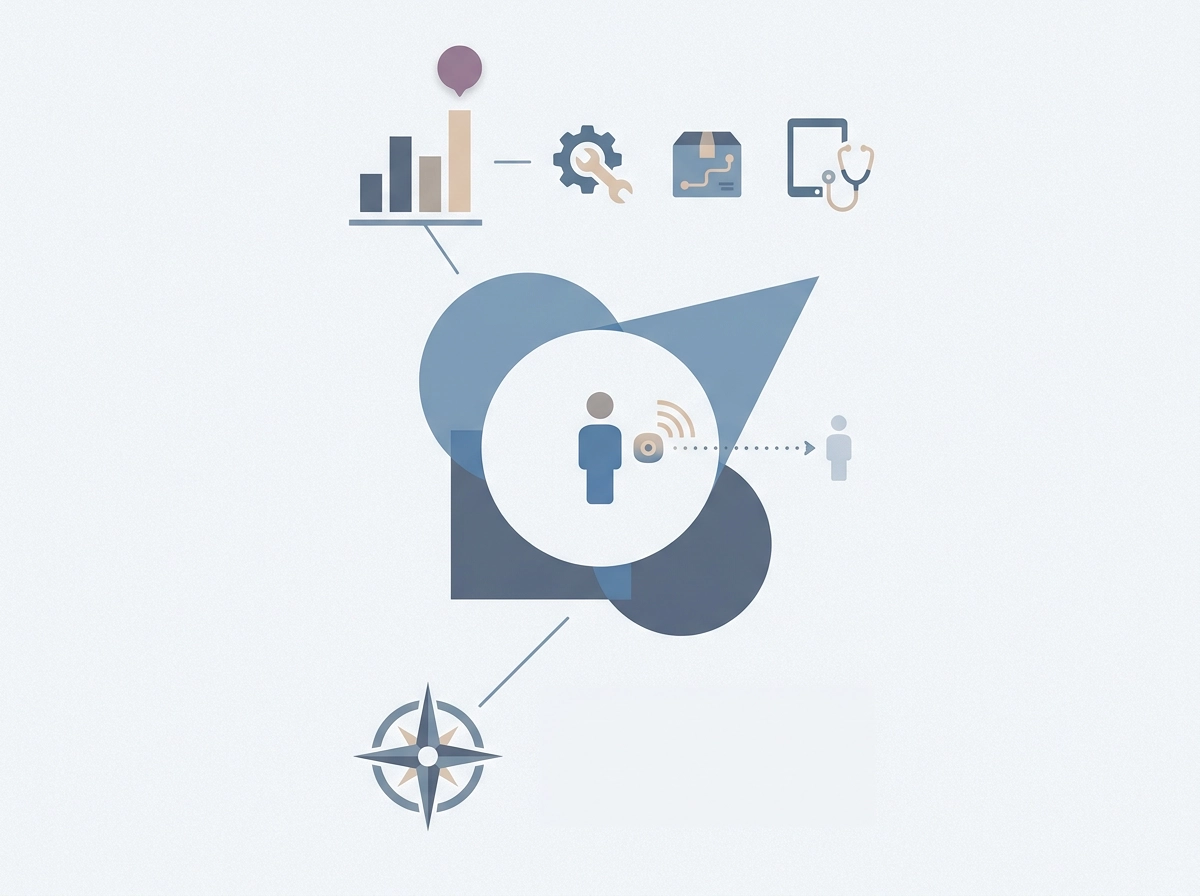
    India’s formal hospitality sector employs millions of workers, construction represents one of the country’s largest labour forces, and facilities management is among the fastest-growing service sectors in the economy. Across all three, isolated working conditions are not exceptions to the norm; they are the norm.

    Isolation constitutes a distinct occupational hazard for three compounding reasons. First, emergency response is delayed because no colleague can observe an injury as it happens. Second, the absence of a witness means incidents go unreported until a supervisor notices an absence. Third, without immediate supervision, the worker has no recourse beyond whatever personal means of communication they happen to carry. Standard collective worksite rules, written for environments where co-workers are present, do not address these risks.

    Critically, lone worker status is situational, not contractual. A hotel housekeeper on a full-time employment contract, covered by every applicable HR policy, becomes a lone worker the moment she begins a solo floor shift. Her contract does not change her risk exposure; her physical circumstances do. Any safety framework that ignores this distinction will fail her precisely when she needs it most.

    This analysis examines the three statutes most directly applicable to these sectors, the Factories Act 1948, the BOCW Act 1996, and the OSH Code 2020, and maps each statutory obligation onto what a check-in system your team will actually use every shift delivers in practice.

    The Factories Act, 1948: Duty of Care for Isolated Workers

    Section 7A of the Factories Act, 1948 establishes that every occupier must ensure, “so far as is reasonably practicable,” the health, safety, and welfare of all workers while at work in the factory. The statutory language contains no carve-out for physical separation. A worker monitoring equipment alone on a night shift carries the same legal protection as one standing beside their supervisor on the main floor.

    The Scope of the Duty

    The Act imposes detailed obligations on cleanliness and ventilation, and Chapter V’s welfare provisions extend further. Indian courts have interpreted the occupier duty to cover any hazardous working condition, not merely those visible on a central factory floor. Isolation qualifies as such a condition because it delays emergency response and removes the witness function that collective workplaces provide.

    Understanding why this is essential for cleaning and housekeeping staff working alone illustrates precisely how isolation converts an ordinary task into a recognised safety concern: the hazard is not the task but the absence of immediate help if something goes wrong.

    The Written Policy Requirement

    Section 7A(3) mandates a written statement of the occupier’s general safety policy, including the organisational arrangements for carrying it out. The compliance gap here is often overlooked: if an employer has no documented lone worker procedure, that absence is itself a breach, independent of whether any incident has occurred. A logbook or verbal check-in arrangement does not constitute a documented policy; it is, at best, an informal practice that an inspector can reject.

    Enforcement in Practice

    The statutory duty is active, documented, and enforceable before any worker is harmed.

    The BOCW Act, 1996: Construction Sector Lone Worker Protections

    Where the Factories Act sets a general duty of care, the BOCW Act goes further: it is the only Indian statute that comes close to prescribing a specific lone worker safety device requirement in construction settings.

    The Building and Other Construction Workers (Regulation of Employment and Conditions of Service) Act, 1996, along with its Central Rules, explicitly mandates rescue and communication equipment for construction worksites. Chapter XIII of the Central Rules addresses excavation, tunnelling, and confined-space operations in granular detail, covering safety provisions for workers who may become trapped or isolated during these high-risk activities. The Central Rules’ provisions for excavation and confined-space work impose safety communication requirements for isolated workers, requirements that a smartphone-based distress alert can satisfy.

    India’s construction safety rules address outcome, can the worker raise an alert that reaches a responsible person?, rather than mandating specific hardware. This functional framing matters enormously when evaluating whether a smartphone-based solution satisfies the obligation. Employers assessing why construction workers need emergency alert systems will find the BOCW Central Rules the direct legal basis for that requirement.

    The enforcement mechanism reinforces the compliance stakes. State-level BOCW Welfare Boards are empowered to fund and mandate worker safety equipment. Employers registered under the Act who fail to provide stipulated safety gear face fines and, critically, suspension of registration, which can halt operations entirely.

    The practical triggers extend beyond formal excavations. Foundation work, night-shift equipment maintenance, and solo security patrols on large sites all constitute conditions where a worker operates in isolation with meaningful injury risk and no immediate colleague within calling distance.

    The OSH Code, 2020: India’s Updated Framework and What It Changes

    The BOCW Act addresses construction specifically, but the OSH Code, 2020 fundamentally reshapes the compliance landscape for every Indian employer, including those in sectors that previously operated outside formal occupational safety regulation.

    The Code consolidates multiple central labour laws including the Factories Act and the BOCW Act into a single unified framework, and is expected to extend coverage to smaller establishments, including hotels and commercial facilities, subject to state-level implementing rules. Hotels, commercial facilities, and facilities management firms that were not previously subject to the Factories Act now fall squarely within scope. For these sectors, the OSH Code is not an incremental update; it is the first time a comprehensive statutory safety obligation has applied directly to them.

    Section 6 of the OSH Code establishes a universal duty of care, requiring every employer to ensure workplaces are free from hazards likely to cause injury and to maintain, as far as is reasonably practicable, a safe working environment. Critically, this duty requires documented risk assessment, not merely good intentions. Working in isolation is a condition that elevates hazard severity under the risk-assessment framework the Code mandates, because delayed emergency response and absent supervision are recognised compounding factors.

    The Code’s contractor liability provisions carry particular weight for facilities management. Under Sections 45 to 58, where housekeeping or security staff are engaged through a contractor, both the contractor and the principal employer share responsibility for worker safety measures. Neither party can disclaim the obligation by pointing to the other’s contract.

    The Code also creates a dedicated category of inter-state migrant workers, who frequently fill lone-shift roles in hospitality and construction. Their linguistic isolation compounds physical isolation; a distress solution that depends on verbal communication fails this cohort. Technology-based alerts that require only a single tap address that gap directly.

    State governments are required to frame implementing rules under the Code. As researchers note, the Code offers a genuine opportunity to convert fragmented regulation into coherent worker protection.

    Why Passive Measures Fail the Legal Test

    Recognising the obligation is only half the equation. The harder question is whether what most Indian employers currently do actually satisfies it, and the honest answer is no.

    The structural flaw in passive measures

    Buddy systems, periodic supervisor call-rounds, and fixed telephones on a corridor wall share a common defect: they require someone other than the worker to initiate or enable the rescue chain. The BOCW Central Rules’ distress-signal requirement is worker-centric by design. The signal must be something the worker raises, not something a supervisor eventually gets around to noticing. A check-in call that never happens because the supervisor was occupied, or an emergency phone three locked doors away from a housekeeper working a solo floor, fails this test entirely regardless of how it looks on a compliance checklist.

    What the statutory language requires

    The statutory language of Section 7A, ensuring safety “so far as is reasonably practicable”, implies an active obligation, not a passive one. Providing a communication facility in the general vicinity of a hazard does not discharge the duty if the specific worker in the specific situation cannot access it. The legal standard is whether the worker, at the moment of emergency, had an unobstructed means of raising an alert. A telephone in a corridor fails that standard when the worker is in a locked room on the same floor.

    Why hardware alternatives are not the answer

    Dedicated lone worker safety devices carry a significant per-unit cost before accounting for maintenance, battery replacement, and inventory management. For a hotel operating 40 housekeeping staff across rotating shifts, fleet deployment is a capital decision most mid-size employers defer. Beyond cost, workers resist carrying a second device, so uptake is low even where devices are procured. The cost and uptake barriers of dedicated hardware are examined in the business case below.

    The logbook problem

    A logbook check-in system documents that a process existed. It does not transmit the worker’s location, does not escalate automatically when a check-in is missed, and generates no distress signal at all. Documenting compliance theatre is not the same as providing a safety net.

    What the Law Actually Means by a Means of Raising a Distress Signal

    Having established that passive measures fail the active-alert standard, the question becomes precise: what does “a means of raising a distress signal” actually require in legal terms?

    India’s construction safety rules address outcome, can the worker raise an alert that reaches a responsible person?, rather than mandating specific hardware. A klaxon, a radio, and a smartphone panic button app all pass the same test if they deliver that outcome. The statute is indifferent to the hardware.

    A technology-neutral reading of the statutory distress-signal obligation, consistent with the OSH Code’s risk-based framework, suggests three functional requirements:

    • The worker must be able to activate the signal unilaterally and instantly, without depending on a third party to initiate it.
    • The signal must reach a responsible person who has both the authority and the means to dispatch assistance.
    • The system must convey the worker’s location at the moment of the alert.

    A smartphone panic button app that delivers one-tap SOS alerts with live GPS coordinates to a named supervisor or emergency contact satisfies all three. It replicates the functional outcome of a hardware red panic button without the procurement cost. What You Get Out of the Box on Protect Smartly illustrates how these features are configured for a lone worker deployment.

    The GPS gap is a liability gap

    An app that sends an SOS alert but transmits no GPS location data does not fully satisfy the functional test. The signal was raised and the responsible person notified, but without location the duty to dispatch effective help cannot be discharged. The standard is not merely “an alert was sent.” It is “an alert was sent and acted upon effectively.” Location data is what converts notification into actionable response.

    How a Panic Button App Maps onto Each Legal Obligation

    With the functional test established, the mapping to specific statutory obligations becomes straightforward.

    Factories Act Section 7A (general duty of care). The duty to ensure worker safety does not require a supervisor to be physically present; it requires that the means of ensuring safety be in place. A panic button app with live location sharing maintains a continuous, monitored connection between an isolated worker and their supervisor, satisfying Section 7A’s active obligation even when direct oversight is structurally impossible, such as a housekeeper working a solo floor at 2 a.m.

    BOCW Central Rules (distress signal requirement). A one-tap SOS that immediately transmits GPS coordinates to designated contacts is a direct functional fulfilment of the distress-signal obligation. No additional hardware is required beyond the worker’s existing smartphone, eliminating the procurement barrier that has left many BOCW-registered sites non-compliant.

    OSH Code Section 6 (risk assessment and control measures). Deploying a lone worker safety app constitutes a documented control measure for the isolation hazard. Critically, the app’s timestamped alert log serves as an audit trail for inspectors, converting what is otherwise an abstract policy commitment into verifiable, exportable evidence of active risk control. For employers uncertain about feature requirements, related safety guides on the ProtectSmartly panic button app set out the minimum capability set that satisfies the OSH Code’s proportionality standard.

    Contractor and principal employer shared liability (OSH Code). Apps like ProtectSmartly deploy to contracted staff’s personal smartphones at no hardware cost, meaning both contractor and principal employer can demonstrate active safety provision for every lone worker, regardless of employment structure. Shared liability no longer requires a shared device budget.

    State-level check-in and monitoring requirements. The check-in ping feature converts a passive logbook into an active, time-stamped digital record. If a worker misses a scheduled check-in, the supervisor receives an automated notification with the worker’s last known location, satisfying state-level monitoring provisions that a paper register cannot replicate.

    The Business Case: Liability, Cost, and Operational Fit
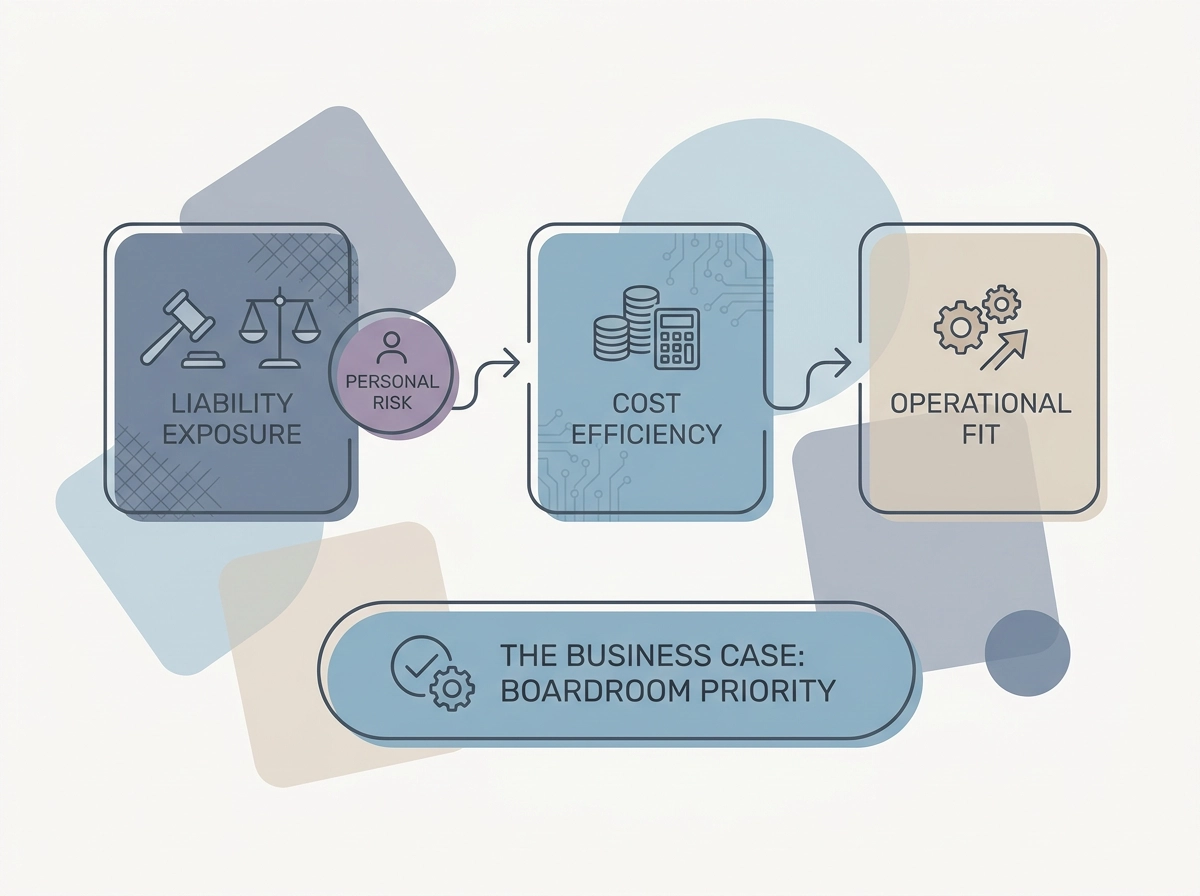
    Legal compliance maps neatly onto the statute; the business case is what converts compliance from an aspiration into a boardroom priority.

    The liability exposure is personal, not just corporate. Section 92 of the Factories Act establishes criminal penalties, including imprisonment and fines, for occupiers where a contravention causes worker injury or death. Civil compensation claims under the Employees’ Compensation Act compound that exposure, and in hospitality and facilities management, a publicised fatality triggers licence reviews and contract terminations with institutional clients. The financial consequence of a single incident without a documented distress-signal provision almost certainly exceeds any safety investment made in advance.

    Hardware costs create the compliance gap. As noted earlier, logbook systems prove process, not protection. Dedicated GPS lone worker devices carry material per-unit costs in the Indian market, plus ongoing maintenance and inventory management overhead. For employers with large part-time or shift-based workforces, fleet deployment is a capital decision many defer indefinitely. That deferral is not a cost saving; it is a larger, unquantified liability sitting on the balance sheet.

    ProtectSmartly removes the procurement barrier entirely. Workers install the app on smartphones they already carry. The GPS SOS and check-in features are operational immediately, with no procurement cycle, no device inventory, and no maintenance overhead. The mission behind the product, visible on what we stand for, is precisely this: accessible safety infrastructure that requires no hardware investment.

    Insurance and documentation. Documented lone worker safety protocols, including exportable alert logs, strengthen an employer’s position under employer liability insurance policies and in post-incident civil proceedings.

    Operational fit is the final argument. A smartphone panic button app sits inside the communication infrastructure these industries already use: supervisor WhatsApp groups, HR mobile numbers, call trees. Adoption requires a behaviour change, not an infrastructure change.

    Sector-Specific Considerations: Hospitality, Construction, and Facilities Management

    The compliance case and cost analysis apply differently depending on the sector. Each presents a distinct isolation profile, a different statutory trigger, and a different practical deployment challenge.

    Hospitality

    Hotel housekeeping staff rank among the most consistently isolated workers in India’s formal economy. They work alone in guest rooms, often on floors with poor corridor visibility and no fixed emergency infrastructure. A distress situation can develop without any colleague nearby to witness or respond. The OSH Code’s expanded scope, extending to commercial establishments beyond traditional factories, brings most Indian hotels within formal compliance scope for the first time. Understanding why hotel staff need enhanced safety goes beyond duty of care: it is now a statutory obligation with enforcement consequences.

    Construction

    The BOCW Central Rules’ distress-signal requirement applies most directly here, and the severity risk is highest. A worker alone in an excavation, at height, or in a confined space can sustain a fatal injury within minutes if no alert reaches a supervisor. On large or multi-level sites, GPS location transmission is not a convenience; it is operationally decisive.

    Facilities Management

    Contract-based FM workers conducting night-shift rounds in commercial complexes, data centres, and industrial parks are typically employed through contractors, which activates the OSH Code’s shared liability provisions for both contractor and principal employer. Because this workforce is fragmented across dozens of sites and engagements, employer-issued hardware is not a practical solution. A panic button app deployable to workers’ personal smartphones is the only scalable lone worker safety solution for this employment model.

    State-Level Variation and App Feature Requirements

    State-level implementing rules vary. Employers operating across multiple states should review their own state’s published OSH rules and confirm their chosen system generates timestamped, GPS-tagged records.

    Not all red panic button apps meet this bar. Verify three things before deployment: real-time GPS coordinates in the SOS alert, automated supervisor notification on missed check-ins, and an exportable alert log for regulatory inspection. These features distinguish a compliant lone worker safety app from a general-purpose messaging tool.

    Implementing a Lone Worker Safety App: Practical Steps for Indian Employers

    Once you have confirmed which features your chosen app must deliver, implementation follows a clear five-step sequence.

    Step 1: Conduct a lone worker risk assessment. Map every role where a worker performs tasks without a co-worker within calling distance. For each role, document the isolation duration, the hazards present, and the current means of raising a distress signal. Under the OSH Code, this assessment is a statutory requirement, not optional groundwork; it is also the document that justifies your choice of worker safety solutions to an inspector.

    Step 2: Map your statutory obligations. The applicable statute determines the minimum feature set your lone worker safety app must deliver. Factories Act-covered manufacturers need documented communication protocols; BOCW-registered construction employers must satisfy the Central Rules’ distress-signal requirement; the OSH Code applies to all covered employers regardless of sector. Check your state’s published rules for any electronic monitoring provisions before finalising your app configuration.

    Step 3: Deploy ProtectSmartly and configure emergency contacts. Install the app on workers’ smartphones, assign each worker a named supervisor as their emergency contact, and set check-in intervals to match your shift pattern. If you want to understand how an SOS app works before rollout, the answer is straightforward: one tap sends a GPS-tagged alert to the designated contact instantly, with no hardware procurement required.

    Step 4: Train workers on the one-tap SOS. Fifteen minutes is sufficient. Demonstrate the red panic button, the check-in ping, and the supervisor notification that follows an SOS. For migrant workers with limited Hindi or English literacy, use visual walkthroughs rather than verbal instruction, and confirm comprehension before the worker’s first solo shift.

    Step 5: Integrate the alert log into your safety documentation. Export the app’s alert and check-in records monthly and file them alongside your statutory safety registers. A single exportable log satisfies factory inspector requirements, BOCW Welfare Board scrutiny, and employer liability insurer documentation requests simultaneously, converting routine app usage into a continuous compliance record.

    Conclusion: Compliance Is the Floor, Not the Ceiling

    Once the five implementation steps are in place, the remaining question is whether compliance is the destination or the starting point.

    India’s three-layer framework, the Factories Act 1948, the BOCW Act 1996, and the OSH Code 2020, does not leave employers room for interpretation on the core obligation: every lone worker must have an active, worker-controlled means of raising a distress signal. Passive measures, logbooks, corridor phones, periodic supervisor calls, fail this test because they depend on third-party availability rather than the worker’s own ability to summon help. That distinction is not procedural; it is the difference between a defensible safety system and a liability waiting to be triggered.

    A smartphone panic button app with one-tap SOS and live GPS transmission is not a workaround for employers who cannot afford hardware. It is a direct, functional fulfilment of what each statute requires. The preceding sections establish the statutory basis in detail.

    The financial exposure from a single unprotected incident is substantial. The financial exposure is quantified in the business case section above.

    The actionable takeaway is immediate: conduct a lone worker risk assessment this month, map your applicable statutes, and deploy ProtectSmartly as your documented control measure. Setup takes under an hour. Compliance and safety benefits begin on the first shift.

    For employers who want to go further, ProtectSmartly’s family circle notifications, live location sharing for field teams, and scheduled check-in pings extend the same safety infrastructure to every worker operating away from direct supervision, converting a compliance requirement into a genuine operational safety culture.
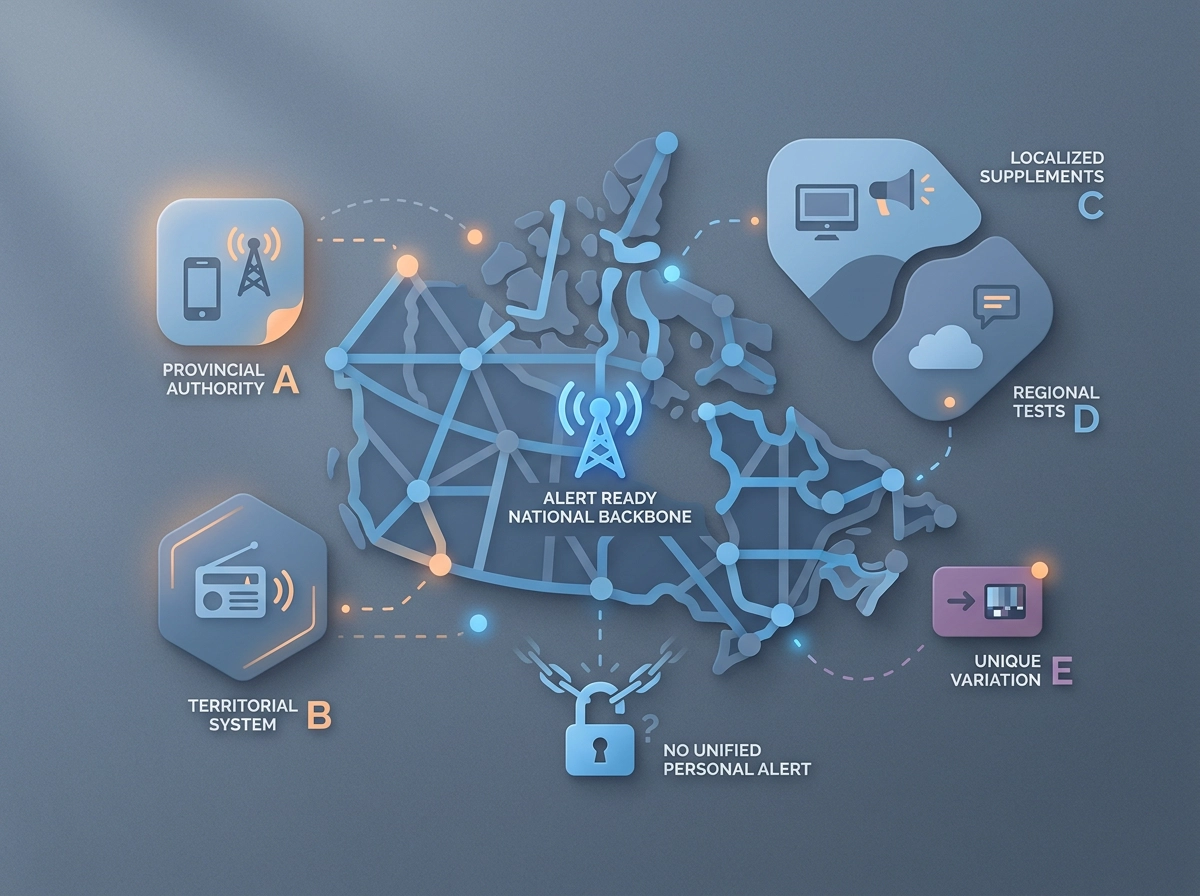
  • Canada’s Emergency Alert Patchwork in 2026: Why Your Province’s System Isn’t Enough for Personal Safety

    Canada’s Emergency Alert Patchwork in 2026: Why Your Province’s System Isn’t Enough for Personal Safety

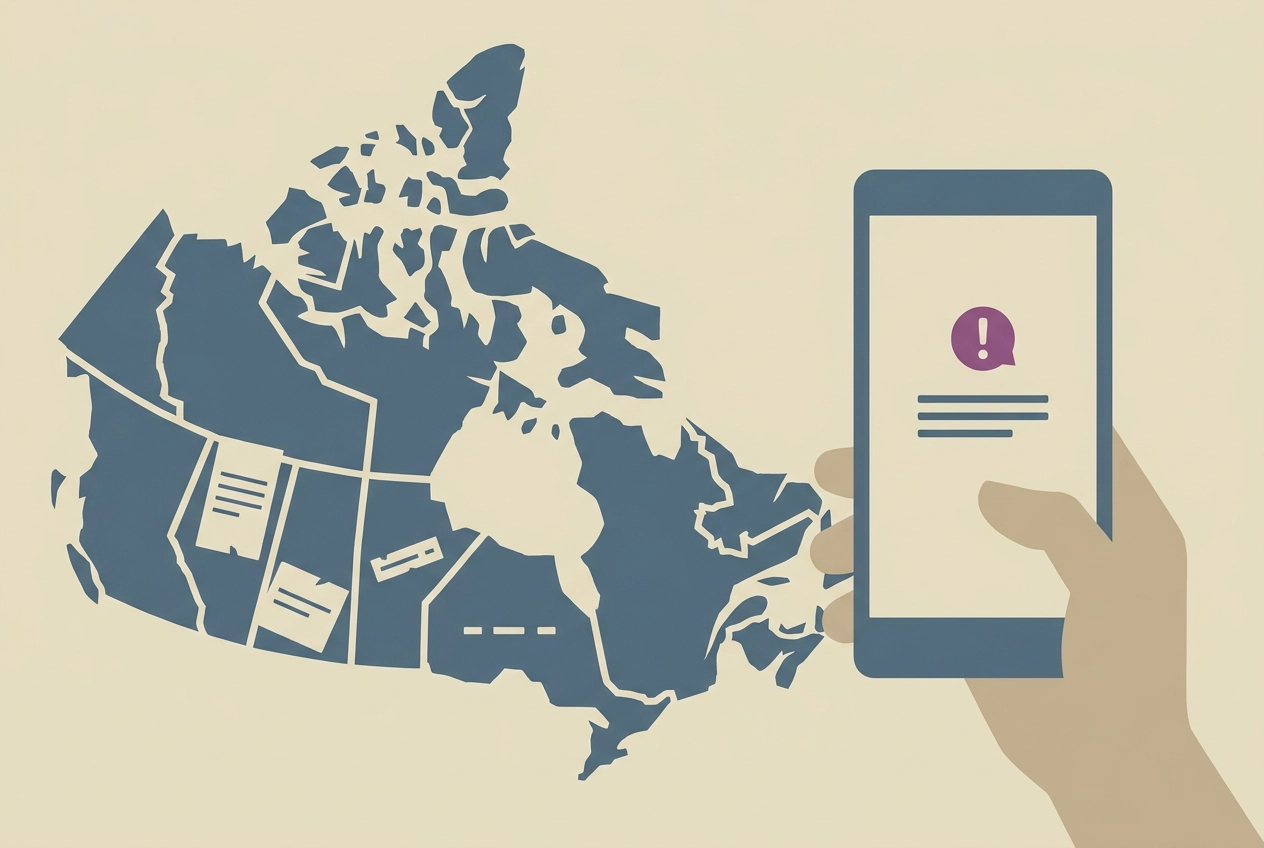
    Canada’s emergency alert infrastructure is a fragmented patchwork of federal, provincial, and territorial systems. Some provinces run parallel platforms. Others have coverage gaps tied to geography, network connectivity, or device compatibility. Quebec and Saskatchewan sat out the national test in May 2026 entirely. And even in provinces with strong coverage, broadcast alerts tell you about a threat in a region. They cannot tell your family where you are.

    This analysis breaks down exactly how Canada’s Alert Ready system works, walks through the province-by-province variations including BC’s parallel platform and Alberta’s coverage boundaries, and takes a close look at Nova Scotia emergency alert app infrastructure and where it falls short for individuals. Most importantly, it explains why a personal SOS layer with GPS transmission is not a luxury addition to these systems. It is the piece that makes your safety plan complete.

    How Canada’s Alert Ready System Actually Works

    Alert Ready is not a single government-run system. It is a collaborative network operated jointly by federal and provincial governments, Pelmorex, licensed broadcasters, and wireless carriers. Each partner handles a distinct piece of the delivery chain, which means no single authority controls end-to-end performance.

    Alerts reach Canadians through three channels: television, radio, and compatible wireless devices on LTE or 5G networks. Television and radio deliver broadly but require a receiver to be on. Wireless delivery is more direct but depends on the device being LTE-compatible, running current software, and connected to a qualifying network at the moment an alert is issued. If any of those conditions are not met, the alert does not arrive.

    Alert Ready tests are conducted twice a year, typically in May and November. That means the system’s real-world delivery can be formally verified as infrequently as once every twelve months. A resident who missed the May test has no guaranteed second chance to confirm their device is configured correctly before the next emergency.

    Since 2025, Alert Ready has delivered over 946 emergency alert messages across Canada. That figure conveys genuine scale and activity. It does not, however, tell you how many of those alerts reached every intended recipient. Coverage depends on geography, carrier infrastructure, device age, and user settings in ways that vary significantly across the country.

    The most important structural boundary is this: Alert Ready is designed for geographic broadcast, not individual location awareness. When an alert is issued, it targets a defined zone. Every compatible device in that zone may receive it. No one outside that zone will. Understanding why mass alert systems save lives within their design limits helps clarify exactly where those limits end, and where a personal safety layer must begin.

    Province by Province: The Emergency Alert Patchwork Explained

    Alert Ready provides the national backbone, but what sits on top of it varies significantly depending on where you live. Provincial and territorial governments retain full authority over how alerts are issued, tested, and supplemented within their borders. Canada has no single unified personal alerting infrastructure, and that is not a temporary gap. It is how the system was built.

    The clearest proof came on May 6, 2026, when Alert Ready issued a nationwide test. Quebec scheduled no test. Saskatchewan’s test was cancelled. Alert Ready’s own documentation states plainly: “Participation in the Alert Ready test in Canada is determined by each provincial and territorial emergency management organization.” Provincial opt-out is not an anomaly. It is a structural feature.

    British Columbia sits at one end of the spectrum. The province operates its own parallel emergency alert system alongside Alert Ready and conducts tests twice yearly when possible, double the CRTC minimum. BC’s provincial guidance also acknowledges explicitly that third-party apps with emergency information notifications may receive test alerts, a formal recognition that broadcast channels alone are not sufficient.

    Alberta issues emergency alerts through Alert Ready but has no parallel provincial broadcast infrastructure equivalent to BC’s. Albertans searching for information after an emergency alert today in Alberta are relying entirely on a national system whose wireless delivery depends on LTE coverage and device compatibility, two variables that fail predictably across Alberta’s vast rural landscape.

    Nova Scotia also operates entirely within the national Alert Ready framework, with no standalone provincial system. That dependency raises particular concerns given Nova Scotia’s geography: coastal rural communities, limited cell tower density, and a population that includes many residents on older devices that cannot receive LTE-based wireless alerts at all.

    The result is that two Canadians, one in BC and one in Nova Scotia, are covered by materially different alert architectures by design. Neither system, in any province, transmits a specific individual’s GPS location to their family. That boundary is consistent coast to coast.

    If you want to understand what a personal safety layer looks like alongside these systems, the option that fills this gap is free to download and ready in minutes.

    BC Emergency Alert: A Parallel System With Its Own Limits

    BC’s parallel system is the clearest provincial example of what the patchwork actually looks like in practice. The province’s decision to build and maintain its own alert infrastructure alongside Alert Ready is an explicit institutional acknowledgement: for a province managing wildfires, tsunamis, earthquakes, and floods, often simultaneously, the national system alone is not enough.

    That judgment has produced a measurably higher testing standard. For residents, that means more frequent confirmation that their device settings, carrier configuration, and network connection will actually deliver an alert when a real event occurs. A resident in, say, Kelowna who participates in both a spring and an autumn test has twice the opportunity to catch a configuration problem before it becomes a life-safety gap.

    That recognition is already embedded in provincial guidance. For remote workers and others in isolated locations, understanding why emergency alert systems matter across different occupations reinforces why that ecosystem needs multiple layers.

    However, BC’s parallel system does not resolve the most fundamental constraint. Both Alert Ready and BC’s provincial infrastructure are broadcast-only mechanisms. They reach a geographic zone; they do not reach a verified individual within that zone. A hiker in the Okanagan backcountry during a wildfire event, sitting in a cellular dead zone, is outside the reach of both systems simultaneously. No broadcast architecture, however well-funded or frequently tested, can close that gap.

    The twice-yearly BC test schedule also leaves windows of up to six months during which a resident has no recent confirmation their setup will receive a live alert. Verification once every six months is better than once a year. It is not continuous coverage.

    Alberta Emergency Alert: What the System Covers and Where It Stops

    Every emergency alert today in Alberta flows through Alert Ready, the same single-channel broadcast network subject to all its device and network constraints.

    When Albertans search “emergency alert today Alberta” after a wildfire or flood event, they are usually not researching policy. They are trying to confirm whether an alert they half-noticed, or never received at all, was real. That uncertainty is itself informative: it reflects a system where delivery is probable for most urban residents but genuinely unreliable for a significant portion of the province.

    Alberta’s geography explains why. The province’s vast rural and remote areas include resource extraction corridors where LTE signal is sparse or absent. Alert Ready requires an active LTE or 5G connection to deliver wireless alerts. Where that connection does not exist, the alert does not arrive, regardless of how correctly the system was activated.

    The population most exposed to this gap is also the population most exposed to physical hazards. Energy sector workers, agricultural workers, and seasonal labourers routinely operate in precisely the terrain where broadcast delivery is least reliable. A wildfire moving toward a remote work camp, or a flood warning relevant to a rural property, is most dangerous to people who are least likely to receive the wireless alert that was issued for their zone.

    The Rural Municipalities of Alberta has formally told the CRTC that many rural areas and highways in the province lack reliable cellular service, and that emergency alerts do not always reach farmers, travellers, Indigenous communities, and people living remote from urban centres.

    For Alberta families, the meaningful question is not whether the provincial alert system exists. It is whether, at the moment it matters, the alert reaches the specific person at the specific location. For those operating outside reliable LTE coverage, the honest answer is: not reliably.

    Nova Scotia’s Emergency Alert Coverage: Geography Makes It Personal

    Alberta’s alert vulnerabilities trace directly to geography and infrastructure. Nova Scotia compounds both with an added factor: the province has no parallel system at all.

    That dependency raises particular concerns given Nova Scotia’s geography. Every wireless alert Nova Scotians receive depends on LTE or 5G availability, a compatible device, and correct device settings. Alert Ready’s own documentation confirms that device compatibility, network connectivity, and configuration issues mean not all Canadians will receive any given alert. In Nova Scotia, those dependencies land on difficult terrain.

    The province is a peninsula edged by rural coastal communities, many of them underserved by cell tower infrastructure. The Municipality of Cumberland’s mayor has described rural cell coverage as “spotty, to say the least.” Residents in those areas have reported missing alerts during hurricanes and floods in recent years. Older residents on 3G devices or Wi-Fi-only connections receive nothing from a wireless broadcast that requires LTE. The provincial government recognised this explicitly when it launched NS Alert in August 2025, specifically to reach people that Alert Ready cannot. The first gap NS Alert was built to close: it works on 3G and Wi-Fi, because Alert Ready does not.

    Searches for a nova scotia emergency alert app are not curiosity. They reflect residents who have already experienced uncertain coverage and are actively looking for something more reliable. That population need is real and documented.

    But even NS Alert, like Alert Ready, is a broadcast tool. It can tell a defined region that danger exists. It cannot confirm that a specific person received the message, acted on it, or reached safety. It transmits no GPS coordinates to anyone. If your family wants to know whether you have left a flood zone or are still inside it, no provincial or national broadcast system in Canada answers that question.

    That is not a design failure. Broadcast systems move information from government to population. The reverse direction, from an individual to the specific people who will come for them, is what a personal SOS layer is built to provide.

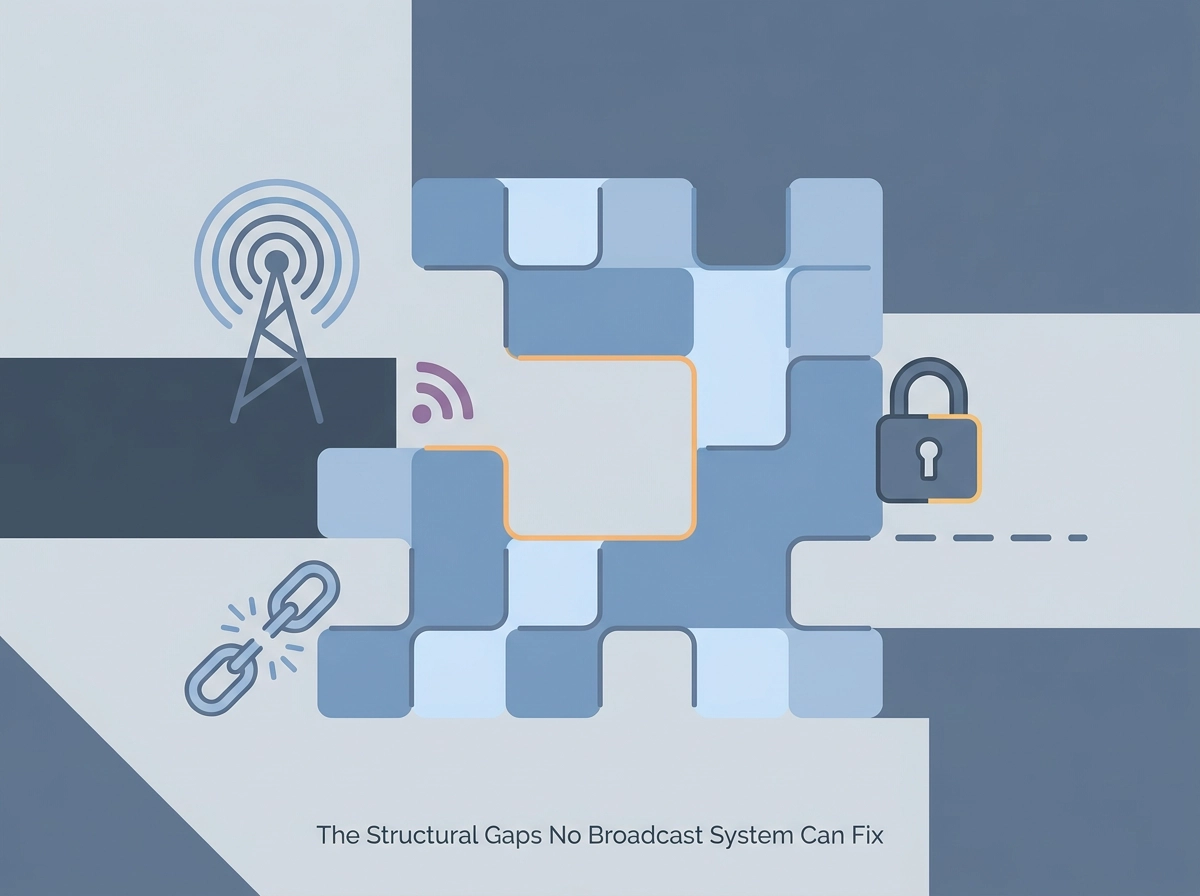
    The Structural Gaps No Broadcast System Can Fix

    Nova Scotia’s coverage limits are not an isolated provincial quirk. They reflect something more fundamental: every broadcast emergency alert system in Canada, regardless of province, shares the same structural ceiling.

    The network requirement is absolute. Alert Ready’s wireless delivery requires an active LTE or 5G connection at the exact moment an alert is issued. Where that connection does not exist, no alert arrives. Coverage gaps are not outages waiting on a technician. They are permanent features of Canadian terrain: remote coastlines, mountain corridors, northern communities, and agricultural stretches where cell infrastructure has never been economically viable to build. Every province has them.

    Device compatibility is a documented, unresolved limitation. Older smartphones and feature phones do not receive wireless emergency alerts, regardless of carrier or signal strength. Alert Ready’s own guidelines require a WPA-compatible device running current operating software. The CRTC mandates network-level participation from wireless carriers. Compatible device ownership remains the individual user’s responsibility. Millions of Canadians using older hardware are excluded from wireless alerting, and no regulation requires them to be told so directly.

    Silent disablement is a risk most Canadians have never actively verified. Device settings, software updates, and configuration changes can affect alert reception. Alert Ready’s own guidance notes that device settings and software configuration are among the factors that determine whether an alert arrives, a dependency most users have never actively verified. A Canadian who last checked their settings two years ago, or never, may believe they are covered. The only moment they discover otherwise is during an actual emergency. The test schedule exists partly to surface this problem, but gaps between tests leave extended windows of unverified exposure.

    Zone-based targeting is a design choice, not a flaw to be corrected. A person who drove into a wildfire corridor after an alert was issued to that zone may receive nothing. A person who evacuated before the alert was issued may still receive it. The system moves hazard information toward a population; it was never designed to track individuals.

    That last point is the most important structural boundary of all. The information flow is one direction only: government to population. This is not a gap that better funding will close, because it is not a gap. It is the architecture. Broadcast systems in every country that uses them share this same boundary. Multi-channel by default, so the alert always gets through is the design principle of a personal SOS tool, not a broadcast network, because broadcast was never built for the reverse direction.

    Why Post-Incident Alert Reviews Rarely Reach the Public

    Those structural boundaries are largely invisible to the public, and that invisibility is not accidental.

    After major Canadian emergencies in which alerting timeliness was publicly questioned, including the 2020 Nova Scotia mass casualty event and the 2021 BC flooding, formal government post-mortems rarely produced publicly accessible breakdowns of which populations did not receive alerts and why. What exists tends to be buried in regulatory filings or technical appendices, not plain-language public reports. Ongoing CRTC consultations into improving the national alerting system are themselves an acknowledgement that current performance is insufficient. But the evidence submitted to those processes is not the same as a public accounting of what went wrong and for whom.

    The absence of comparative response-time data is a concrete problem. Canadians cannot easily determine how many minutes typically pass between an emergency designation and a wireless alert arriving on devices in the affected area. That interval matters. Without it, there is no basis for evaluating whether the system performed adequately in any specific event.

    Device compatibility rates present the same problem. Government-facing materials describe Alert Ready’s reach in broad, near-universal terms. Exclusions based on device age, LTE availability, or user settings appear, if at all, in technical footnotes. For Canadians in rural areas or older households, this means the system’s actual reach in their specific situation is genuinely unknown to them. Why accessible emergency features matter is a question that broadcast system transparency currently does not help most Canadians answer for themselves.

    This accountability gap has a practical consequence. When official materials signal that the system works, individual Canadians have limited basis to assess their own exposure. The official message discourages the kind of independent evaluation that would prompt someone to ask: does my device support wireless alerts, does my location have LTE coverage, and would anyone in my family know where I am if I did not receive a warning?

    Those are questions no government report currently answers for you. You have to answer them yourself.

    Who Falls Through the Gaps: Hospitality Workers, Caregivers, and Isolated Families

    The accountability gaps documented in government materials translate directly into real risk for specific groups of Canadians. Understanding who those groups are makes the structural problem concrete.

    Hospitality and lone workers carry a compounding exposure. A housekeeper working an overnight shift on an upper floor of a hotel operates in a building where cell signal may be unreliable, without colleagues nearby, and with no one tracking whether she received an alert or is safe. A broadcast alert reaching her geographic zone confirms a hazard exists. It confirms nothing about her. For anyone with questions people ask about lone worker safety, this gap is precisely the one that matters most.

    Caregivers face an information asymmetry that broadcast systems cannot resolve by design. When a caregiver’s phone receives a zone-level alert, it says nothing about whether the person in their care, who may be unable to self-report, is in the same zone, has been transported elsewhere, or received any notification at all. The alert informs the caregiver that danger exists somewhere. It does not tell them where their person is.

    Distributed families encounter a version of this problem at larger scale. Knowing an alert has been issued for a region is not the same as knowing whether a specific family member working a remote corridor or living in a different province is inside that zone, has already left it, or sits in a coverage gap entirely.

    Older Canadians on legacy devices face a compounding vulnerability. LTE-based wireless alerts require compatible hardware. Devices that predate the compatibility mandate do not receive them, regardless of carrier or signal strength. Older adults are both disproportionately likely to hold those devices and disproportionately likely to need reliable personal safety tools.

    Remote resource and agricultural workers in Alberta and BC represent the furthest edge of broadcast reach. Workers operating beyond reliable LTE range receive nothing, and for them a missed alert carries the most serious potential consequences.

    What a Personal SOS Layer Actually Does That Broadcast Cannot

    Each gap identified in the previous section points to the same structural absence: no broadcast system transmits from an individual to the people responsible for that individual. A personal SOS app addresses precisely that.

    The direction of information is different by design. It sends your specific coordinates to the specific people in your designated safety circle. Your family does not receive an alert about a region; they receive your location.

    One tap is the critical design constraint. During a medical event, a vehicle incident on a remote highway, or a threat encounter, the cognitive and physical capacity to navigate an interface collapses. One-tap SOS functionality means an alert can be initiated without unlocking a screen, composing a message, or calling a number. That speed is not a convenience feature; it is the feature.

    Live location sharing and check-in pings operate continuously, not episodically. Alert Ready delivers a point-in-time broadcast when a designated authority issues a warning. Check-in features and live location sharing let families and caregivers maintain ongoing situational awareness regardless of whether any emergency has been formally declared. That is categorically different from what any provincial alert system, including the BC emergency alert or Nova Scotia’s Alert Ready-dependent infrastructure, can provide.

    Notification routing determines who actually responds. ProtectSmartly’s family circle model sends SOS alerts to the people who will act: family members, caregivers, trusted colleagues. During a large-scale emergency, 911 dispatch centres manage hundreds of simultaneous calls. An alert routed to someone who knows you and knows your context produces faster, more targeted action.

    For hospitality and lone workers, the panic button addresses a question broadcast systems never ask. A zone-wide alert cannot confirm whether the housekeeper on the fourteenth floor at 2 a.m. is safe. A panic button that transmits GPS coordinates to a supervisor or safety contact answers that specific question, in real time, for that specific person.

    The personal SOS layer is not a criticism of Alert Ready or any provincial system. It is the layer those systems were never designed to provide, transmitting in the direction they structurally cannot: from individual to circle, with verified GPS precision.

    Building Your Personal Safety Layer Alongside Provincial Systems

    Knowing that broadcast and personal SOS tools serve different functions is the first step. Acting on that knowledge is the second.

    Broadcast systems at every level — national and provincial — were designed to warn populations, not confirm individual safety. That distinction is not a flaw; it is the design.

    What every Canadian should do right now:

    • Confirm your device is LTE-compatible and certified by a Canadian wireless carrier
    • Keep your phone’s software current; outdated software silently breaks alert reception
    • Check your alert settings and run a self-test where your province offers one
    • Note your provincial test calendar: at minimum, the annual CRTC-mandated national test; twice yearly if you are in BC

    Those steps close the broadcast gap as much as it can be closed on your end.

    They do not create a personal safety layer.

    For families, caregivers, remote workers, and hospitality staff, the remaining gap is structural and permanent. No provincial or national alert system will ever transmit your GPS coordinates to the people who will come for you. That direction of communication, from individual to family circle, with location precision, requires a personal tool.

    Protect Smartly is free to start and built for exactly this complement. One-tap SOS, live location sharing, and family circle notifications fill the space that Alert Ready, BC Emergency Alert, Alberta’s broadcast infrastructure, and Nova Scotia’s geography-constrained coverage were never designed to fill.

    The emergency alert system works. The question has never been whether the system functions within its design boundaries. The question is whether those boundaries cover you, in your location, with your people. For that, a personal layer is not a luxury. It is the only answer.

    Conclusion

    Canada’s emergency alert infrastructure is real, tested, and genuinely useful. But it was built to broadcast outward to populations, not inward to individuals. Every province carries structural gaps: geography, device compatibility, signal dead zones, and the simple reality that no broadcast system knows where you are or who is waiting for you.

    The takeaways are clear. Alert Ready and its provincial counterparts cover the macro threat. Personal safety tools cover the micro reality. Neither replaces the other, and neither is optional if you are serious about preparedness.

    Your next step is straightforward: complete the device checklist above, then add one personal layer. Download Protect Smartly, set up your family circle, and test it today. The broadcast system will handle the next wildfire warning. Only you can handle the message that says exactly where you are when it matters most.

  • Family Location Sharing Apps Compared: What Australian Families Actually Need in 2026

    Family Location Sharing Apps Compared: What Australian Families Actually Need in 2026

    Picture this: your teenager just got their licence, your mum lives across town, and your kids are old enough to walk home from school. Keeping tabs on everyone without blowing up their phones with “where are you?” texts sounds like a dream, right? That is exactly what a good location sharing app is built to do.

    But here is the thing. Open up any app store in 2026 and you will find dozens of options, each promising to be the best family safety tool on the market. Some lock their most useful features behind expensive monthly subscriptions. Others pile on features that sound impressive but do nothing meaningful for your family’s day-to-day safety.

    So what do Australian families actually need? In this post, we are cutting through the noise. We will walk you through the must-have features no family app should skip, break down which paid upgrades are genuinely worth it, and compare free versus paid tiers side by side. We will also look at what makes the Australian context unique, and how these apps serve everyone from kids to grandparents. By the end, you will know exactly what to look for.

    What Australian Families Are Really Looking For in a Location Sharing App

    Most Australian parents aren’t looking for a sophisticated tracking dashboard. They’re asking three simple questions: Did they arrive safely? How far away are they? Do I need to worry right now? A good family location sharing app answers all three, instantly, without any fuss.

    That’s exactly why location sharing has moved firmly into the mainstream. Australia’s eSafety Commissioner recognises location sharing as an established online safety tool, which means families can treat it as a normal, practical safety layer rather than something complicated or controversial.

    In 2026, the market has shifted well past a simple dot on a map. Families now expect apps to handle check-in pings, emergency escalation, and family circle notifications as standard, not as premium add-ons. These aren’t luxury features; they’re the baseline.

    The use cases are genuinely varied. Think school pickups in suburban Sydney, a teenager driving alone on regional NSW roads for the first time, an elderly parent living independently in a different suburb, or a caregiver keeping tabs on multiple family members across a busy day. These are the moments when families reach for the app and need it to work immediately.

    That last point matters more than it sounds. Most people searching for a family sharing app are not tech professionals. They want something that works on day one, without reading a manual or watching tutorial videos. If the setup is complicated, the safety benefit disappears because half the family circle never bothers to join.

    The Four Features a Family Sharing App Cannot Afford to Skip

    Four capabilities separate a genuinely useful family sharing app from one that looks good on a features list but falls short when it counts.

    Real-time GPS that actually updates in real time

    “Real-time” gets used loosely. In practice, it means the map refreshes every 30 to 60 seconds with background tracking active, so you see where someone is now, not five minutes ago. An app that only pings location when the screen is open, or pauses tracking to save battery, defeats the purpose. If your teenager is driving home and something goes wrong, a stale location is no help.

    A one-tap SOS that skips the extra steps

    A proper SOS sends an immediate alert to your family circle, including the sender’s live GPS coordinates, with a single tap. In a genuine emergency, extra steps get fumbled. A feature that opens a chat window or prompts you to compose a message is not an SOS; it is messaging with extra friction.

    Check-in pings for everyday peace of mind

    For most families, the most-used feature is the simplest: a quick tap to say “I’ve arrived safely.” No phone call, no text thread. A check-in ping handles the school run, the late shift, and the solo road trip without anyone having to ask.

    A family circle that is easy to manage

    Everyone in your trusted group receives location updates and alerts. Adding a grandparent or removing an ex-partner should take seconds, not a support ticket. For blended and multi-generational households, a clean circle structure is what makes the whole system work.

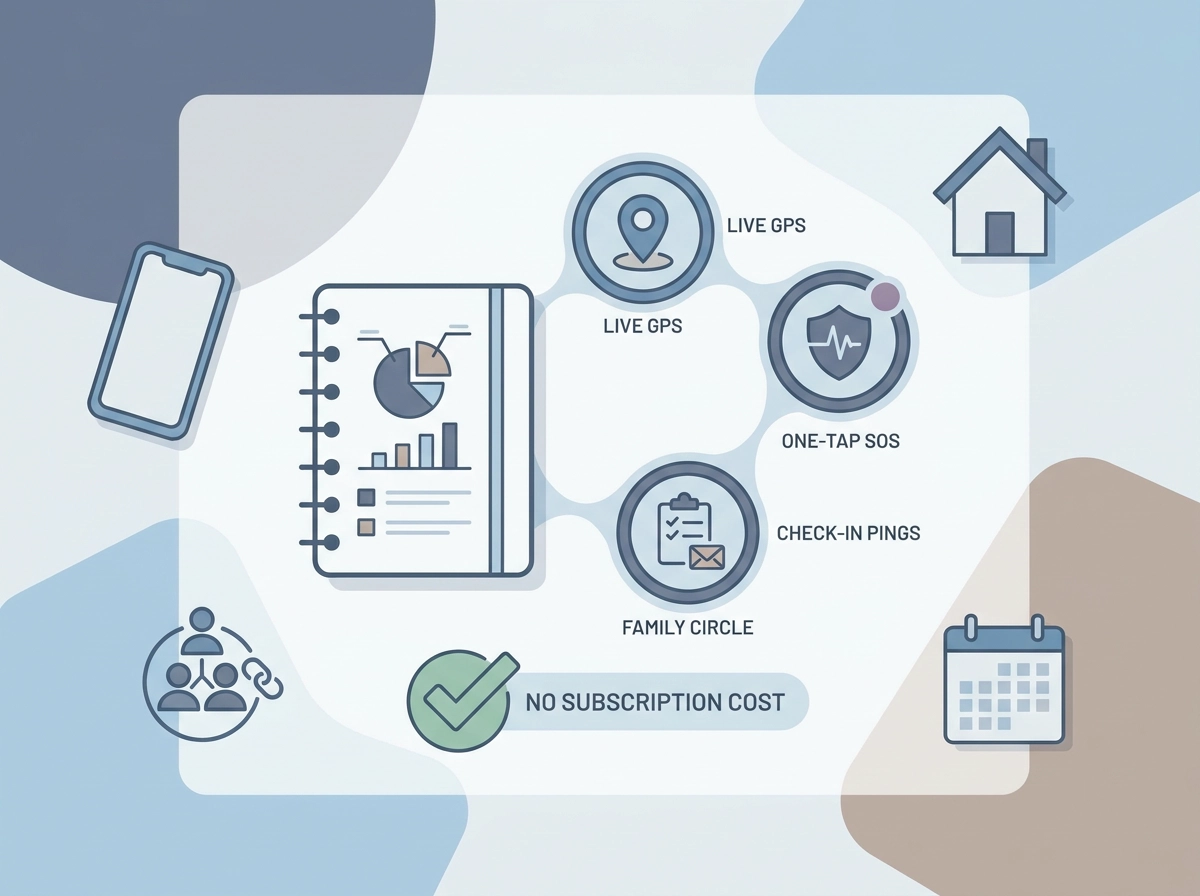
    These four features cover the vast majority of everyday Australian family safety needs. What You Get Out of the Box with Protect Smartly shows how this complete toolkit is available without a paid subscription or complicated setup.

    Which Premium Features Are Worth It and Which Ones Are Not

    Once you have those four core features covered, the harder question becomes: what else is actually worth paying for?

    Some premium features earn their place. Driving safety tools, speeding alerts, phone-use detection, and crash detection, are genuinely useful if you have a teen behind the wheel or a family member regularly doing long hauls between regional towns. If that describes your household, these features are worth evaluating seriously.

    Automatic crash response is increasingly marketed as a premium differentiator, but ask one specific question before you pay for it: does that response connect to Australian emergency services (000), or does it route through an offshore call centre? The answer materially affects how useful it is in an actual emergency.

    Place alerts and geofencing sit in an awkward middle ground. They are a genuinely useful feature for parents of younger children, letting you know when a child arrives at school or leaves a friend’s house. The capability itself is relatively simple, yet many apps now gate it behind a paid tier. It is worth checking what’s included in premium before assuming you need to upgrade to access it.

    What you almost certainly do not need to pay for: detailed location history playback, social media-style activity feeds, data analytics dashboards, and cross-app integrations. These features are commonly bundled into expensive tiers and deliver minimal safety value for everyday Australian families.

    The honest test before upgrading is simple: does this feature change what happens in an actual emergency, or does it only add convenience when nothing is wrong? If the answer is the latter, you are paying for upsell padding, not safety.

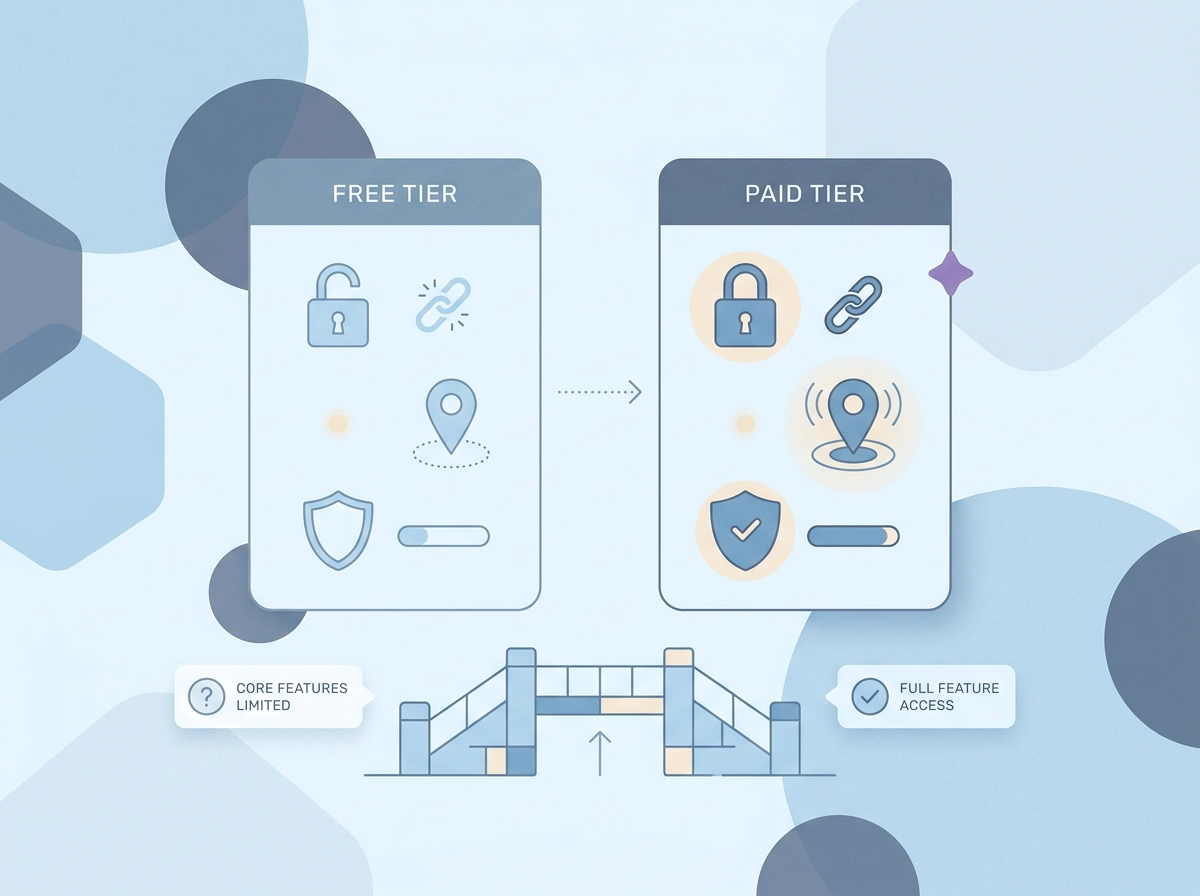
    A Practical Feature Comparison: Free Versus Paid Tiers

    So where does that leave you when you actually sit down to compare apps?

    Here is how the 2026 market typically breaks down across the features that matter most for daily family safety:

    FeatureTypically FreeTypically Premium
    Live GPS location sharingSometimes limitedFull real-time access
    One-tap SOS with GPS alertRarely includedCommon paywall
    Check-in pingsOccasionally freeOften gated
    Family circle managementBasic version freeFull control gated
    Place alerts / geofencingRarely freeStandard premium add-on
    Location history playbackSometimes freeExtended history paywalled

    The pattern is deliberate. Core safety features get restricted just enough to make the paid tier feel necessary, then that tier gets marketed as a “safety upgrade.” In reality, features like detailed history playback or activity dashboards do not change what happens when someone triggers an SOS at 11pm. They are convenience additions, not safety ones. Australian Consumer Law requires that services not be misrepresented in terms of their safety or functional value, so families have every right to scrutinise those claims.

    The cost adds up faster than it looks. A single app subscription at $15 to $20 per month sits alongside streaming, cloud storage, and other household services. For a family already watching budgets, paying for safety features that should be free is a genuine frustration.

    A genuinely free model works differently. What’s included for free with Protect Smartly covers the complete essential set: live location sharing, one-tap SOS with GPS coordinates, check-in notifications, and family circle management. No trial period, no credit card required, no features that quietly expire after 30 days. The safety baseline is the product, not the hook.

    Location Sharing in Australia: What the Local Context Changes

    Choosing the right app isn’t just a features decision. For Australian families, there’s a local context that most overseas comparison guides miss.

    Australia’s eSafety Commissioner treats location sharing as an established online tool, not a niche surveillance concern. That framing matters: you can approach a family location sharing app as a normal, practical safety layer, the same way you’d think about a smoke alarm or a seatbelt.

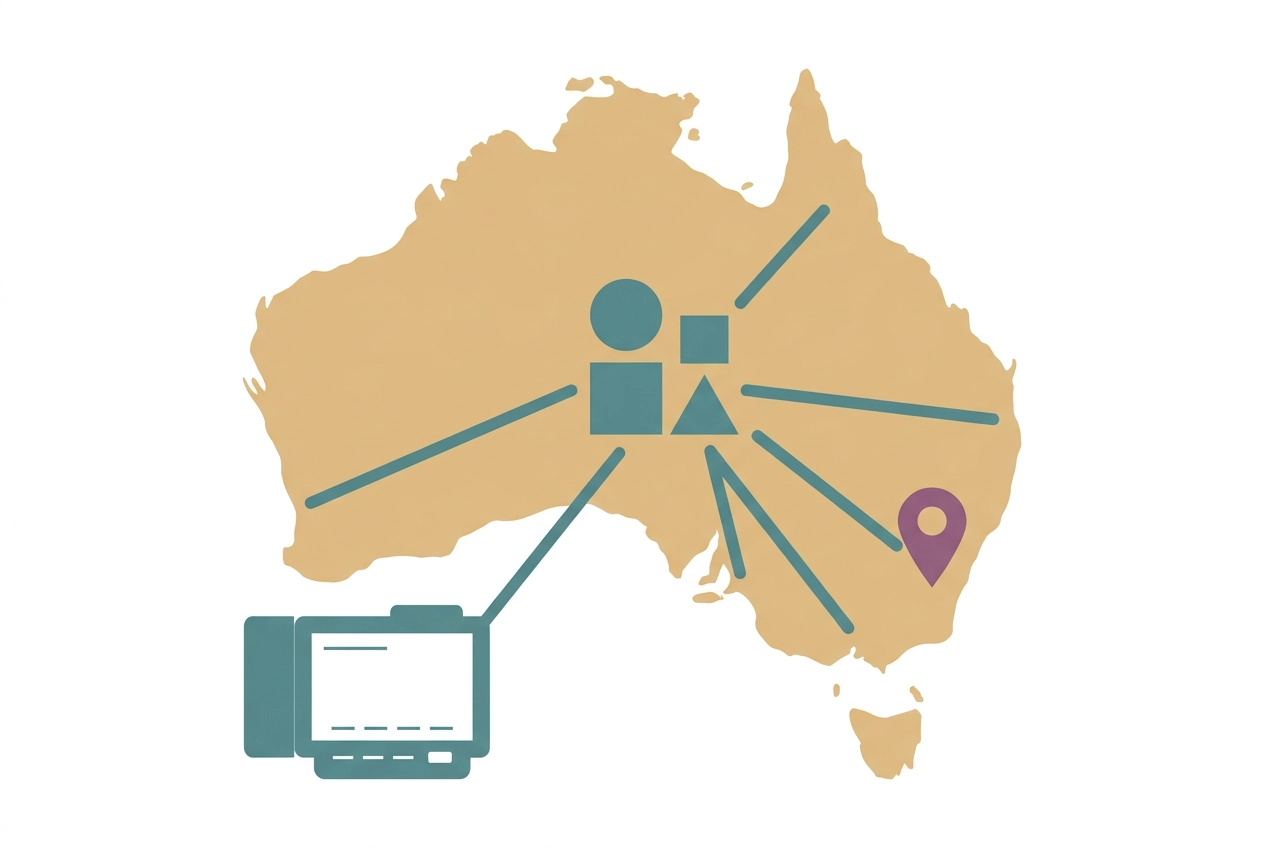
    Australian geography shapes the use cases. A family in suburban Melbourne dealing with a teenager on the train network has very different needs from a rural family in regional Queensland where mobile coverage can drop mid-drive. Long stretches between towns, large suburban transit corridors, and patchy rural signal are realities overseas app comparisons rarely factor in. Reliable performance in low-signal conditions is a practical requirement here, not a bonus.

    Check these three things before you download any app:

    • Where is location data stored? Australian or overseas servers?
    • How long is location history retained after activity?
    • What happens to your data if you delete your account?

    These questions matter under Australian privacy principles, and a trustworthy app should answer them clearly in its privacy policy. If you’re unsure what to ask, the FAQ on whether your family can see your location is a useful starting point.

    On consent: consensual sharing within a family circle, where everyone knows they’re visible, is very different from covert monitoring. The best designs make it easy for any member to see who can view their location and to opt out simply.

    Finally, most apps do not connect directly to 000. A reliable one-tap SOS that instantly alerts your family circle with your GPS location is your real first-response safety net, not a replacement for emergency services, but the fastest way to get the right people moving.

    Beyond Parent and Child: How Family Tracking Apps Serve Every Generation

    Those local privacy and geography factors matter, but they only tell part of the story. A family location sharing app needs to work for every person in the household, not just the parent setting it up.

    Teen drivers are arguably the clearest use case. In Australia, young drivers aged 17 to 24 are around two and a half times more likely to be killed in a crash than other age groups, with crash risk peaking in the first six to twelve months of solo driving. Knowing your newly licensed teenager is on the road, and that they can trigger a one-tap SOS if something goes wrong, turns a nervous wait into manageable peace of mind.

    Elderly parents living independently represent a fast-growing use case in 2026. Adult children generally do not want to monitor every movement; they want a simple signal that Mum or Dad is okay. A check-in ping handles that far better than constant location tracking, which can feel intrusive and often goes ignored anyway.

    Caregivers supporting vulnerable adults need the same two things: live location awareness and a fast SOS trigger. A complicated interface defeats the purpose. If the person who needs help cannot activate the alert quickly, the feature fails at the only moment that counts.

    Hospitality and shift workers, including housekeeping staff, face real lone worker safety risks. A panic button that notifies a trusted circle is directly transferable from family use to a workplace safety context.

    All of this points to one practical requirement: the interface has to be simple enough that a senior parent and a teenager can both use it confidently, without separate tutorials. There are common questions people ask about exactly how these features work across different family members, and the answers usually come down to one thing: simplicity wins every time.

    How to Choose the Right Family Location Sharing App for Your Household

    Once you know who in your family needs the app and why, the decision becomes much simpler.

    Start with your actual daily scenarios. Write down two or three situations where you’d genuinely use this: school pickup confirmation, a teenager’s first solo drive, a parent living alone. Match features to those moments specifically. A long feature list is not a safety guarantee; the right three features used reliably are worth more than fifteen features nobody opens.

    Test core reliability before anything else. Download the app and run a live GPS check with a family member. Does the location update promptly? Try triggering the SOS alert and count the taps it takes. If the basics feel clunky in a calm test, they will fail under real stress. No premium add-on fixes a sluggish GPS or a buried alert button.

    Read the privacy policy before you commit. Look for four specific answers: what location data is collected, who can access it, how long it is stored, and whether it is sold to third parties. If those answers are not easy to find, that itself is a signal worth noting.

    Don’t start with a paid trial. The best features available when you download should include live GPS, SOS alerts, and check-in pings without a credit card. If core safety features sit behind a paywall, look elsewhere.

    Check that everyone can use it. Set up the app on your least tech-confident family member’s phone first. If they can join the family circle and send a check-in without your help, the app passes the real usability test.

    The Bottom Line for Australian Families in 2026

    Once you have run through that setup checklist, the decision itself is straightforward.

    The four features that matter most, live GPS, one-tap SOS, check-in pings, and family circle notifications, are all achievable at no cost. No Australian family should need to pay a monthly subscription just to know their teenager arrived home safely or to send an instant alert in an emergency.

    Premium tiers do earn their place in specific situations. If you have a new driver in the house or an elderly parent living alone, driving safety alerts and senior-focused check-in tools add genuine value. For most families managing everyday routines, though, the free feature set covers everything that actually matters.

    When you are evaluating any family location sharing app, keep the focus on three things: does it work reliably when you need it, is the privacy policy clear about how your data is handled, and can every person in your family circle use it without a tutorial? A long feature list is not the same as a safer family.

    Protect Smartly approaches personal safety without an always-on subscription mindset, giving families, caregivers, and workers access to the full essential feature set at no cost and with no paywalled safety features.

    The practical next step: write down your household’s two or three most common safety scenarios, confirm that any app you consider covers each of them in the free tier, then run a live test with every family member before you rely on it. If the SOS button works and everyone can find it under pressure, you have found the right app.

    Conclusion

    Choosing a family location sharing app in 2026 does not need to be complicated or expensive. The core takeaways from this comparison are straightforward: the essential safety features are available for free, local Australian context matters when selecting an app, and simplicity for every family member is non-negotiable.

    Premium features are worth considering only when your specific situation calls for them, such as new drivers or aging parents living independently. For most households, the free tier delivers everything that genuinely matters.

    Before committing to any app, map out your household’s real safety scenarios, test every feature with your whole family circle, and read the privacy policy carefully. A reliable SOS button that everyone can find under pressure is worth more than a lengthy feature list.

    Start with the essentials, test thoroughly, and choose the app your family will actually use when it counts.

  • Changing the Narrative: Building Personal Safety Networks for Student Mental Health and Wellness

    Changing the Narrative: Building Personal Safety Networks for Student Mental Health and Wellness

    Changing the Narrative: Building Personal Safety Networks for Student Mental Health and Wellness

    September 10 marks World Suicide Prevention Day, and in 2026, the global theme is “Changing the Narrative on Suicide.” This day serves as a critical reminder that mental health is a fundamental pillar of personal safety. For students navigating the pressures of a new academic year, the most powerful tool for wellness isn’t just an app or a hotline—it’s a trusted, private safety network.

    In late 2026, we are moving toward a model where technology doesn’t just track physical location, but also supports emotional connectivity and proactive wellness check-ins.

    The 2026 Wellness Landscape: Connection is Prevention

    Mental health challenges often thrive in isolation. According to recent data from the 2026 National Student Safety Survey, students who feel connected to a “consistent support circle” are 50% more likely to seek help when they are struggling.

    Why “Changing the Narrative” Starts with Connection

    In 2026, we are replacing the silence of the past with open, honest conversations.

    • The “Safety Circle” as a Support Hub: A family safety app like ProtectSmartly can serve as a non-intrusive wellness hub. A simple daily “Check-in” ping isn’t just about location; it’s a silent signal that says, “I’m okay, and I’m connected to you.”
    • Reducing Barriers to Help: By integrating wellness into daily safety routines, we normalize the act of asking for help before a crisis occurs.

    Utilizing Your Private Safety Net for Wellness

    A modern safety net should be as focused on emotional well-being as it is on physical security.

    1. The Power of the “Wellness Check-In”

    Students often feel a “burden” when asking for help. By using a student safety app for routine check-ins, the act of connecting becomes a natural part of the day.

    • Automated Reassurance: A student walking home from a late class can share their location with their circle. The circle’s responses—even a simple “Got you, stay safe”—provide a powerful sense of belonging and support.

    2. Rapid Assistance in Moments of Crisis

    In a mental health emergency, navigating a complex phone menu is often impossible. A dedicated SOS alert app provides a discrete, one-tap emergency SOS that immediately notifies your entire trusted circle and shares your precise location. This ensures that those who care about you most can respond instantly, providing immediate emotional support while professional help is mobilized.

    2026 Wellness & Safety Checklist for Students

    • Identify Your “Wellness Champions”: Choose 3-4 trusted friends or family members to be in your primary ProtectSmartly circle.
    • Establish a “Check-In” Routine: Agree on a daily time for a simple digital ping to say “I’m doing okay.”
    • Review Mental Health Resources: Ensure you have the 988 Suicide & Crisis Lifeline saved in your phone and understand your campus wellness options.
    • Practice Situational Awareness: Discuss how physical safety (well-lit paths, secure housing) contributes to lower stress and improved mental wellness.

    FAQ: Wellness & Technology in 2026

    Q: Can a safety app really help with mental health?

    A: Yes. By fostering consistent connection and providing an instant way to alert your support network, apps like ProtectSmartly reduce the isolation that often accompanies mental health struggles.

    Q: Is location sharing intrusive for wellness?

    A: Not when it’s controlled by the user. ProtectSmartly’s “Privacy First” design ensures that you choose who is in your circle and when you share your status.

    Q: How do I “change the narrative” with my friends?

    A: Start the conversation. Ask your friends about their safety nets and offer to be a part of their circle. Normalize the idea that we all need a support system.

    Conclusion: We Are Safer Together

    As we observe World Suicide Prevention Day 2026, remember that the narrative is ours to change. By building a private, tech-enabled safety net like ProtectSmartly, we can ensure that every student feels connected, supported, and secure.

    Don’t wait for a crisis to build your circle. Start building your wellness safety net today.


    Learn more about how ProtectSmartly supports student wellness.

    Explore the Student Safety App features.

    Download ProtectSmartly and build your personal safety network now.

  • National Preparedness Month 2026: How to Identify and Help At-Risk Neighbors during a Crisis

    National Preparedness Month 2026: How to Identify and Help At-Risk Neighbors during a Crisis

    National Preparedness Month 2026: How to Identify and Help At-Risk Neighbors during a Crisis

    As we enter the second week of National Preparedness Month this September, the 2026 theme “Americans Stand Ready” expands its focus from individual readiness to community resilience. A critical, yet often overlooked, part of being “ready” is the ability to identify and support at-risk neighbors during a sudden disaster or local emergency.

    In late 2026, preparedness is no longer just about your own household; it’s about building a connected safety net that ensures no one is left behind.

    The 2026 Community Mandate: Proactive Assistance

    Recent data from the 2026 National Safety Observances indicates that communities with high levels of “neighbor-to-neighbor” coordination recover 35% faster from natural disasters. In 2026, with the rise of rapid-response drones and automated alerts, the speed of local assistance is the biggest factor in survival for the vulnerable.

    Identifying the At-Risk in Your Circle

    An “at-risk” neighbor might not always be obvious. Consider:

    • The Elderly and Homebound: Those with mobility challenges who may need assistance during an evacuation.
    • Families with Young Children: Parents who may be overwhelmed or distracted during a crisis.
    • People with Medical Needs: Neighbors who rely on electricity for medical equipment or who need regular medication access.
    • Newcomers to the Neighborhood: Those who may not yet be connected to local alert systems.

    Building Your Community Safety Net with Technology

    The most effective way to coordinate assistance in 2026 is to utilize a private, reliable safety network that bridges the gap between official alerts and immediate local action.

    1. The “Neighbor Circle” Protocol

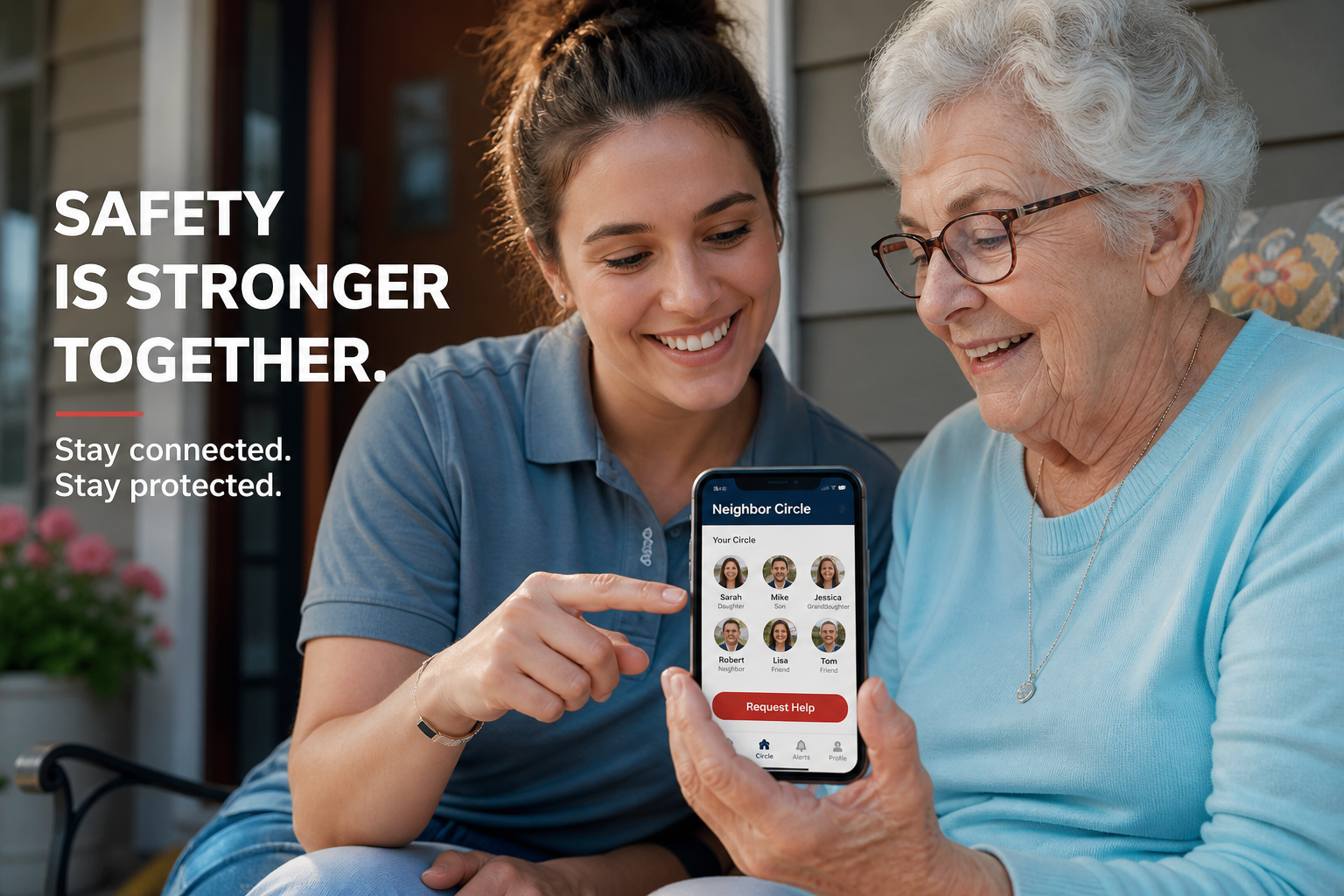
    Using a family safety app like ProtectSmartly, you can create a specific circle for your immediate street or apartment floor.

    • Encrypted Status Pings: During an incident—such as a sudden power outage or severe weather—members can send a quick “I am safe” or “I need help” ping to the entire circle.
    • Real-Time Location Sharing: If a vulnerable neighbor is unable to be reached, their location can be shared (with prior permission) with the circle to ensure someone can check on them physically.

    2. Rapid Response with the One-Tap SOS

    When you encounter a neighbor in crisis—such as a medical emergency or a household accident—you need an instant way to call for help. A dedicated SOS alert app provides a discrete, one-tap emergency SOS that immediately notifies your entire circle and shares the exact GPS coordinates. This ensures that help is on the way even before a traditional 911 call is completed.

    2026 Community Preparedness Checklist

    • Conduct a “Safety Walk”: This weekend, walk your neighborhood and introduce yourself to neighbors you haven’t met.
    • Identify Specific Needs: Ask at-risk neighbors if they have a plan and if they would like to be part of a local personal safety circle.
    • Update Your App: Ensure ProtectSmartly is installed and your “Neighbor Circle” is active.
    • Establish a Communication Hub: Choose a physical meeting point in your neighborhood and a digital “check-in” routine.
    • Practice “Safety Pings”: Let your circle practice sending status updates to ensure everyone understands the technology.

    FAQ: Helping Neighbors in 2026

    Q: Isn’t it intrusive to ask neighbors about their safety plans?

    A: Not if framed correctly. Most people appreciate the offer of coordination, especially when explained as part of National Preparedness Month.

    Q: Can a safety app replace professional responders?

    A: No. It is a coordination tool that ensures neighbors can provide immediate assistance while professional help is in transit.

    Q: How do I maintain privacy in a neighbor circle?

    A: ProtectSmartly uses a “Privacy First” design. You only share your location and status with the specific people you invite to that circle, and you can disable sharing at any time.

    Conclusion: Readiness is a Shared Responsibility

    National Preparedness Month 2026 is a reminder that we are stronger when we are connected. By taking the time to identify at-risk neighbors and building a tech-enabled community safety net like ProtectSmartly, you are fulfilling the 2026 mission: Americans Stand Ready.

    Don’t wait for the next alert. Start building your community safety net today.


    Learn more about how ProtectSmartly builds resilient communities.

    Explore the SOS Alert App for local coordination.

    Download ProtectSmartly and stand ready with your neighbors this September.

  • Campus Security 2026: Understanding Computer Vision and Integrated Duress Alerts

    Campus Security 2026: Understanding Computer Vision and Integrated Duress Alerts

    As we enter the second week of September, university campuses are fully active, and with that activity comes a renewed focus on security infrastructure. Following major security overhauls at institutions like the University of Houston and heightened concerns near the University of Cincinnati, the 2026 campus safety landscape is being defined by two high-tech pillars: computer vision and integrated duress alerts.

    In late 2026, staying safe on campus means moving beyond the “Blue Light” phone towers of the past and embracing a mobile, tech-driven personal safety net.

    The High-Tech Campus: Surveillance vs. Security

    Universities are increasingly investing in computer vision technology—AI-enabled cameras that can identify suspicious behavior, detect unauthorized vehicles, and even recognize the sound of a disturbance in real-time. These systems are designed to decrease response times and provide campus police with immediate situational awareness.

    Why “Integrated Alerts” are the New Standard

    Traditional siren systems are being replaced by integrated duress alerts. These systems bridge the gap between fixed campus security and a student’s personal mobile device.
    * The Drone Response: Autonomous drones are being tested to provide “eyes on the ground” within seconds of an alert being triggered, often arriving before physical security.
    * Text-to-Device Systems: Rapid-response alerts are now pushed directly to students’ smartphones, providing specific instructions based on their GPS location.

    Empowering the “Mobile Sensor”

    In the 2026 security model, every student is a “mobile sensor” for safety. By utilizing a student safety app, you become an active participant in your own security.

    1. The Virtual Escort Protocol

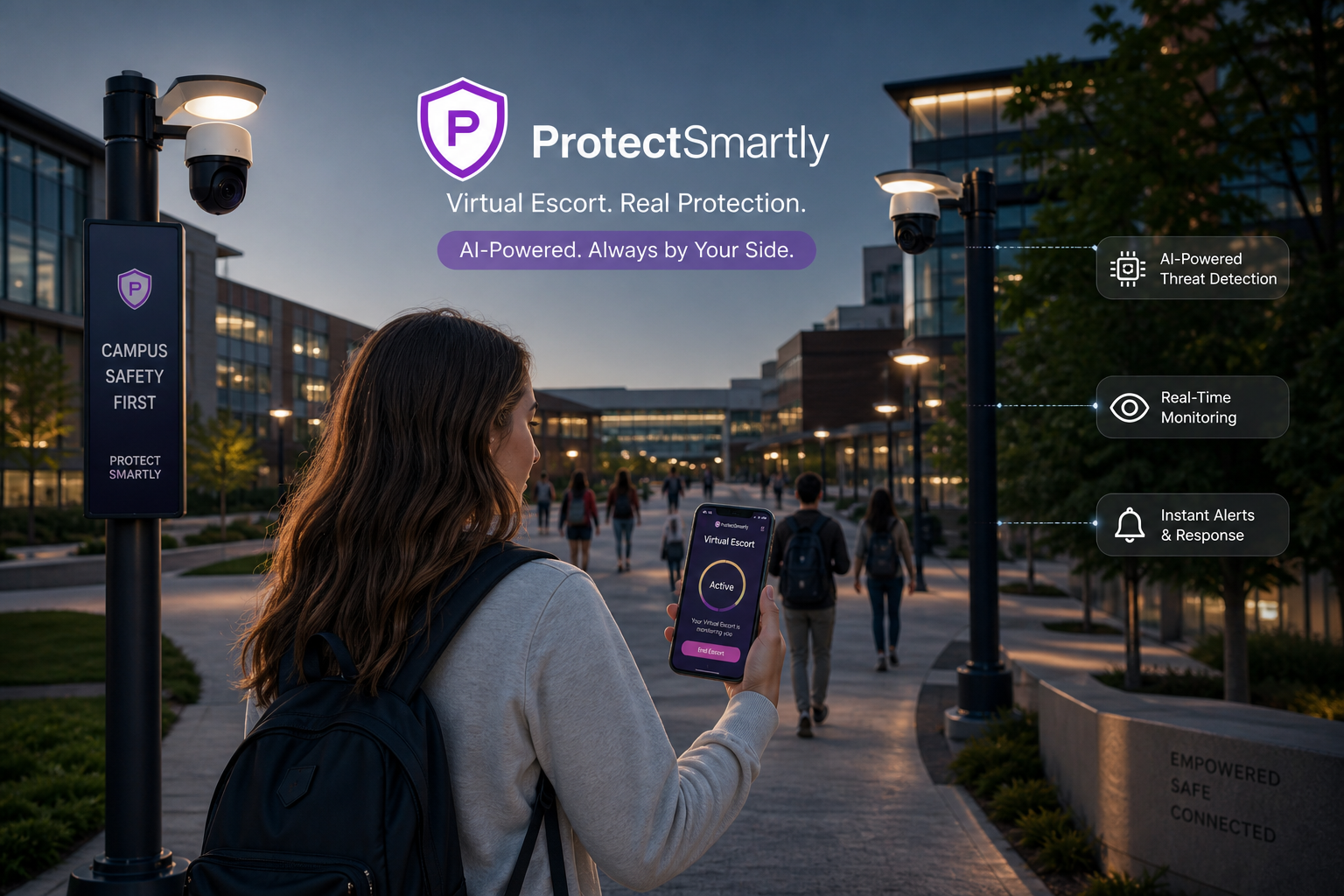
    One of the most effective ways to utilize campus tech is through a “Virtual Escort.” Instead of waiting for a physical security guard, students can share their live location with a trusted family safety app circle.
    * Safe Zone Geofencing: Set up automated alerts for when you arrive at an off-campus library or leave a late-night study group. Your circle is notified instantly of your status.

    2. The One-Tap SOS for Critical Response

    When a threat is detected near campus—such as the incidents reported in late August 2026—every second counts. A dedicated SOS alert app like ProtectSmartly provides a discrete, one-tap emergency SOS. One tap instantly alerts your entire Family Circle and shares your exact GPS coordinates, ensuring that help is mobilized immediately.

    2026 Campus Infrastructure Audit for Families

    • [ ] Identify Campus “Hot Spots”: Review your university’s 2026 Annual Security Report to identify areas with higher reported activity.
    • [ ] Update Alert Preferences: Ensure your student is opted into all local and campus-specific emergency text systems.
    • [ ] Test Your SOS App: Conduct a “silent check-in” drill this weekend to ensure your ProtectSmartly circle is active.
    • [ ] Verify Geofences: Set up automated “Arrival Alerts” for your student’s dorm and most frequent classroom buildings.

    FAQ: Campus Tech in 2026

    Q: Do computer vision cameras track every student?
    A: Most campus systems are designed for behavior detection and unauthorized vehicle tracking, prioritizing safety over individual identification.

    Q: Can a safety app connect directly to campus police?
    A: While apps like ProtectSmartly primarily coordinate your private circle, they provide exact GPS coordinates that you or your family can share with local authorities for much faster response.

    Q: Is a safety app better than a campus panic button?
    A: Fixed panic buttons are stationary. A mobile SOS alert app ensures you have a safety net with you everywhere you go, including off-campus housing.

    Conclusion: Connection is the Foundation of Security

    As we observe National Campus Safety Awareness Month this September, remember that infrastructure is only as effective as the connectivity of the people using it. By utilizing the power of a private, tech-enabled safety net like ProtectSmartly, students can navigate the 2026 campus environment with confidence.

    Don’t leave your safety to fixed systems. Build your mobile safety net today.


    Learn more about how ProtectSmartly supports students.
    Explore the Student Safety App features.
    Download ProtectSmartly and take control of your campus safety now.

  • Post-Labor Day Travel Safety: Lessons for a Secure Fall 2026

    Post-Labor Day Travel Safety: Lessons for a Secure Fall 2026

    As the record-breaking Labor Day 2026 weekend comes to a close, millions of travelers are returning home from coastal getaways and family visits. While the summer travel season traditionally peaks this weekend, the safety lessons learned during this 96-hour window are critical for navigating the upcoming fall season.

    In early September 2026, personal safety on the road has evolved. From managing heavy holiday congestion to avoiding high-volume travel scams, the “new normal” requires a blend of physical vigilance and digital preparedness.

    Labor Day 2026: A Record-Breaking Safety Test

    The TSA and travel experts reported that Labor Day 2026 was one for the record books, with air travel volumes exceeding previous highs. On the highways, congestion reached peak capacity, increasing the risk of distraction-related incidents.

    Lesson 1: The Vulnerability of Travel Kiosks

    Scammers targeted busy transit hubs with sophisticated “QR Code Phishing” schemes. Legitimate charging stations and check-in kiosks were often overlaid with malicious codes designed to compromise travel itineraries and financial data.
    * The Fix: Use official apps for check-ins and carry your own portable power bank to avoid public charging stations.

    Lesson 2: The Critical Window of Arrival

    The most stressful—and dangerous—part of holiday travel is often the final leg of the journey or the initial arrival at an unfamiliar destination.
    * The Fix: Use a family safety app like ProtectSmartly to set automated arrival pings for your circle. This eliminates the need for distracting “Are you there yet?” texts while driving.

    Building Your Fall Travel Safety Net

    As we transition into the cooler months and prepare for school-related travel, now is the time to audit your family’s safety technology.

    1. Leverage Private Safety Networks

    Public Wi-Fi and social media location tagging are high-risk behaviors during travel. Instead, keep your location sharing within an invitation-only “Family Circle.”
    * Encrypted Coordination: ProtectSmartly ensures that your live location and travel status are only visible to your trusted circle, protecting you from digital stalkers and opportunistic thieves.

    2. The One-Tap SOS for Roadside Readiness

    Whether it’s a mechanical failure on a remote highway or a safety concern in a crowded terminal, you need an instant way to call for help. A dedicated SOS alert app provides a discrete, one-tap emergency SOS that immediately notifies your entire circle and shares your exact GPS coordinates.

    2026 Fall Travel Safety Checklist

    • [ ] Audit Digital Hygiene: Update all your travel and safety apps to the latest versions.
    • [ ] Update Emergency Circles: Ensure all students heading back to campus are included in your primary safety circle.
    • [ ] Verify “Safe Zones”: Set up geofences for common destinations like work, school, and frequently visited relatives.
    • [ ] Test Your SOS: Conduct a “check-in drill” this weekend to ensure every member of the family knows how to send a status update.

    FAQ: Post-Holiday Safety

    Q: Why was Labor Day 2026 so dangerous?
    A: A combination of record-breaking volumes and a surge in AI-driven “urgent booking” scams created a high-risk environment for distracted travelers.

    Q: Can a safety app help with car breakdowns?
    A: Yes. By sharing your live location with your family safety app, your circle can see exactly where you are stalled and dispatch help more accurately than a voice description.

    Q: How do I avoid QR code scams?
    A: Only scan QR codes that are permanently printed on official airport or hotel signage. If it looks like a sticker or is in a high-traffic “free” area, avoid it.

    Conclusion: Connection is the Best Preparation

    The transition from summer to fall is the perfect time to reinforce your family’s safety protocols. By understanding the risks revealed during the Labor Day weekend and utilizing a private, tech-enabled safety net like ProtectSmartly, you can ensure that your family remains secure, no matter where the road leads.

    Don’t wait for the next holiday rush. Start building your fall safety net today.


    Learn more about how ProtectSmartly protects travelers.
    Explore our Student Safety App for campus commutes.
    Download ProtectSmartly and take a proactive approach to your safety now.

  • Americans Stand Ready: 3 Digital Tools Every Family Needs for National Preparedness Month 2026

    Americans Stand Ready: 3 Digital Tools Every Family Needs for National Preparedness Month 2026

    Americans Stand Ready: 3 Digital Tools Every Family Needs for National Preparedness Month 2026

    September is National Preparedness Month, and as the 2026 theme “Americans Stand Ready” resonates across the country, it is time to look beyond the traditional emergency kit. While water, food, and medical supplies are essential, your family’s resilience in late 2026 is defined by your digital preparedness.

    In a hyper-connected world, being “ready” means having the right information at the right time. Here are the three digital tools every family needs to bridge the gap between institutional alerts and individual coordination this September.

    Tool 1: A Private Safety Network

    In a crisis, public communication channels can become overwhelmed. You need a private, reliable way to track and communicate with your loved ones.
    * The Power of the Circle: Using a family safety app like ProtectSmartly allows you to create a dedicated “Family Circle.” This provides a real-time view of every family member’s location on a private map, ensuring no one is left behind during an evacuation or a local emergency.
    * Encrypted Status Updates: ProtectSmartly uses a “Privacy First” design, ensuring that your status and location data are only visible to the people you explicitly invite.

    Tool 2: An Instant SOS System

    When seconds count, you cannot waste time navigating complex phone menus or searching for emergency numbers.
    * The One-Tap Emergency SOS: A dedicated SOS alert app provides a discrete, one-tap emergency SOS. One tap instantly alerts your entire circle and shares your exact GPS coordinates, allowing for rapid family-led assistance or professional response.
    * Reliability in Low-Signal Zones: ProtectSmartly is optimized to send small, high-priority distress packets even when cellular networks are degraded, providing a critical lifeline in disaster zones.

    Tool 3: A Digital Preparedness Vault

    Paper documents are easily lost or damaged in a fire or flood. In 2026, your family’s vital information must be digitized and accessible from any device.
    * Centralized Safety Information: Store your emergency communication plan, medical records, and insurance policies in a secure, encrypted digital vault.
    * Real-Time Alerts: Ensure your devices are configured to receive FEMA App and local emergency text alerts, providing you with the latest data on seasonal weather patterns and local threats.

    2026 Preparedness Month Audit

    • [ ] Test Your Safety Circle: Conduct a “digital check-in” drill this weekend with your ProtectSmartly circle.
    • [ ] Update Your App: Ensure every family member has the latest version of their student safety app or personal safety tool installed.
    • [ ] Digitize Vital Records: Upload copies of your birth certificates, deeds, and medical info to your digital vault.
    • [ ] Review Your Personal Safety: Discuss the importance of situational awareness and the 2026 mandate: Americans Stand Ready.

    FAQ: National Preparedness Month 2026

    Q: Do I really need these digital tools if I have a physical kit?
    A: Yes. A physical kit helps you survive; digital tools help you coordinate. In 2026, the speed of coordination is the biggest factor in family safety.

    Q: Is my location data secure with a safety app?
    A: With ProtectSmartly, yes. We prioritize a “Privacy First” design and never sell your data to third parties.

    Q: How do I get my family to use these tools?
    A: Frame them as a “Family Team” asset. Show them how the family safety app makes it easier to stay connected during busy days, not just during emergencies.

    Conclusion: Readiness is the Best Policy

    National Preparedness Month 2026 is a call to action for every American family. By integrating these three digital tools into your safety plan, you are fulfilling the national mission: Americans Stand Ready.

    Don’t wait for the first alert of the season. Start building your digital safety net today by connecting with your Family Circle.


    Learn more about how ProtectSmartly helps families stand ready.
    Explore our SOS Alert App features.
    Download ProtectSmartly and take control of your family’s safety this September.

  • School Safety Trends 2026: Why Panic Buttons and Behavioral Mapping are Saving Lives

    School Safety Trends 2026: Why Panic Buttons and Behavioral Mapping are Saving Lives

    School Safety Trends 2026: Why Panic Buttons and Behavioral Mapping are Saving Lives

    As the 2026-2027 school year begins, the focus on K-12 school safety has moved beyond traditional lockdown drills to include a sophisticated array of proactive technologies. According to recent reports from early September 2026, educational leaders are prioritizing systems that decrease response times and identify behavioral threats before they escalate.

    In late 2026, staying safe at school means understanding these modern trends and utilizing technology to empower teachers, students, and parents alike.

    The 2026 School Safety Reality: Data and Speed

    The “Reactive Era” of school safety—waiting for an incident to occur before responding—is being replaced by a “Proactive Era.”

    Key Trends in School Safety for 2026

    • The Wearable Panic Button: Many districts are now providing staff with wearable panic buttons that provide an instant, one-tap notification to law enforcement and on-site security, bypassing the need for a 911 call.
    • Behavioral Threat Mapping: Using AI-enhanced data, schools are now better equipped to identify and support students in crisis, providing a “early warning system” for behavioral incidents.
    • Integrated Communication Platforms: Rapid communication between schools and families is no longer a luxury; it is a necessity. Modern platforms ensure that every parent is notified of a safety status change within seconds.

    Building Your Family’s School Safety Net

    While schools are doing their part, individual connectivity is the most critical layer of personal safety.

    1. The Power of Personal Connectivity

    Using a student safety app like ProtectSmartly allows for a direct safety link between a student and their “Family Circle.”
    * Digital Escort for After-School Activities: Whether it’s a sports practice or a club meeting, your student can share their live location with you during transitional periods.
    * Safe Zone Geofencing: Set up automated alerts for when your student arrives at school or leaves for home.

    2. Instant Assistance with the One-Tap SOS

    In a crisis, a dedicated SOS alert app provides a discrete, one-tap emergency SOS that immediately notifies your entire circle and shares your student’s exact GPS coordinates. This ensures that you are the first to know—and the first to respond—to your child’s needs.

    2026 School Safety Checklist for Parents

    • [ ] Review the School Safety Plan: Understand your district’s protocols for lockdowns and evacuations.
    • [ ] Identify Emergency Contacts: Ensure your school has your most current contact information and that you have their safety alert number saved.
    • [ ] Establish a Digital Check-In: Agree on a daily “digital check-in” routine using your family safety app.
    • [ ] Audit Personal Gear: Ensure your student has a reliable safety app installed and a portable power bank.

    FAQ: School Safety in 2026

    Q: Are school panic buttons really effective?
    A: Yes. Because they provide an instant, silent notification to law enforcement, they can significantly reduce response times during a crisis.

    Q: Can a safety app replace a school’s security system?
    A: No. It is a complementary tool that ensures you stay connected to your student and their location during an incident.

    Q: Is my child’s location data secure?
    A: With ProtectSmartly, yes. We prioritize a “Privacy First” design. Your student’s location is only visible to the people you explicitly invite to your Family Circle.

    Conclusion: Connection is the Best Preparation

    As we navigate the start of the 2026-2027 school year, remember that safety is a shared responsibility. By understanding the latest school safety trends and utilizing the power of a private, tech-enabled safety net like ProtectSmartly, families can ensure that their students remain secure, both in the classroom and on the go.

    Don’t wait for a crisis to build your net. Start your student’s school safety journey today.


    Learn more about how ProtectSmartly supports school safety.
    Explore our Student Safety App features.
    Download ProtectSmartly and take a proactive approach to your child’s safety now.

  • Hurricane Safety 2026: The Tech-Enabled Checklist for Peak Storm Season

    Hurricane Safety 2026: The Tech-Enabled Checklist for Peak Storm Season

    Hurricane Safety 2026: The Tech-Enabled Checklist for Peak Storm Season

    As we enter the peak of hurricane season this September, weather patterns are becoming increasingly unpredictable. For families living in coastal and inland regions alike, the message for 2026 is clear: traditional storm preparation is no longer enough. You need a tech-enabled strategy that prioritizes real-time data and family coordination.

    In late 2026, staying safe during a major storm means bridging the gap between official weather alerts and your private family safety app.

    The 2026 Hurricane Reality: Rapid Intensification and Data Speed

    Hurricane patterns in 2026 have shown a trend toward “rapid intensification”—storms that strengthen from a Tropical Storm to a Category 4 in less than 24 hours. In this environment, the speed of information is your most valuable asset.

    2026 Hurricane Preparedness Pillars

    • Redundant Alerts: Do not rely on one source. Use NOAA weather radios, local emergency apps, and your family safety app to ensure you get the message even if one system fails.
    • Digital Evacuation Planning: Store your evacuation routes, hotel bookings, and digital travel documents in a secure, encrypted digital vault.
    • The Connected Supply Kit: In addition to water and food, your 2026 kit must include high-capacity power banks, solar chargers, and a pre-configured SOS alert app.

    Coordinating Your Family During the Storm

    The greatest danger during a hurricane is often the uncertainty of where your family members are.

    1. Real-Time Circle Coordination

    Using a family safety app like ProtectSmartly allows you to monitor the location and status of every family member during an evacuation.

    • Automated Safe Harbor Pings: Set geofences for your evacuation hotel or a relative’s home. Your “Family Circle” is notified the moment everyone arrives safely.
    • Low-Signal Communication: ProtectSmartly is optimized to send “I am safe” status updates even when cellular networks are degraded by the storm.

    2. The One-Tap SOS for Critical Response

    If you face a sudden emergency during the storm—such as structural damage or a medical crisis—you need an instant way to call for help. A dedicated SOS alert app provides a one-tap emergency SOS that immediately notifies your entire circle and shares your precise GPS coordinates.

    2026 Hurricane Safety Checklist

    • Service Your Generator: Test and fuel your backup power sources.
    • Establish Your Circle: Set up a “Hurricane Circle” on ProtectSmartly for your immediate and extended family.
    • Update Alert Preferences: Opt into all local and national weather text alert systems.
    • Audit Your Go-Bag: Ensure you have 72 hours of supplies and 2026-standard medical gear.
    • Backup Your Devices: Ensure every phone has a reliable student safety app or dedicated safety tool installed.

    FAQ: Hurricane Safety in 2026

    Q: Is a safety app better than a weather app during a storm?

    A: They serve different purposes. A weather app tells you about the storm; a safety app like ProtectSmartly tells you where your family is and ensures you can call for help instantly.

    Q: Can I use ProtectSmartly if the internet is down?

    A: ProtectSmartly is designed to work across multiple signal types. While an active data connection is best, it is optimized to send small distress packets whenever a minimal signal is available.

    Q: How do I protect my privacy during an evacuation?

    A: ProtectSmartly’s “Privacy First” design ensures your location data is only visible to the members of your invitation-only Family Circle.

    Conclusion: Preparation is the Best Protection

    Hurricane season 2026 is a reminder that we are at the mercy of the elements. However, by modernizing your storm strategy and utilizing the power of a private safety network like ProtectSmartly, you can face the peak of the season with confidence.

    Don’t wait for the first warning. Build your hurricane safety net today.


    Learn more about how ProtectSmartly protects families during storms.

    Explore the SOS Alert App features for emergencies.

    Download ProtectSmartly and take a proactive approach to your hurricane safety now.