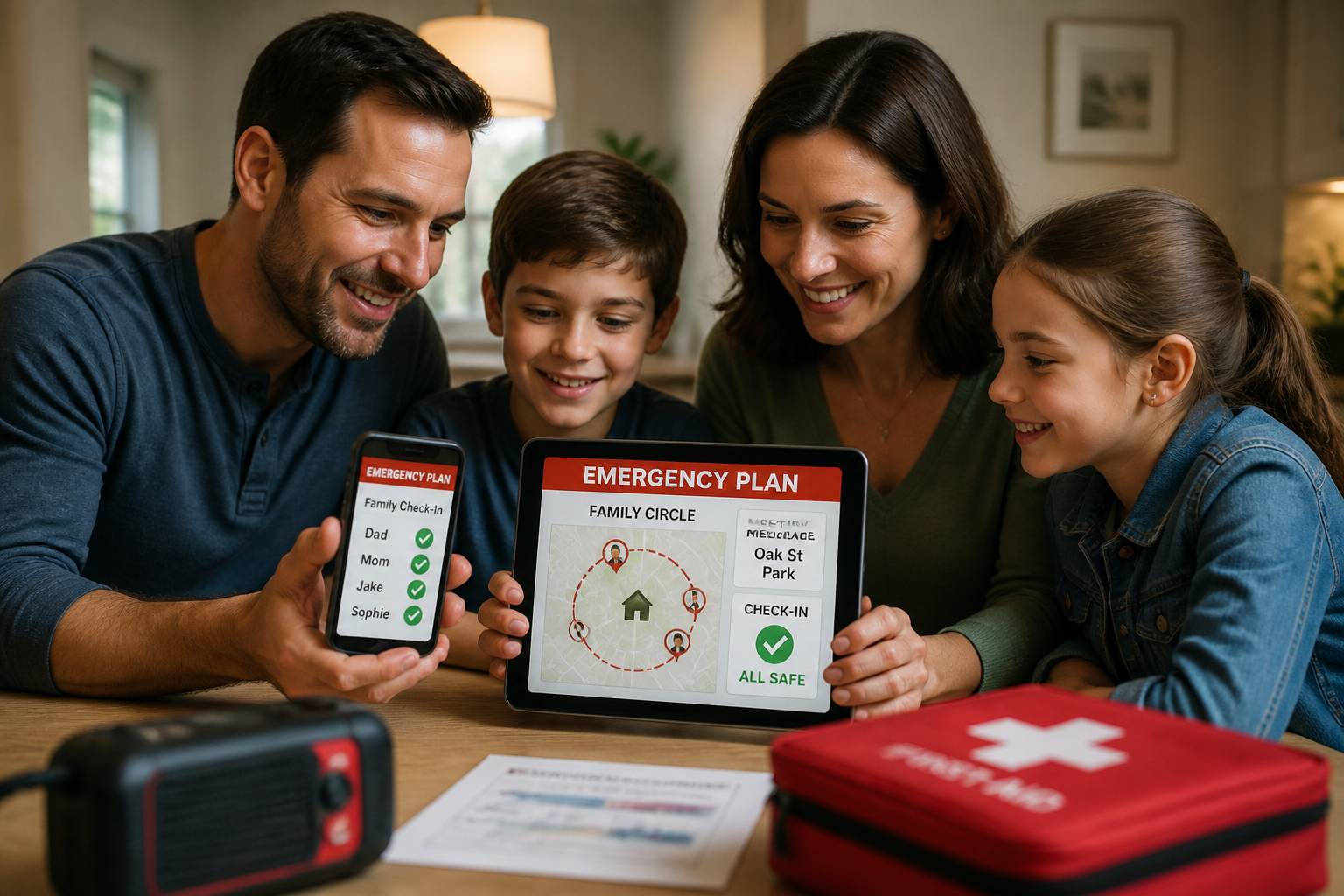
2026 Family Emergency Preparedness: Building a Tech-Enabled Safety Plan
As we navigate through August 2026, the importance of modernization in emergency preparedness has never been more evident. With rising regional tensions and a push from state governments—such as the recent Executive Order signed by the Governor of Virginia—to prioritize family safety, being prepared is no longer just about having a kit; it’s about having a connected, tech-enabled plan.
In 2026, traditional disaster response is being transformed by real-time data and instant communication. This guide outlines the essential steps to build a 2026-era family emergency plan that leverages technology to keep your loved ones safe during the unexpected.
The 2026 Preparedness Landscape: Modern Challenges
Emergency preparedness in 2026 involves more than just weathering a storm. Families must now account for complex scenarios, including digital infrastructure failures and the need for rapid coordination across large distances.
Modernizing Your Alert System
The primary challenge in any disaster is receiving timely, accurate information. In 2026, relying on a single source of news is a vulnerability. A robust plan includes:
* Redundant Alerts: Ensure you are signed up for local emergency alerts, NOAA weather radio feeds, and have an emergency SOS app configured on all family devices.
* The “Zero-Power” Backup: While we prioritize tech, every family needs a way to receive information if cellular networks and power grids fail. Maintain a battery-powered or hand-crank emergency radio.
The Rise of Regional Tensions
With the U.S. Embassy in Jordan and other international bodies issuing security alerts in late August 2026, global and regional tensions are impacting how families view personal security. Preparedness now includes having a “Safe Harbor” strategy for both local and international events.
Building Your Tech-Enabled 4-Step Plan
A modern family safety plan should be simple to remember but powerful in execution.
1. Identify Your Hazards and Meeting Points
Sit down with your family and identify the most likely disasters in your area (fire, flood, earthquake).
* Digital Mapping: Pinpoint your family’s “Meeting Points” on a shared map within your family safety app.
* The “Safety Circle” Concept: Using ProtectSmartly, create a Family Circle that includes not just your household, but trusted neighbors or nearby relatives who can assist in a crisis.
2. Establish a Redundant Communication Protocol
In a disaster, communication is the first thing to fail.
* The “Safety Ping”: Instead of long phone calls that clog networks, use a student safety app or dedicated safety tool to send a one-tap “I am safe” status update to your circle.
* Out-of-Area Contact: Designate one person who lives far away as the central contact for the entire family. If local lines are down, this person serves as the message hub.
3. Implement the One-Tap Emergency SOS
When every second counts—such as in a house fire or a sudden medical event—you cannot waste time searching for help. A dedicated SOS alert app like ProtectSmartly provides an instant emergency SOS feature. One tap alerts your entire Family Circle and local emergency services, providing your precise GPS coordinates even in low-visibility environments.
4. Continuous Location Awareness
During an evacuation, knowing where everyone is provides invaluable peace of mind.
* Real-Time Tracking: Ensure that location sharing is enabled for all family members during an active emergency. This allows you to coordinate arrivals at safe zones and ensure that nobody is left behind.
* Personal Safety Verification: Use your safety platform to verify that everyone has reached their destination safely without the need for constant “Where are you?” texts.
2026 Emergency Preparedness Checklist
- [ ] Digitize Important Documents: Store encrypted copies of IDs, insurance, and medical records in a secure cloud-based vault.
- [ ] Update Your Safety App: Ensure ProtectSmartly is installed on all devices and that every family member knows how to use the SOS button.
- [ ] Audit Your Kits: Check expiration dates on food and water; ensure your medical kit includes 2026-standard supplies.
- [ ] Test Your Plan: Conduct a family drill this weekend. Practice your evacuation route and your communication protocol.
- [ ] Establish a Family Password: As discussed in our digital safety guides, have a non-digital word for identity verification in a crisis.
FAQ: Emergency Safety in 2026
Q: Do safety apps work without cellular service?
A: Most features require a data connection, but many 2026-era apps (including ProtectSmartly) are optimized to send small “distress packets” even in low-bandwidth situations. Always maintain a backup satellite-based device for remote areas.
Q: How do I involve my kids in the safety plan without scaring them?
A: Focus on “Empowerment.” Frame the plan as a “Safety Superpower” that they can control. Using a student safety app makes safety interactive and accessible for children.
Q: Is it safe to store my medical info in an app?
A: Yes, if the app uses bank-level encryption. ProtectSmartly prioritizes personal safety and privacy, ensuring your data is only visible to those you choose during an emergency.
Conclusion: Connection is the Best Preparation
In 2026, family safety is built on a foundation of connectivity. By modernizing your emergency plan and utilizing the power of a private safety network like ProtectSmartly, you can ensure that your family stays connected, informed, and secure no matter what the future holds.
Don’t wait for a crisis to build your net. Start your tech-enabled safety plan today.
Learn more about how ProtectSmartly helps families stay prepared.
Explore the Emergency SOS features for disaster response.
Download ProtectSmartly and take control of your family’s safety now.