Digital Kidnapping & The Privacy Cost of Location Over-Sharing: A Parent’s Guide to 2026 Trends
In the fast-evolving digital landscape of 2026, the threats to our children’s safety have moved far beyond the physical world. While parents have traditionally focused on “stranger danger” in parks and neighborhoods, a new, more insidious threat has emerged in the digital shadows: Digital Kidnapping.
As we hit the mid-point of August 2026, recent reports from the National Center for Missing & Exploited Children (NCMEC) and the FBI have highlighted a disturbing reality. Online enticement reports have surged by 156% over the past year, and a startling 96% of children who have already experienced digital identity theft continue to post sensitive personal information online.
For the modern family, protecting your child now requires a sophisticated understanding of digital footprints, location privacy, and the evolving tactics of cyber-predators.
What is Digital Kidnapping?
“Digital Kidnapping” is a term used to describe a range of predatory behaviors where a stranger “steals” a child’s digital identity. In its most common form, a predator takes public photos of a child from a parent’s or child’s social media account and reposts them, claiming the child as their own. In more severe cases, these photos are used to create fake personas for grooming, or the accounts themselves are hijacked and held for ransom.
In 2026, the threat has escalated with the use of AI. Scammers can now use a single public photo to generate deepfake videos or voices, making the “kidnapping” feel terrifyingly real for parents who receive fake emergency calls.
The Location Over-Sharing Trap
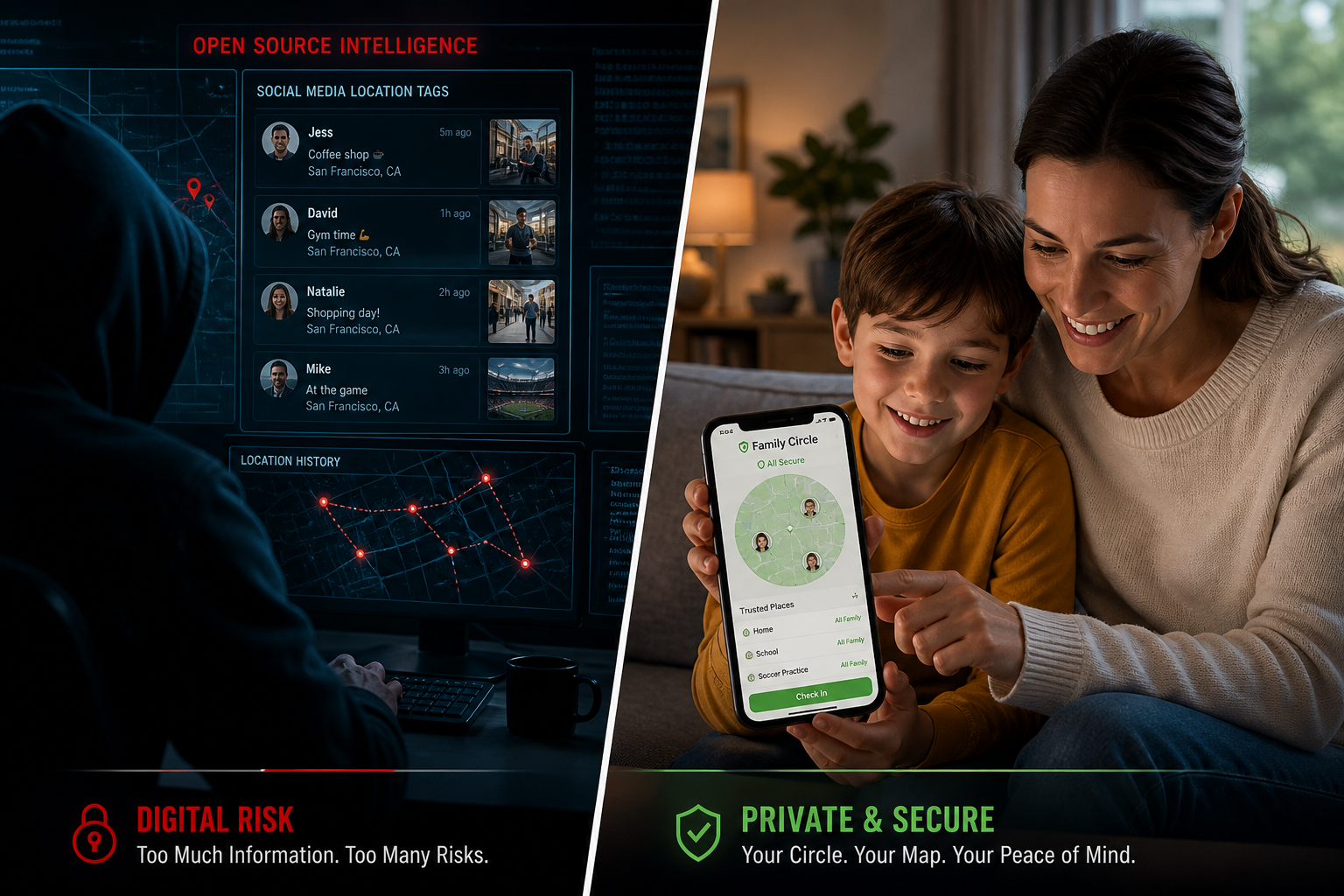
The most dangerous fuel for digital kidnapping is location data. When a parent or child posts a photo with a location tag—whether it’s at a specific park, a school sports event, or a favorite local ice cream shop—they are providing a map directly to the child.
The Problem with “Check-ins”
Social media “check-ins” were designed for convenience, but for predators, they are a surveillance tool. In 2026, “violent online criminal networks,” as recently flagged by the FBI, use these location markers to build a pattern of a child’s daily life. They know where the child is at 3:00 PM on Tuesdays and which route they take home from the library.
The Invisible Footprint: Metadata
It’s not just the tags you see. Every photo taken on a smartphone contains EXIF metadata, which often includes the exact GPS coordinates of where the photo was taken. If these photos are uploaded to platforms without privacy-stripping features, anyone who downloads the photo can see exactly where your child lives or plays.
Privacy-First Protection: A New Standard for 2026
To combat these threats, families are moving away from public social sharing and toward private, encrypted safety networks. The goal is to maintain the benefits of connectivity without the exposure of the public web.
1. Audit Your Social Presence
If you are a parent who shares photos of your children, 2026 is the year to implement a “Private-Only” rule.
- Strip Metadata: Use tools to remove GPS data from photos before uploading.
- Blur Identifiers: Avoid posting photos where school logos, street signs, or house numbers are visible.
- The “Vulnerability Test”: Ask yourself: “If a stranger saw this, could they find my child in the next hour?” If the answer is yes, don’t post it.
2. Move to Secure Family Circles
The rise of the family safety app market in 2026 reflects a major shift in parenting. Instead of “tagging” a child on Facebook to show they arrived at soccer practice, parents are using private circles.
A secure student safety app allows a child to share their location only with a small, trusted group of people. This location data is encrypted and never sold to third parties, ensuring that the “map” to your child remains in your hands only.
3. Educate, Don’t Just Regulate
With 96% of identity theft victims still posting personal info, it’s clear that rules aren’t enough—education is required.
- The “Digital Permanent Marker” Analogy: Teach children that anything posted online is written in permanent marker. Even if deleted, it exists in backups and archives.
- Recognize “Grooming” Tactics: Predators often start by complimenting a child’s public photos or using “location bait” (e.g., “I’m at that same park you posted!”).
How Technology Can Be a Shield
While technology creates the risks of digital kidnapping, it also provides the most effective shield. In 2026, the focus has shifted from “surveillance” to “empowerment.”
The “Privacy-Safe” SOS
In a crisis, a child needs to be able to call for help without exposing their location to the world. A dedicated SOS alert app provides a one-tap emergency SOS that notifies parents and authorities immediately. Because these apps operate on private networks, the location data isn’t visible on social feeds or searchable by strangers.
Location Privacy Controls
Modern safety platforms now allow for granular control. You can set “Safe Zones” (geofencing) that notify you when a child arrives at school without requiring a public check-in. This keeps the family informed while maintaining a high level of personal safety.
2026 Digital Privacy Checklist for Parents
- Disable “Always-On” Location: Turn off location services for social media apps. Only enable it for dedicated safety apps.
- Review Privacy Laws: Familiarize yourself with the TAKE IT DOWN Act (TIDA), which allows you to request the removal of non-consensual images of minors.
- Set Up a Private Circle: Move your family’s location sharing to a dedicated, encrypted platform.
- Monitor Hidden Apps: Predators often move children from public platforms to “hidden” messaging apps. Regularly audit your child’s device for unfamiliar icons.
- The Family Password: As discussed in our previous guides, always have a non-digital “emergency password” to verify a person’s identity in case of a suspicious call.
FAQ: Digital Kidnapping & Privacy
Q: Is digital kidnapping a crime?
A: In many jurisdictions, stealing photos to impersonate someone or for grooming purposes is illegal, but the laws are still catching up. Prevention is always more effective than prosecution.
Q: Can I really get my child’s photo removed from a stranger’s account?
A: Yes. Under the 2026 enforcement of the TAKE IT DOWN Act, platforms are now legally required to act quickly on removal requests involving minors.
Q: Why is a safety app better than just texting?
A: Texting is slow in a crisis and doesn’t provide real-time location. A dedicated safety app ensures that help is one tap away and that your location data is handled with bank-level encryption, not as a social media data point.
Conclusion: Reclaiming Your Family’s Digital Space
The threat of digital kidnapping is a sobering reminder that our digital lives have real-world consequences. However, by taking a “Privacy-First” approach and utilizing secure, non-public tools like ProtectSmartly, you can reclaim your family’s digital space.
Don’t let your family’s safety be a matter of public record. By moving to private family safety app solutions, you ensure that your children can enjoy the digital world without becoming a target.
Learn more about how ProtectSmartly protects your family’s privacy.
Explore the Student Safety App privacy features.
Download ProtectSmartly and take a proactive approach to your family’s digital safety.