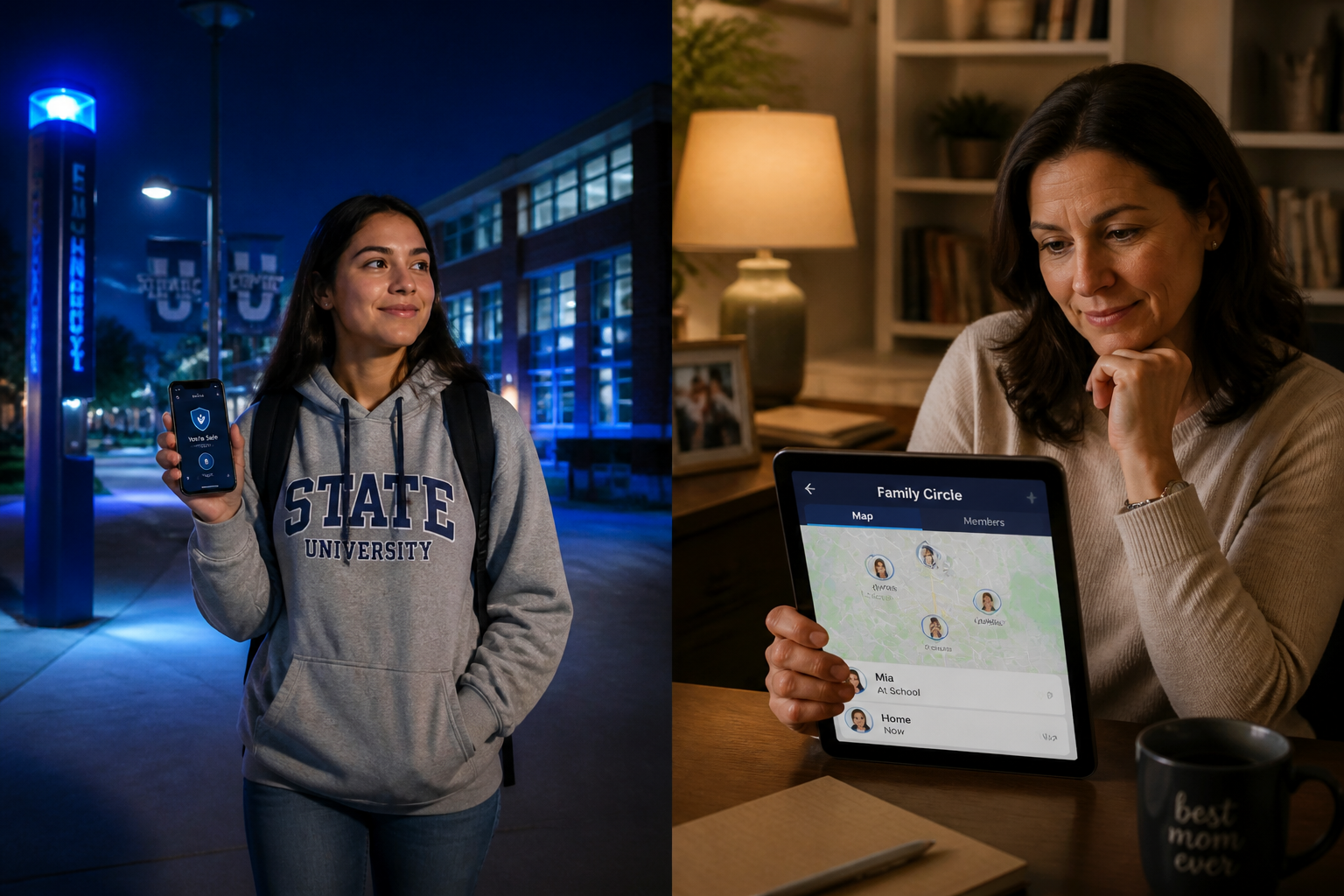
As the August sun begins to dip earlier each evening, millions of students across the country are preparing for the 2026–27 academic year. For freshmen, it’s a time of newfound independence; for parents, it’s a season of quiet concern. However, in 2026, the safety landscape has shifted. While physical campus security remains a priority, the rise of sophisticated AI-driven scams and digital threats has added a new layer of complexity to back-to-school preparation.
Protecting your family in this modern era requires more than just locking dorm room doors—it requires a proactive, tech-enabled safety strategy built around a trusted family safety app. This guide explores the most critical safety trends for 2026 and provides actionable steps to keep students and families secure.
The New Frontier: AI Scams Targeting Students and Parents
Perhaps the most alarming trend in 2026 is the surge in AI-powered “emergency” scams. According to recent FBI warnings, criminals are increasingly using voice cloning and deepfake technology to impersonate students in distress.
The “Urgent Emergency” Tactic
Imagine receiving a call from your child. The voice sounds exactly like theirs—the tone, the inflection, even the background noise of a busy campus. They claim they’ve been in an accident, are being held, or need immediate funds for an emergency. In the heat of the moment, panic often overrides logic.
In 2025 alone, Americans lost nearly $900 million to these AI-powered impersonation schemes. As students move away from home for the first time, they become prime targets for these “vishing” (voice phishing) attacks.
The “Family Code Word” Strategy
The most effective defense against voice cloning is a low-tech solution: The Family Code Word.
- What it is: A unique, non-obvious word or phrase known only to your immediate family circle.
- How to use it: If any family member calls from an unknown number claiming an emergency, the receiver asks for the code word. If the caller can’t provide it, you know it’s a scam.
- Why it works: Even the most advanced AI can’t guess a private family secret.
Campus Safety 101: Navigating the Physical and Digital World
Physical safety on campus is still the foundation of a secure college experience. However, the way we manage it has evolved.
The “Library to Dorm” Strategy
Walking across campus late at night is a common occurrence for college students. In 2026, proactive safety means being aware of your surroundings and having a plan.
- Stay in Well-Lit Areas: Stick to the “Blue Light” paths designated by campus security.
- Limit Distractions: Avoid walking with both earbuds in or staring at your phone. Awareness is your first line of defense.
- The Power of One-Tap SOS: Having a dedicated student safety app like ProtectSmartly means that if you feel unsafe, a single tap can notify your trusted Family Circle and share your real-time location.
Smart Check-Ins vs. Constant Surveillance
Safety should never come at the cost of privacy. For students, the goal is “Independence with a Safety Net.”
- Define Boundaries: Parents and students should agree on when location sharing is active. For example, sharing location during a late-night walk home or a solo trip is a smart safety measure, not a privacy invasion.
- Arrival Pings: Use automated check-ins to let family know you’ve arrived safely at your dorm or a friend’s house, reducing the need for “Are you there yet?” texts.
Building a Modern Family Emergency Plan
Safety is a team sport. Before the semester begins, every family should establish a clear communication and response plan.
Setting Up Your Family Circle
A “Family Circle” isn’t just a group chat; it’s a dedicated safety network. Using the ProtectSmartly app, you can create a private circle where members can see each other’s status and location when permitted.
- Identify Trusted Contacts: Include parents, siblings, and perhaps a close roommate.
- Test the SOS Button: Make sure everyone knows what happens when the SOS is triggered—who gets the alert and what information is shared.
- Update Emergency Info: Ensure the app has current medical information and local emergency numbers for the student’s specific campus.
Emergency vs. Check-In
Clearly define what constitutes a “Check-in” (I’m safe) versus an “Emergency” (I need help now). This prevents “alert fatigue” and ensures that when an emergency SOS is sent, it is treated with the necessary urgency.
Leveraging Technology: How ProtectSmartly Fits Your Lifestyle
ProtectSmartly was designed to handle the realities of modern life. Whether you’re a student navigating a new city or a parent staying connected from hundreds of miles away, the platform provides the tools you need.
- One-Tap SOS: In a high-stress situation, you don’t have time to unlock your phone and dial 911. ProtectSmartly’s SOS alert app sends instant alerts with your exact location to your circle.
- Location Sharing for Travelers: Perfect for students taking weekend trips or studying abroad.
- Privacy-First Design: ProtectSmartly uses end-to-end encryption (coming soon) and strict privacy controls, ensuring your location data is only visible to the people you trust.
2026 Back-to-School Safety Checklist
For Students:
- Download a reliable safety app like ProtectSmartly.
- Save the campus security number in your contacts.
- Walk the campus during the day to identify well-lit routes.
- Establish a Family Code Word with your parents.
- Keep your phone charged and carry a portable power bank.
- Be cautious about sharing your real-time location on social media.
For Parents:
- Discuss the risk of AI-voice cloning scams with your student.
- Set up a Family Circle on a safety platform.
- Confirm your student’s dorm address and roommate’s contact info.
- Review the “Family Code Word” protocol.
- Respect your student’s independence while maintaining a safety link.
FAQ: Common Student Safety Questions
Q: Are campus safety apps actually effective? A: Yes, especially when they provide real-time location sharing and instant alerts. They reduce the time it takes for help to arrive and keep your trusted network informed during critical moments.
Q: How do I handle a suspicious emergency call? A: Stay calm. Ask for your Family Code Word. If they can’t provide it, hang up and call your family member directly on their known number to verify their safety.
Q: Is it safe to share my location all the time? A: ProtectSmartly recommends sharing your location when you are in potentially vulnerable situations (like walking alone at night) or traveling. You have full control over when and with whom you share.
Conclusion: Empowerment Through Preparation
Back-to-school season in 2026 is an opportunity for growth and adventure. By understanding modern threats like AI scams and utilizing proactive technology like ProtectSmartly, students can explore their independence with confidence, and parents can have the peace of mind they deserve.
Safety isn’t about living in fear; it’s about being prepared. Take a few minutes this week to set up your family’s safety plan and download the tools that will keep you connected, no matter where the school year takes you.
Learn more about how ProtectSmartly can help your family stay connected and prepared. Explore ProtectSmartly’s Student Safety Tracking App features. Download ProtectSmartly and take a proactive approach to personal safety and family safety.