Category: Family Safety

  • The 2026 Home Safety Audit: How to Protect Your Family from Record-Breaking Product Recalls and Household Hazards

    The 2026 Home Safety Audit: How to Protect Your Family from Record-Breaking Product Recalls and Household Hazards

    The 2026 Home Safety Audit: How to Protect Your Family from Record-Breaking Product Recalls and Household Hazards

    In August 2026, home safety has taken on a new level of urgency. According to recent data from the Consumer Product Safety Commission (CPSC) and PIRG, product recalls have hit an 18-year high, with nearly 900 injuries linked to unsafe consumer goods in the first half of this year alone. From household appliances to children’s toys, the “hidden hazards” in our homes are more prevalent than ever.

    Protecting your loved ones requires a proactive approach. A Home Safety Audit is no longer a once-a-year task—it is a critical, ongoing practice for the modern family. This guide breaks down the latest 2026 recall trends and provides a step-by-step audit to ensure your living space remains a sanctuary.

    The 2026 Recall Crisis: What You Need to Know

    The month of August has already seen a surge in major safety warnings. On August 13, 2026, the CPSC issued an urgent alert for hair dryer brushes due to severe electrocution risks and slide playsets linked to head and neck entrapment hazards. These aren’t isolated incidents; they are part of a broader trend of manufacturing and quality control challenges affecting global supply chains in 2026.

    Why Recalls Are Surging

    • Rapid Tech Integration: Smart home devices and AI-enabled appliances are entering the market faster than safety regulations can keep up.
    • Supply Chain Complexity: Global components often lack standardized safety testing, leading to failures in final products.
    • Increased Consumer Reporting: Digital platforms have made it easier for families to report injuries, leading to faster (but more frequent) recall actions.

    Step-by-Step: The 2026 Home Safety Audit

    To perform a comprehensive audit, walk through each room of your home with a critical eye and a reliable family safety app to coordinate with your household.

    1. The Kitchen: Appliances and Fire Risks

    The kitchen remains the most high-risk area for fires and electrical hazards.
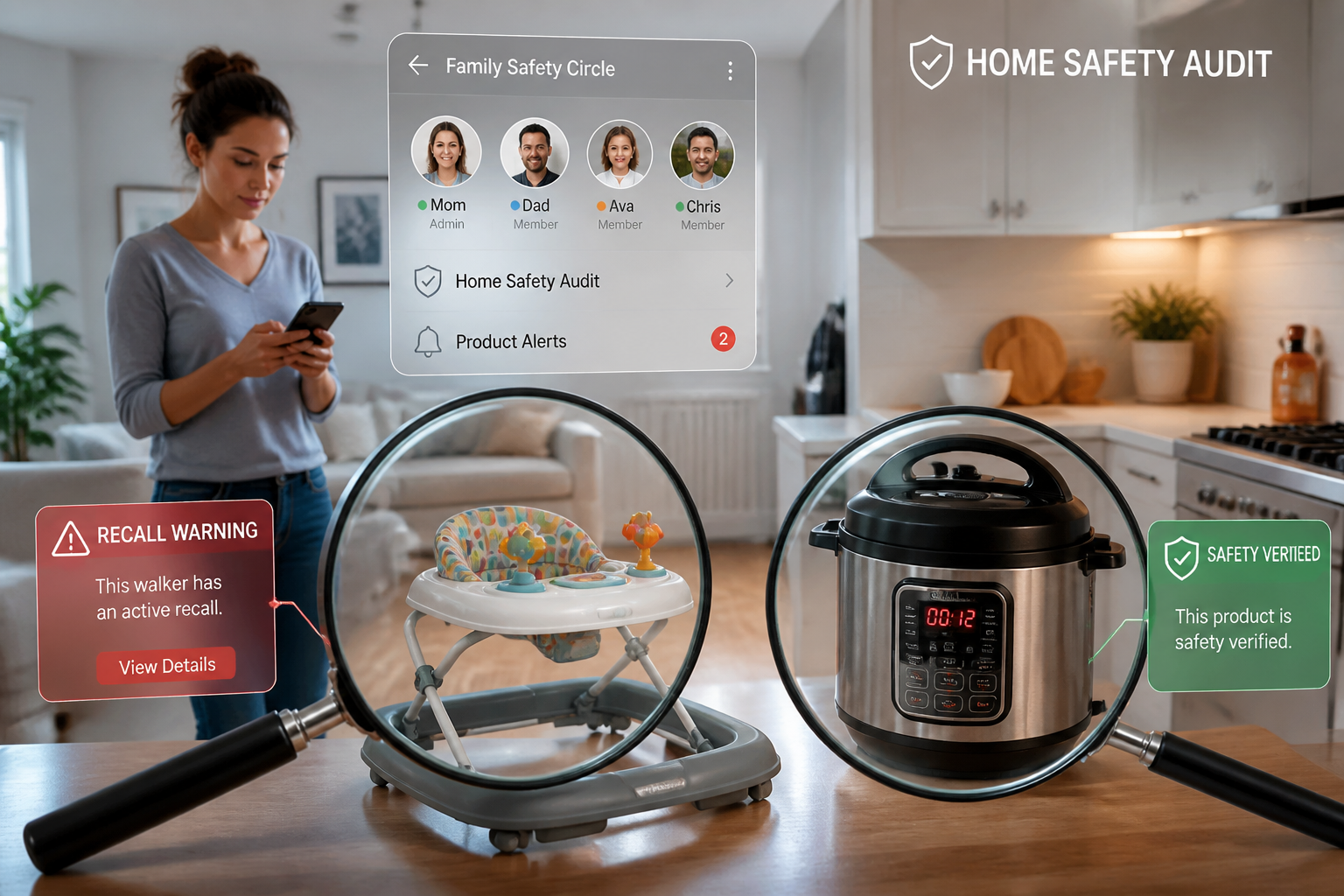
    * Check for Active Recalls: Visit the CPSC website or use a recall-tracking tool to check your refrigerator, dishwasher, and small appliances like air fryers and the recently flagged hair dryer brushes (often stored in nearby bathrooms).
    * Inspect Plugs and Cords: Look for fraying or discoloration. In 2026, “smart” plugs are common, but third-party, uncertified models have been linked to fire hazards.
    * Test Detectors: Ensure your smoke and carbon monoxide detectors are not just working, but are integrated into your personal safety network.

    2. The Nursery and Playroom: Entrapment and Toxicity

    Child safety is the top concern in 2026, especially with the rise of “water beads” and unsafe infant walkers.
    * The “Entrapment Test”: Check cribs, playpens, and the latest slide playsets for gaps where a child’s head or neck could become stuck.
    * Toxicity Check: The August 7, 2026, recall roundup highlighted several infant walkers and toys containing hazardous chemicals. Stick to brands with verified safety certifications.
    * Secure Furniture: Heavy furniture and televisions should be anchored to the wall. Tip-over accidents remain a leading cause of home injuries.

    3. The Living Area: Digital Privacy and Physical Hazards

    • IoT Security: Every smart camera and voice assistant is a potential entry point for digital intruders. Ensure all devices have unique, complex passwords and that your home network is encrypted.
    • Clear the Path: Trip hazards are a major risk for elderly family members. Ensure rugs are secured and walkways are well-lit.

    The Role of Technology in Home Safety

    While physical checks are essential, technology provides the “Safety Net” that connects your family when a hazard becomes an emergency.

    Emergency Coordination

    If a fire breaks out or an accident occurs, every second counts. An SOS alert app allows you to trigger an instant notification to your entire Family Circle. Instead of one person calling for help, your entire support network is alerted simultaneously with your exact location.

    Proactive Preparedness

    ProtectSmartly’s emergency SOS features are designed to handle the unexpected. By setting up a Family Circle, you can ensure that even if you are incapacitated, your trusted contacts are notified and can coordinate a response with local authorities.

    2026 Home Safety Checklist

    • [ ] Register Your Products: Always fill out the registration card for new appliances. This is the only way manufacturers can contact you directly during a recall.
    • [ ] Set Up Google Alerts: Create alerts for “[Brand Name] + Recall” to stay informed in real-time.
    • [ ] Review Your Emergency Plan: Does everyone in the house know two ways out of every room?
    • [ ] Establish a Digital “Safe Zone”: Regularly audit the privacy settings on your smart home devices.
    • [ ] Download a Safety Tool: Ensure every family member has a reliable safety app installed and tested.

    FAQ: Home Safety in 2026

    Q: What should I do if my product is recalled?
    A: Stop using it immediately. Follow the manufacturer’s instructions for a refund, repair, or replacement. Do not attempt to fix a recalled item yourself.

    Q: How often should I perform a home safety audit?
    A: We recommend a deep audit every six months, with “mini-checks” monthly for high-use items like toys and kitchen appliances.

    Q: Can a safety app help with home hazards?
    A: Yes. Apps like ProtectSmartly provide the communication infrastructure needed to respond to home emergencies quickly, ensuring your family stays connected even in a crisis.

    Conclusion: A Safer Home is a Connected Home

    Home safety in 2026 is about more than just checking batteries; it’s about awareness and connectivity. By staying informed about record-breaking product recalls and maintaining a rigorous safety audit, you can protect your family from the hidden hazards of modern life.

    Remember, the most powerful safety tool is a prepared family. Take the first step today by auditing your home and ensuring your family safety app is ready for any situation.


    Learn more about how ProtectSmartly can help your family stay prepared.
    Explore the SOS Alert App features for home emergencies.
    Download ProtectSmartly and take control of your family’s safety today.
  • Back-to-School Safety 2026: The Essential Guide for Students and Families

    Back-to-School Safety 2026: The Essential Guide for Students and Families

    As the August sun begins to dip earlier each evening, millions of students across the country are preparing for the 2026–27 academic year. For freshmen, it’s a time of newfound independence; for parents, it’s a season of quiet concern. However, in 2026, the safety landscape has shifted. While physical campus security remains a priority, the rise of sophisticated AI-driven scams and digital threats has added a new layer of complexity to back-to-school preparation.

    Protecting your family in this modern era requires more than just locking dorm room doors—it requires a proactive, tech-enabled safety strategy built around a trusted family safety app. This guide explores the most critical safety trends for 2026 and provides actionable steps to keep students and families secure.

    The New Frontier: AI Scams Targeting Students and Parents

    Perhaps the most alarming trend in 2026 is the surge in AI-powered “emergency” scams. According to recent FBI warnings, criminals are increasingly using voice cloning and deepfake technology to impersonate students in distress.

    The “Urgent Emergency” Tactic

    Imagine receiving a call from your child. The voice sounds exactly like theirs—the tone, the inflection, even the background noise of a busy campus. They claim they’ve been in an accident, are being held, or need immediate funds for an emergency. In the heat of the moment, panic often overrides logic.

    In 2025 alone, Americans lost nearly $900 million to these AI-powered impersonation schemes. As students move away from home for the first time, they become prime targets for these “vishing” (voice phishing) attacks.

    The “Family Code Word” Strategy

    The most effective defense against voice cloning is a low-tech solution: The Family Code Word.

    • What it is: A unique, non-obvious word or phrase known only to your immediate family circle.
    • How to use it: If any family member calls from an unknown number claiming an emergency, the receiver asks for the code word. If the caller can’t provide it, you know it’s a scam.
    • Why it works: Even the most advanced AI can’t guess a private family secret.

    Campus Safety 101: Navigating the Physical and Digital World

    Physical safety on campus is still the foundation of a secure college experience. However, the way we manage it has evolved.

    The “Library to Dorm” Strategy

    Walking across campus late at night is a common occurrence for college students. In 2026, proactive safety means being aware of your surroundings and having a plan.

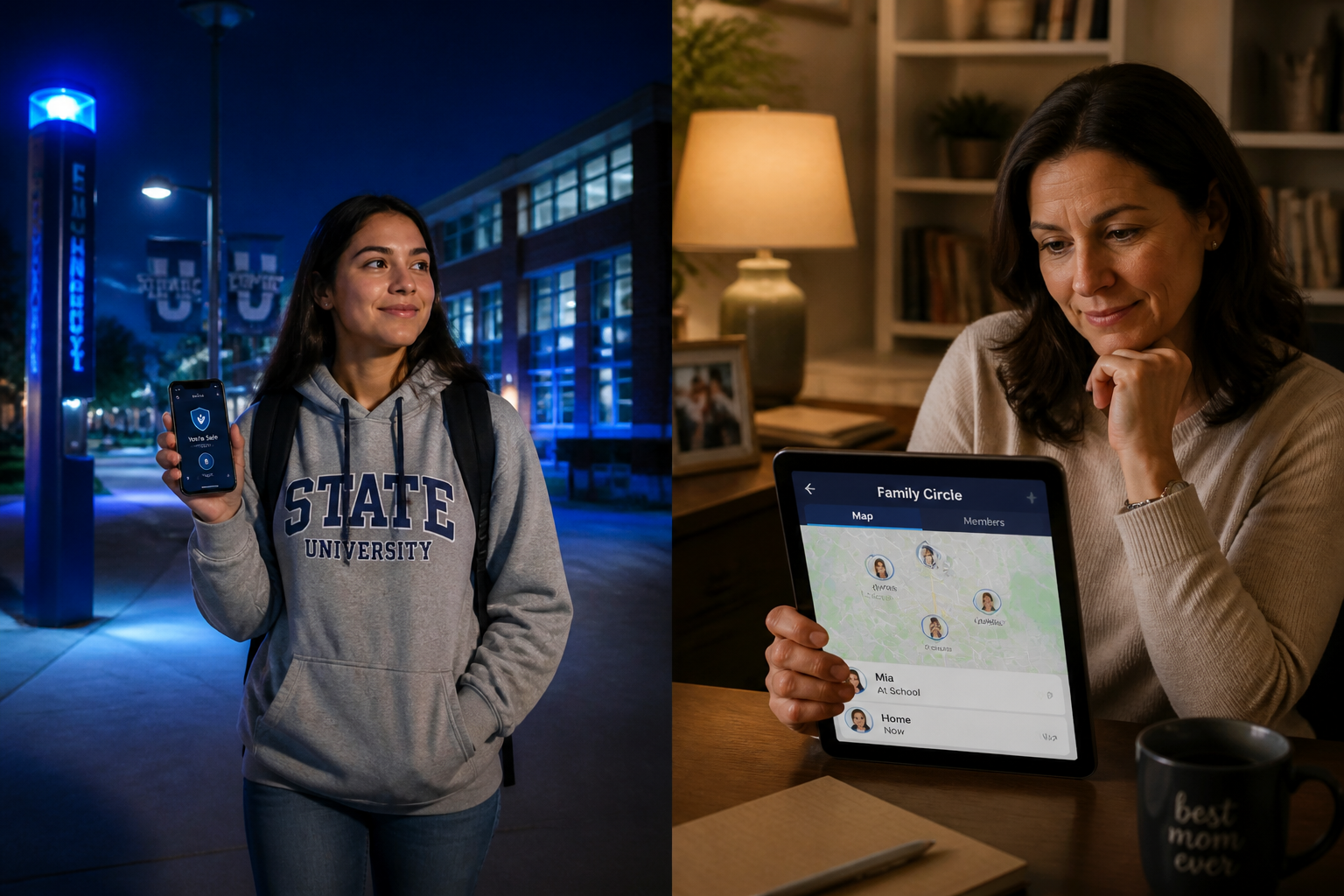
    • Stay in Well-Lit Areas: Stick to the “Blue Light” paths designated by campus security.
    • Limit Distractions: Avoid walking with both earbuds in or staring at your phone. Awareness is your first line of defense.
    • The Power of One-Tap SOS: Having a dedicated student safety app like ProtectSmartly means that if you feel unsafe, a single tap can notify your trusted Family Circle and share your real-time location.

    Smart Check-Ins vs. Constant Surveillance

    Safety should never come at the cost of privacy. For students, the goal is “Independence with a Safety Net.”

    • Define Boundaries: Parents and students should agree on when location sharing is active. For example, sharing location during a late-night walk home or a solo trip is a smart safety measure, not a privacy invasion.
    • Arrival Pings: Use automated check-ins to let family know you’ve arrived safely at your dorm or a friend’s house, reducing the need for “Are you there yet?” texts.

    Building a Modern Family Emergency Plan

    Safety is a team sport. Before the semester begins, every family should establish a clear communication and response plan.

    Setting Up Your Family Circle

    A “Family Circle” isn’t just a group chat; it’s a dedicated safety network. Using the ProtectSmartly app, you can create a private circle where members can see each other’s status and location when permitted.

    1. Identify Trusted Contacts: Include parents, siblings, and perhaps a close roommate.
    2. Test the SOS Button: Make sure everyone knows what happens when the SOS is triggered—who gets the alert and what information is shared.
    3. Update Emergency Info: Ensure the app has current medical information and local emergency numbers for the student’s specific campus.

    Emergency vs. Check-In

    Clearly define what constitutes a “Check-in” (I’m safe) versus an “Emergency” (I need help now). This prevents “alert fatigue” and ensures that when an emergency SOS is sent, it is treated with the necessary urgency.

    Leveraging Technology: How ProtectSmartly Fits Your Lifestyle

    ProtectSmartly was designed to handle the realities of modern life. Whether you’re a student navigating a new city or a parent staying connected from hundreds of miles away, the platform provides the tools you need.

    • One-Tap SOS: In a high-stress situation, you don’t have time to unlock your phone and dial 911. ProtectSmartly’s SOS alert app sends instant alerts with your exact location to your circle.
    • Location Sharing for Travelers: Perfect for students taking weekend trips or studying abroad.
    • Privacy-First Design: ProtectSmartly uses end-to-end encryption (coming soon) and strict privacy controls, ensuring your location data is only visible to the people you trust.

    2026 Back-to-School Safety Checklist

    For Students:

    • Download a reliable safety app like ProtectSmartly.
    • Save the campus security number in your contacts.
    • Walk the campus during the day to identify well-lit routes.
    • Establish a Family Code Word with your parents.
    • Keep your phone charged and carry a portable power bank.
    • Be cautious about sharing your real-time location on social media.

    For Parents:

    • Discuss the risk of AI-voice cloning scams with your student.
    • Set up a Family Circle on a safety platform.
    • Confirm your student’s dorm address and roommate’s contact info.
    • Review the “Family Code Word” protocol.
    • Respect your student’s independence while maintaining a safety link.

    FAQ: Common Student Safety Questions

    Q: Are campus safety apps actually effective? A: Yes, especially when they provide real-time location sharing and instant alerts. They reduce the time it takes for help to arrive and keep your trusted network informed during critical moments.

    Q: How do I handle a suspicious emergency call? A: Stay calm. Ask for your Family Code Word. If they can’t provide it, hang up and call your family member directly on their known number to verify their safety.

    Q: Is it safe to share my location all the time? A: ProtectSmartly recommends sharing your location when you are in potentially vulnerable situations (like walking alone at night) or traveling. You have full control over when and with whom you share.

    Conclusion: Empowerment Through Preparation

    Back-to-school season in 2026 is an opportunity for growth and adventure. By understanding modern threats like AI scams and utilizing proactive technology like ProtectSmartly, students can explore their independence with confidence, and parents can have the peace of mind they deserve.

    Safety isn’t about living in fear; it’s about being prepared. Take a few minutes this week to set up your family’s safety plan and download the tools that will keep you connected, no matter where the school year takes you.


    Learn more about how ProtectSmartly can help your family stay connected and prepared. Explore ProtectSmartly’s Student Safety Tracking App features. Download ProtectSmartly and take a proactive approach to personal safety and family safety.

  • How Technology Can Protect Your Family: The Complete Guide to SOS Apps, Live Location Sharing & Personal Safety in 2026

    How Technology Can Protect Your Family: The Complete Guide to SOS Apps, Live Location Sharing & Personal Safety in 2026

    Why Choose ProtectSmartly for Your Family’s Safety?

    When it comes to protecting the people who matter most, having the right safety app can make all the difference. Instead of relying on multiple apps for location sharing, emergency alerts, and communication, consider using ProtectSmartly as your family’s personal safety companion.

    ProtectSmartly is designed to help families stay connected and respond faster during unexpected situations. Whether you’re checking that your child has arrived at school safely, ensuring an elderly parent is okay, or sharing your location while traveling alone, the app helps everyone stay informed.

    How ProtectSmartly Helps Keep Your Family Safe

    Instant SOS Alerts

    If an emergency occurs, you can quickly send an SOS alert to your trusted contacts. Fast notifications mean your family can respond immediately when every second counts.

    Live Location Sharing

    Knowing where your loved ones are can provide valuable peace of mind. ProtectSmartly allows family members to securely share their live location, making it easier to confirm safe arrivals and respond if someone needs help.

    Family Safety in One Place

    Instead of juggling several different safety tools, ProtectSmartly brings essential family safety features together in one easy-to-use application, helping everyone stay connected.

    Designed for Everyday Life

    ProtectSmartly isn’t just for emergencies. It supports everyday situations, including:

    • Children traveling to and from school
    • Teenagers attending events with friends
    • Parents commuting to work
    • Elderly family members living independently
    • Solo travelers
    • Outdoor activities such as hiking, cycling, and running

    Using the app as part of your daily routine helps ensure that everyone knows how to use its safety features before they’re ever needed.

    Safety Technology Works Best When Everyone Participates

    No app can prevent every emergency, but technology becomes far more effective when the whole family uses it consistently. Encourage every family member to install ProtectSmartly, keep emergency contacts updated, enable location permissions when appropriate, and regularly test safety features together.

    Preparedness is one of the most valuable forms of protection. With responsible use and good communication, ProtectSmartly can become an important part of your family’s overall safety plan.

    Get Started Today

    Protecting your family doesn’t have to be complicated. Download ProtectSmartly, invite your trusted family members, configure your emergency contacts, and explore its safety features. Taking a few minutes to prepare today can help your family stay connected and ready for tomorrow.

  • 10 Best Safety Apps for Android to Keep Your Family Protected with One Tap SOS Alert

    image text

    10 Best Safety Apps for Android to Keep Your Family Protected with One Tap SOS Alert

    When emergencies strike, every second matters. That’s why having a free SOS Alert App on your Android device isn’t just a modern tool—it’s a lifeline. In today’s world, staying safe is no longer optional, especially for families, solo travelers, students, and elders. With an Onclick Family Safety app, just pressing a red button can immediately alert your loved ones and local authorities.

    Why You Need a Family Safety App in 2024

    Whether your child is walking home from school, your spouse is traveling solo, or your elderly parent is home alone—you’ll feel safer knowing they have a reliable, easy-to-use family protection app supporting them.

    • Instant SOS Alerts that notify family or friends within seconds
    • Geo-location features to track real-time movements
    • Group event communication and alerts for easy updates
    • Connection with local vendors and event safety specialists
    • Multilingual support for cultural inclusiveness

    Top Use Cases for Family Safety Apps

    From a mom organizing her daughter’s first solo trip to college to a dad watching out for an elderly parent, a powerful SOS Alert App can transform how you protect your family daily.

    1. Students Safety On-Campus

    Today’s students face unpredictable challenges. Using a Student Safety App can instantly send alerts to trusted contacts and campus security simultaneously. With GPS-based check-ins, peers and parents feel more secure.

    2. Personal Safety for Solo Female Travelers

    Traveling alone? A Women Travel Safety App features discreet alerts, fake call simulations, and safe check-in zones for every city. Travelers can feel safer knowing their journey is connected to loved ones.

    3. Real-Time Elder Assistance

    With a dedicated SOS App for Elders, family members are instantly notified if elderly loved ones face a fall or health scare. Features like voice-prompt SOS or auto-alert upon inactivity can be life-saving.

    4. School Kids & Family Fun Safety

    Install a SOS App for Kids so young ones can reach out quickly with oversized red button support. Whether they’re at school, on a playdate, or lost in a mall, one tap keeps them connected safely.

    Safety & Food Management for Family Events

    Planning an event? The ProtectSmartly app lets you create an event and manage safety with local vendors—whether it’s for a birthday party, college reunion, or parents’ anniversary.

    • Track event members with real-time location sharing
    • Get secure vendor listings based on event type
    • Safe vendor interactions and SMS-based approvals
    • Emergency response support during HQ activities

    Quick Tips: Safety for Different Family Members

    • For Moms: Enable geofence alerts when your child enters or exits school boundaries.
    • For College Kids: Keep your campus friends in the loop with daily SOS check-ins.
    • For Dads: Monitor teenager driving routes for emergencies.
    • For Solo Guests: Share safety zone updates while traveling or walking alone.
    • For Kids: A large SOS button makes reaching parents instant and stress-free.

    Conclusion: Simplify Safety & Celebrate Life

    With ProtectSmartly, creating an event and organizing safety is now easier than ever. Parents, students, and travelers no longer have to worry—because one button can now manage a lifetime of protection. From curated local vendors to the best safety apps for Android—we make every touchpoint smart, secure, and family-first.

    Ready to protect your loved ones? Find your perfect match today and simplify your family’s safety journey.

  • 10 Best Ways to Keep Your Family Safe with a Free SOS Alert App in 2026

    image text

    10 Best Ways to Keep Your Family Safe with a Free SOS Alert App in 2024

    In a world that’s constantly changing, family safety remains one of our top priorities. Imagine being able to trace your loved ones, get instant alerts, and call help with a simple tap — that’s exactly what a free SOS Alert App offers. From solo travelers and school kids to elders, safety is now smart, secure, and literally in your pocket.

    Why You Need a Free SOS Alert App

    Our lives are filled with movement — from kids heading to school, parents commuting to work, to teens exploring campuses. A smart protection app bridges the gap when loved ones are not near. These apps send out real-time SOS alerts, track live locations, and offer one-tap emergency responses.

    • Track your kids’ route to and from school safely.
    • Enable the panic button feature for elders living alone.
    • Use geo-fencing for college safety and campus boundaries.
    • Send one-tap emergency alerts with voice notes or images.
    • Share location in real time during events or travels.

    Top Features That Keep Every Family Member Safe

    Whether you’re a mom managing a busy household or a frequent solo traveler, these features make the Family Safety App indispensable:

    1. SOS Button App – Tap into Instant Safety

    Imagine pressing the red button during an emergency — and instantly all your loved ones know your location and condition. Simple, powerful, and effective.

    2. Custom Family Safety Events

    With ProtectSmartly, users can create events like pickups, emergency drills, or community outings. The app even connects you with local vendors to help organize safe and secured events near you.

    3. Voice-Activated Emergency SOS

    Your smartphone can now hear you. In critical moments, shout “help” or trigger a voice command to send out an emergency alert to designated contacts and authorities.

    4. Connect to Local Emergency Services

    Our integrated SOS alert system ensures that your location & need is shared not only with family but directly with nearby responders.

    5. Multi-User Profiles for Family Management

    Each family member — kids, mom, dad, or grandparents, can have their own profile with personalized security settings. Protect my family app has never been more tailored.

    Safety Scenarios You Never Want to Miss

    Let’s talk scenarios. Real ones — with real needs — where having a free SOS alert app changes the game:

    • A college student walking home late triggers SOS with location & video.
    • A solo mom traveler checks in regularly with her preset group list.
    • Grandparents alone at home press an alert during a fall or emergency.
    • Kids lost in a mall use the red button for help.

    Essential Safety for Women, Kids & Students

    Women Solo Travel Safety

    Traveling solo can be empowering — and safer with tools like route tracking, emergency contacts, and Women Travel Safety App settings that alert on suspicious movements.

    Kids Safety in Public Spaces

    With the SOS App for Kids, young ones can learn safety habits early. A bright button, friendly interface, and parental control ensure their safety isn’t scary — it’s smart.

    Student & Campus Safety

    College life comes with responsibility, exploration — and risk. Equip your teen with a Student Safety App with 24/7 backup to call for help anytime, anywhere.

    Conclusion: Family Safety Starts with Smart Planning

    Protecting your family doesn’t end with locking the doors. With Onclick Family Safety tools, you can plan events, connect with your loved ones, monitor their safety, and even support your local businesses through smart vendor listings. Whether planning a school event, playdate, or family picnic, our platform ensures safety meets convenience.

    Start your journey to smart safety today. Find your perfect match — protect your family safely and smartly!

  • 7 Must-Have Safety Features in the Best SOS Button App for Moms & Dads

    image text

    7 Must-Have Safety Features in the Best SOS Button App for Moms & Dads

    In today’s unpredictable world, family safety isn’t just a priority—it’s a necessity. Whether you’re a mom keeping an eye on late-night college kids or a dad ensuring your family is secure while traveling, a reliable free SOS Alert App with essential features can give you peace of mind and real-time protection.

    Why Every Parent Needs an SOS Button App

    From unexpected emergencies to simple daily safety check-ins, having access to a smart protection app ensures that you and your loved ones are always just one tap away from help. Here’s why:

    • Quick Response Capabilities – Instantly notify pre-set emergency contacts.
    • Live Location Sharing – Know where your loved ones are in real time.
    • Family Group Alerts – One alert reaches all linked family members simultaneously.
    • Offline Functionality – Even without internet access, help is on the way.
    • Custom Event Notifications – Perfect for school pickups, outings or local event alerts.

    Explore the Ultimate Family Safety Toolkit

    ProtectSmartly’s app isn’t just another safety app for Android. It’s a complete family safety platform tailored to your lifestyle. Here’s what you’ll love:

    1. Dedicated SOS Mode

    With a single tap on the red button, instantly send your exact location and a message to your emergency contacts. Great for unexpected accidents or when you feel unsafe.

    2. Children & Elder Watch

    Our SOS app for kids and the SOS app for elders ensures individuals at either end of the age spectrum have access to help, whether at school or at home.

    3. Women Safety Tools

    Going solo? Our Women Travel Safety App lets female travelers report suspicious activity, share location with trusted contacts, and activate alerts instantly in distress.

    4. Plan Safe Events in Seconds

    Create your family-centric events—birthdays, reunion dinners, or community drives—and receive recommendations for local vendors aligned with your security preferences. The app automatically sends event updates and reminders.

    5. Location-based Smart Reminders

    Set smart reminders based on your loved ones’ travel routes. Ideal for college kids safety or when your child heads out alone for sports or tuitions.

    Family-Focused Safety: Food for Thought

    No protective solution is complete without considering the unique safety needs across age groups:

    • Family Safety: Group tracking and mutual alert buttons keep every generation safe.
    • Women Solo Travel Safety: SOS button on phone lock screen enables instant action.
    • Kids Safety: School trip mode tracks real-time bus and field trip updates.
    • College Kids Safety: Geo-fenced reminders alert students when they deviate from usual paths.

    Conclusion: Empower Your Family with Ease & Support Local

    You’re not just protecting your family with ProtectSmartly—you’re also embracing modern convenience while backing local vendors through our in-built event planner. From pressing the red button to event reminders and family chatrooms—everything is designed for total peace of mind. Find your perfect Family Protection APP match today.

  • 7 Best Ways to Keep Your Family Safe Using a Free SOS Alert App in 2026

    image text

    7 Best Ways to Keep Your Family Safe Using a Free SOS Alert App in 2024

    In today’s fast-paced and unpredictable world, family safety can no longer be taken lightly. Whether you’re a mom, dad, student, or solo traveler, knowing your loved ones are protected gives unshakable peace of mind. That’s why the rise of the free SOS alert app is a game-changer—offering real-time protection, emergency communication, and location tracking all in one place.

    1. One-Tap Emergency Alerts For Fast Family Response

    With a simple tap of the SOS button, whether you’re a parent or a child, immediate notifications are sent to your trusted contacts with your live location shared in real-time. This makes SOS alert apps ideal for emergency scenarios like accidents, home invasions or even natural disasters.

    2. Customized Family Groups With Geo-Fencing

    You can set up different user profiles—MOM Safety App, Dad Safety App, or Kids Safety Profiles—in the app. Geo-fencing ensures if someone steps out of a defined safe zone (like home or school), alerts are sent instantly. This is especially helpful for student safety apps or elder care situations.

    3. Real-Time Location Sharing Between Family Members

    The app that shares location feature allows families to keep tabs on each other—not to track every move but to ensure safety no matter where they are. College students traveling alone, parents on business trips, or even grandparents heading to the store can feel safer.

    4. Event Planning With Built-In Safety and Local Vendor Support

    This app isn’t just for emergencies. You can create family events like birthdays, reunions, or baby showers directly in the app. It also suggests local vendors near your area, so you can plan without stress and still support your community.

    5. Safe Travel Alone—Perfect For Women and Student Solo Travelers

    For women traveling alone or students venturing out for the first time, knowing that help is just a red button click away offers immense confidence. The app works globally with emergency alerts, making it a vital Women Travel Safety App.

    6. Elder and Child Protection With Smart Notifications

    The SOS app for elders and SOS app for kids include fall-detection and wander alerts. Custom messages can also automatically be sent to contacts when a situation is detected via AI-powered sensors.

    7. Instant Local Emergency Services Integration

    An underrated perk of this app is integration with local emergency numbers. It allows for faster dispatch of police, ambulance, or fire units—especially important when every second counts.

    Safety Across All Life Stages: Mandatory Focus

    • Family Safety: From toddlers to grandparents, families can stay connected, especially during travel or school days.
    • Women Solo Travel Safety: Ensures safety for solo women through location tracking, check-ins, and timed alerts.
    • Kids Safety: Geo-boundaries and school-hour tracking help keep younger family members secure.
    • College Kids Protection: Students living on campus or traveling abroad can feel safer with 24/7 tracking & alerts.

    Conclusion: Easy Event Planning & Community Safety

    This all-in-one smart protection app doesn’t just guard your family—it allows you to celebrate with them too. With intuitive event creation and instant access to local vendors, planning birthday parties, reunions, or cultural events becomes safe, easy, and supportive of your neighborhood economy.

    Your family’s safety is just one click away. Download the free SOS alert app and keep your loved ones protected—always.

  • 7 Best Ways to Keep Your Family Safe with a Free SOS Alert App in 2026

    image text

    7 Best Ways to Keep Your Family Safe with a Free SOS Alert App in 2024

    In an unpredictable world, every second counts. A free SOS Alert App isn’t just about technology — it’s about peace of mind. Whether you’re a parent, student, solo traveler, or elder living independently, keeping your family safe has never been easier with smart protection tools.

    1. Simple One-Tap Emergency Alerts

    With a single tap — pressing the red button — your loved ones get instant alerts with your location. This life-saving feature is perfect for everyone: kids walking to school, moms commuting, or students exploring new cities. The SOS button app ensures quick response during emergencies.

    2. Real-Time Location Sharing Keeps Everyone Aware

    Know where your child is with real-time location sharing. Our app keeps family location tracking private, secure, and accurate. Ideal for student safety apps and college kids. Plus, parents get peace of mind knowing their children made it home safely.

    3. Smart Alerts for Customizable Events

    Plan a family picnic, neighborhood party, or college event within the app. As users create an event, our system intelligently recommends local vendors for your gathering. Imagine hosting a birthday party while ensuring family safety is covered in real-time.

    4. Designed for Dads, Moms, and Solo Travelers

    The app features role-specific alert settings. A Dad Safety App or Mom Safety Add works across urban or rural zones. For SOLO travelers, the emergency SOS feature adds an extra layer of protection when hiking, exploring, or traveling alone.

    5. Support for Kids and Elderly with Custom Profiles

    Elderly parents at home or adventurous kids outside? Build custom profiles in our SOS app for kids and elders. Set alert zones, safe time frames, and emergency contact rules — you stay informed while honoring their independence.

    6. Integrated Vendor Suggestions for Any Event

    Creating an event here is seamless. Just add your event details — birthday, college workshop, mom meet-up — and the app recommends top-rated local vendors. Whether it’s a catering service, balloon artist, or first aid booths — your gathering remains safe and festive.

    7. Secure, Free & Built for All Android Devices

    Our best safety apps for Android guarantee top performance with zero cost. Stay connected, guarded, and ready 24/7 with our free emergency SOS app. Designed light for all Android models, it brings instant access to your safety tools without battery drain.

    Essential Use Cases for Specific User Safety

    Women Solo Travel Safety

    When women travel solo, safety becomes a priority. Our Women Travel Safety App ensures you’re visible to a trusted circle with just one tap. Custom check-ins and current location sharing make distant explorations safer.

    Kids and College Safety

    For kids and young adults, our app teaches early digital responsibility. Encourage responsible use of student safety apps that include check-in timers and daily movement reports. Say goodbye to the “text me when you arrive” uncertainties!

    Family Safety Beyond the Basics

    Include your whole household in one digital circle. Whether it’s dad coaching late, toddlers playing out back, or elders going for walks — family safety apps help you stay synced and protected without intruding on one another’s schedules.

    Conclusion: Events and Safety. All-in-one, All-in-Reach

    What sets us apart? Beyond safety, we empower families to create joyful events — birthdays, get-togethers, and community festivals — while receiving automated suggestions for local vendors. Our SOS Alert APP marries function with fun, offering everything your family needs in one smart bundle.

    Keep your family close, informed, and safe — while celebrating life together. Find your perfect match today on ProtectSmartly!

  • 10 Best Ways to Keep Your Family Safe with a Free SOS Alert App in 2026

    image text

    10 Best Ways to Keep Your Family Safe with a Free SOS Alert App in 2024

    When emergencies hit, seconds matter. Whether you’re a parent of college students, a solo traveler, or just looking after loved ones, having a free SOS Alert App that works fast can make all the difference. In 2024, family safety isn’t optional—it’s essential. Protecting your family begins with smarter tools like family safety apps that are intuitive, powerful, and absolutely free.

    Why a Free SOS Alert App is Your Family’s Digital Lifeline

    A free SOS alert app doesn’t just provide peace of mind—it equips your family with a powerful safety net. Here’s why parents, students, and travelers everywhere are downloading them:

    • Instant SOS alerts trigger with a simple tap or red button press.
    • Real-time location sharing ensures everyone knows where loved ones are.
    • Two-way communication channels support rapid response during emergencies.
    • Geo-fencing and location check-ins keep kids and seniors accountable and visible.
    • Create and manage custom security events in the app for school pickups, travel, or group meetups.

    Top Use Cases: Protect Every Family Member

    1. Student Safety on Campus

    With rising reports of campus incidents, parents are embracing apps with student safety features that combine location tracking, instant SOS alerts, and direct emergency contact. Your college-aged kids are never really alone when you know where they are.

    2. Solo Travel for Women

    The rise of solo female travel has made women safety apps a crucial companion. Whether it’s a confident trip across Europe or visiting a nearby city, our smart app lets women press a red button for real-time alerts and live tracking at any time.

    3. Kids and Elderly Loved Ones

    For parents and caregivers, knowing your loved one has a SOS app for kids or an SOS app for elders brings unmatched peace. The app allows easy event scheduling, location sharing, and rapid notification in case of wandering or emergencies.

    4. Family Event Hosting + Safety Planning

    Special birthday? Big family barbecue? Users can create safety-focused events directly from the app. We even match you with local vendors — photographers, venue decorators, or transportation providers — all while securing the event through geo-fencing and smart alerts.

    5. Dad + Mom Safety With One Tap

    Whether dad’s out for a run or mom’s heading to work late—our MOM Safety App and DAD Safety App options mean everyone gets a safety net they can rely on.

    Food for Thought: Safety in All Corners of Life

    • Women Solo Travel Safety: Use our travel-ready SOS button to check in with friends or report trouble in real-time, keeping personal journeys secure.
    • Kids Safety: Set location boundaries, monitor school pickups and drop-offs, and keep tabs in a non-intrusive way.
    • College Kids Safety: Circle of trust feature instantly notifies roommates, RAs, or family in an SOS situation so help arrives quickly.
    • Family Protection Apps: Bring all generations under one safety net with real-time maps, custom alerts, and event coordination.

    Conclusion: Safety + Event Management, All in One App

    Experience the best of both worlds: plan events with verified vendors while keeping your loved ones protected through powerful SOS alert systems. Imagine setting up a kid’s birthday party, notifying family to check-in, and having immediate emergency updates—all within one app interface.

    Find your perfect match today—download the free SOS alert app and keep your family safe, connected, and supported every step of the way.

  • 7 Smart Ways to Keep Your Family Safe With a Free SOS Alert App Today

    image text

    7 Smart Ways to Keep Your Family Safe With a Free SOS Alert App Today

    In a world where staying connected can mean the difference between calm and chaos, your family’s safety deserves only the best tools. Whether it’s your college kid at a campus party, mom on her evening walk, or your child on the school bus — the free SOS Alert App is your silent guardian. Let’s dive into 7 smart ways this app acts as your family’s digital safety net.

    1. One Tap Emergency Alerts for Everyone

    With the SOS button App, anyone in your family can send instant emergency alerts to pre-set contacts. Whether someone is lost or in danger, pressing the red button automatically shares their live location and a voice recording of the situation.

    2. Real-Time Location Sharing for Peace of Mind

    Family safety starts with awareness. Our app that shares location gives you real-time tracking of family members. Perfect for parents tracking kids, or for partners who want location updates on solo travel adventures.

    • Track school commutes.
    • Monitor solo travel.
    • Stay aware during emergencies.

    3. SOS Alerts for Students and College Kids

    Our Student Safety App activates layered protection every time your college-aged kids head out. From sharing ETA to live panic alerts—students can call for help without placing a call.

    Plus, local roadside vendors or transport can also be accessed via the app in case of non-emergency needs.

    4. Women’s Solo Travel Safety Features

    Whether it’s mom running errands or exploring a new city, our Women Travel Safety App has her covered. Try stealth tracking mode or voice command emergency activation for when tapping a button isn’t feasible.

    • Instant alerts with voice command.
    • Geo-fenced safe zones.
    • Auto-check-in reminders.

    5. SOS App for Elders and Kids

    Whether you have tech-savvy kids or elderly parents, our SOS app for elders and SOS app for kids features oversized buttons, voice prompts, and location tagging to offer gentle support for those most vulnerable.

    6. Create Custom Events & Connect With Local Vendors

    Safety isn’t just about emergencies — it’s about planning ahead. By using ProtectSmartly, you can create and manage your family events, and discover local vendors who specialize in safe gatherings and services. Whether it’s a family picnic or graduation party, we help you connect safely.

    7. Quick Alerts, Reliable Networks

    All it takes is one tap. Our secure SOS alerts system uses cloud-based communication to notify emergency contacts even if your phone dies. The system is designed to work on Android, offering seamless protection for every member who installs the app.

    Family Safety, College Safety, Women & Kids First

    Family Safety: Use group check-ins before bed, or enable geo-fenced alerts around your house and workplace. Know where your family is—always.

    Women Solo Travel Safety: A must-have companion with stealth tracking and emergency alerts, offering peace of mind on every adventure.

    Kids Safety: Kids tap the SOS button when bullied or lost. You get their location plus audio instantly.

    College Safety: Check-in before and after class, notify roomies and parents in a single tap, and access local campus vendor info during emergencies.

    Conclusion: Events, Family, and Local Vendors—All in One App

    Planning an event? ProtectSmartly lets you create an event with ease and find nearby vendors vetted for safety measures. It’s more than an app — it’s a lifestyle of protection, connection, and peace of mind. Ready to experience the complete family safety package?

    Start keeping your family safe with our free SOS Alert App. Find your perfect match today and support your local community with confidence.